
Document management & business archiving
A document must remain usable after it has been filed. Dtouch organizes relations between parts, business objects, versions and rights to facilitate consultation and follow-up.
Concrete functions.
Tools in situ.
Interfaces used to organize work, prepare data and track files. Each screen shows a specific function, with presentation data.
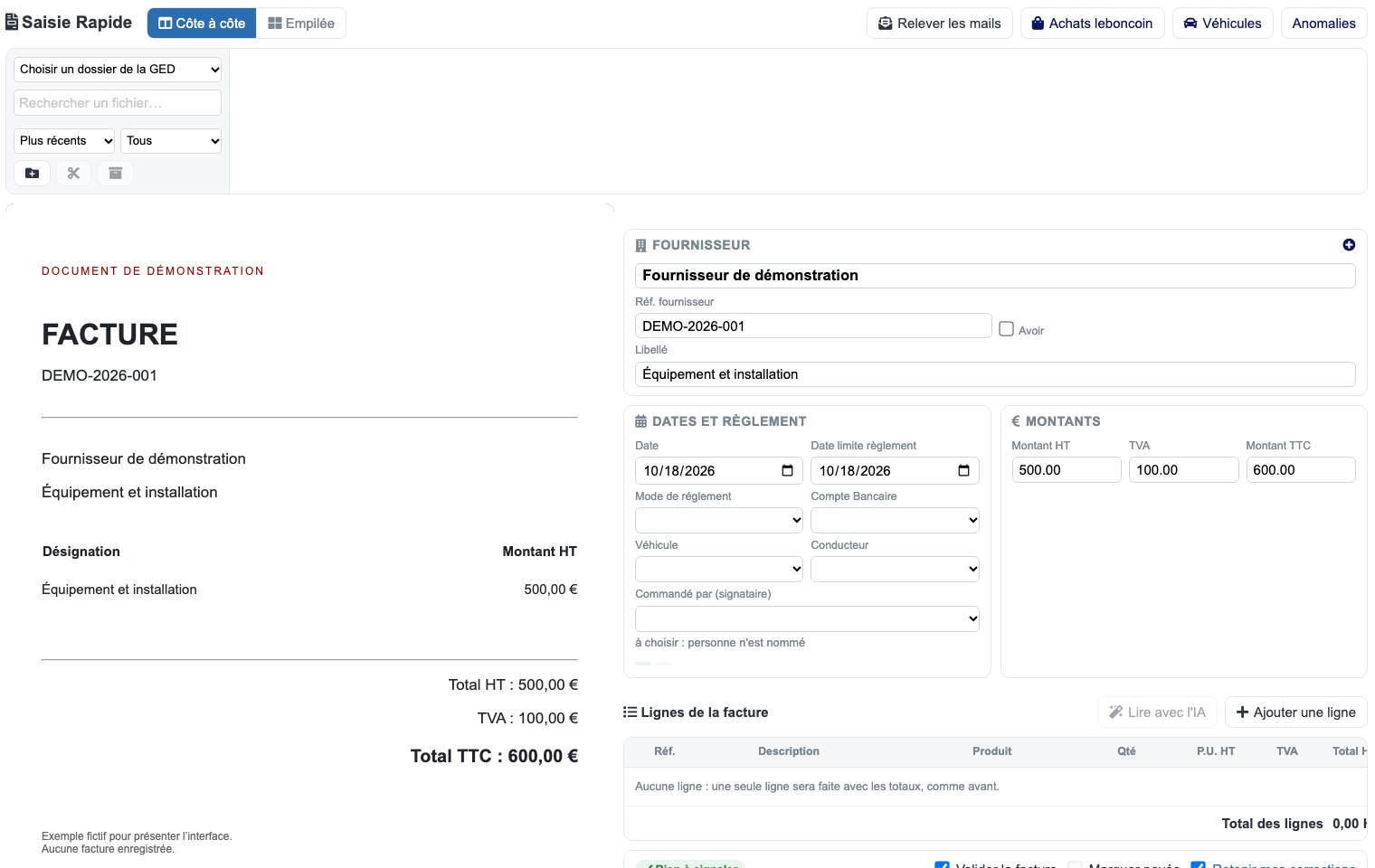 Enlarge screen
 The part and its capture side by side
The source document remains visible while preparing invoice information.
Real interface · test environment · demo data.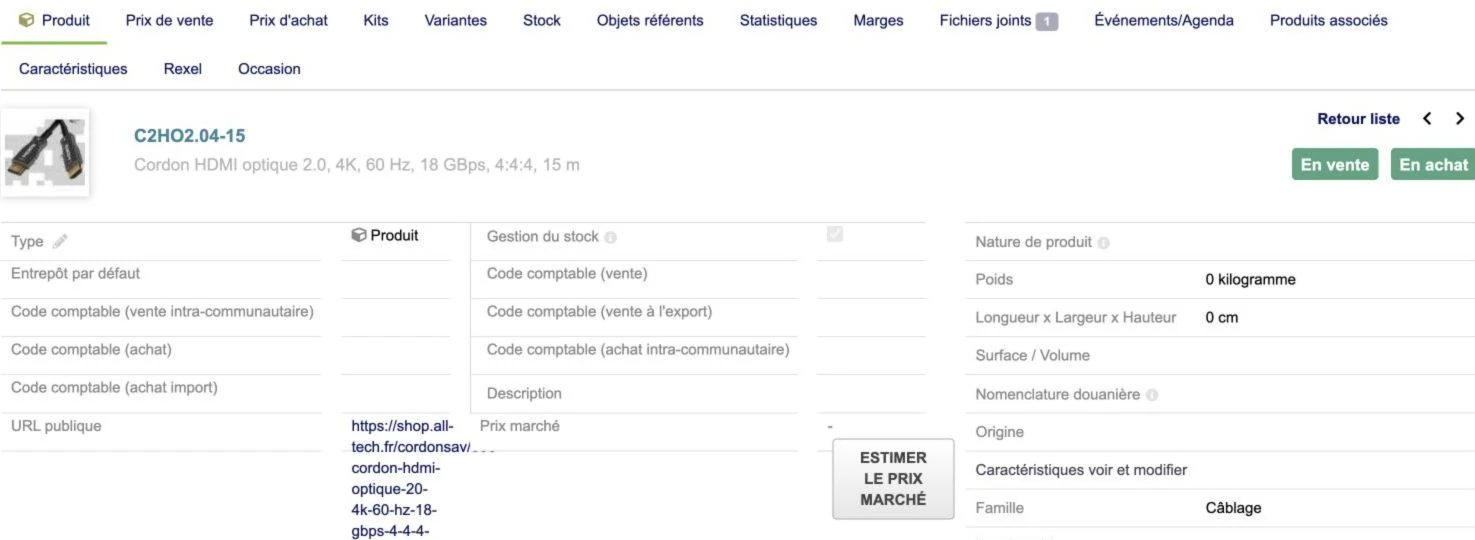 Enlarge screen
 One product, several business information
The sheet brings together the characteristics and access to prices, stock, documents and supplier information.
Real interface · test environment · demo data.Linking the pieces to the right context
The documents can come from a deposit, an import, an email or an application generation. Their usefulness depends on the link with the third party, file or transaction concerned.
The framework specifies the categories of documents, the information to be kept and the people who must be able to find it. A common organization avoids multiplying storage without any relation to the profession.
Preparing for consultation and controls
Users should be able to read a part while examining the data it supports. Document interfaces can present the original, associated information and useful actions.
Links from cards and lists provide access to context. The document remains close to the management process and its state of preparation.
Follow related versions and files
A corrected or regenerated document must be distinguishable from the previous version according to the rules used. Names, references and relationships are defined with users.
The experience of editorial archives brings attention to displaced resources and links that must remain usable over time.
Organize rights and exploitation
Documentary access follows responsibilities and the scope of files. Classification, recovery and export operations are prepared with the relevant contacts.
The solution is verified on representative parts and research scenarios. The rules for retention and monitoring are specified by the organization that uses the documents.
The source document accompanies the preparation of the data.
Incoming documents are reconciled with the management fields. Validation retains an explicit place before the exploitation of the result.
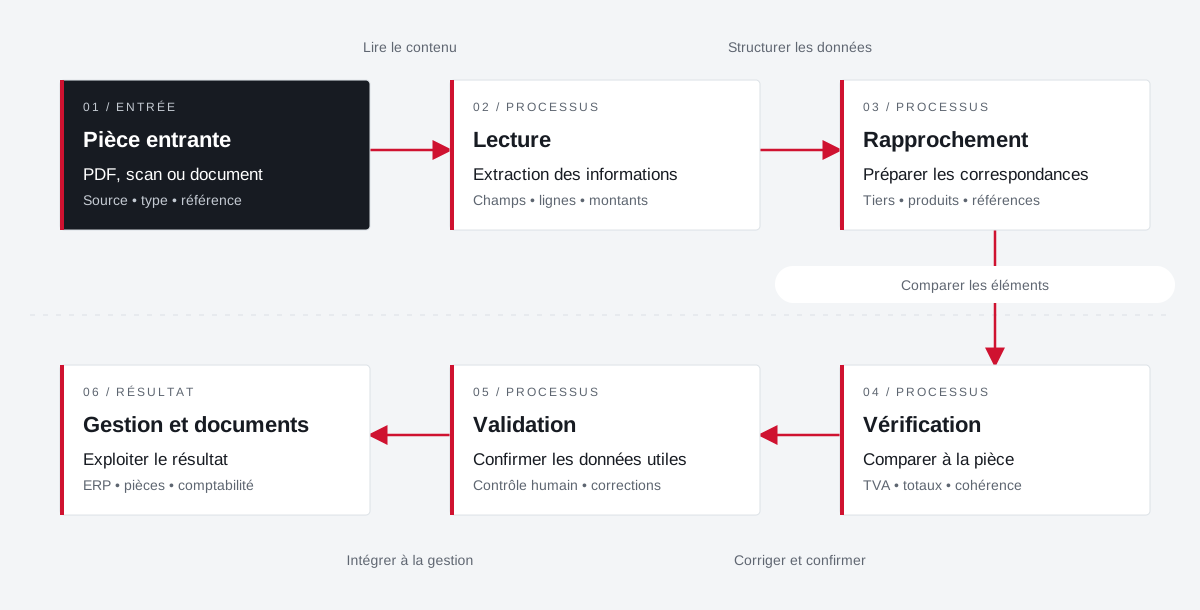 Enlarge the diagram
 - 01Read content ↓
Incoming part
PDF, scan or document
Source • type • reference - 02Structure data ▼
Reading
Extraction of information
Fields • lines • amounts - 03Compare items ↓
Approximation
Preparing correspondence
Third party • products • references - 04Correct and confirm ↓
Verification
Compare to part
VAT • total • consistency - 05Integrate into management ↓
Validation
Confirm payload data
Human control • corrections - 06
Management and documents
Use the result
ERP • documents • accounting
Enlarge the diagram Keep
Keep the document visible during preparation.
Compare
Check fields and amounts against the source.
Validate
Confirm the result before its use in management.
Projects and concrete situations.
Dolibarr: from planning to reporting
Project Dtouch
Technical planning, exchanges with Zimbra and mobile vouchers: link the office, the technician and the file.
Explore the caseBusiness documents & imports in Dolibarr
Project Dtouch
Pass data from suppliers and parts received into understandable and verifiable management documents.
Explore the caseCirculate products between tools
Project Dtouch
References, categories, rates and images: A useful catalogue also depends on how its data is fed.
Explore the caseYour job deserves
the right tools.
A specific need, a software to evolve, a project to frame.