Planning & diaries
Teams, appointments, recurrences and exchanges with Zimbra.

Technical planning, exchanges with Zimbra and mobile vouchers: link the office, the technician and the file.
Screens of the application environment to understand the functions and exchanges presented in this case. Real interfaces, with demo data.
 Enlarge screen
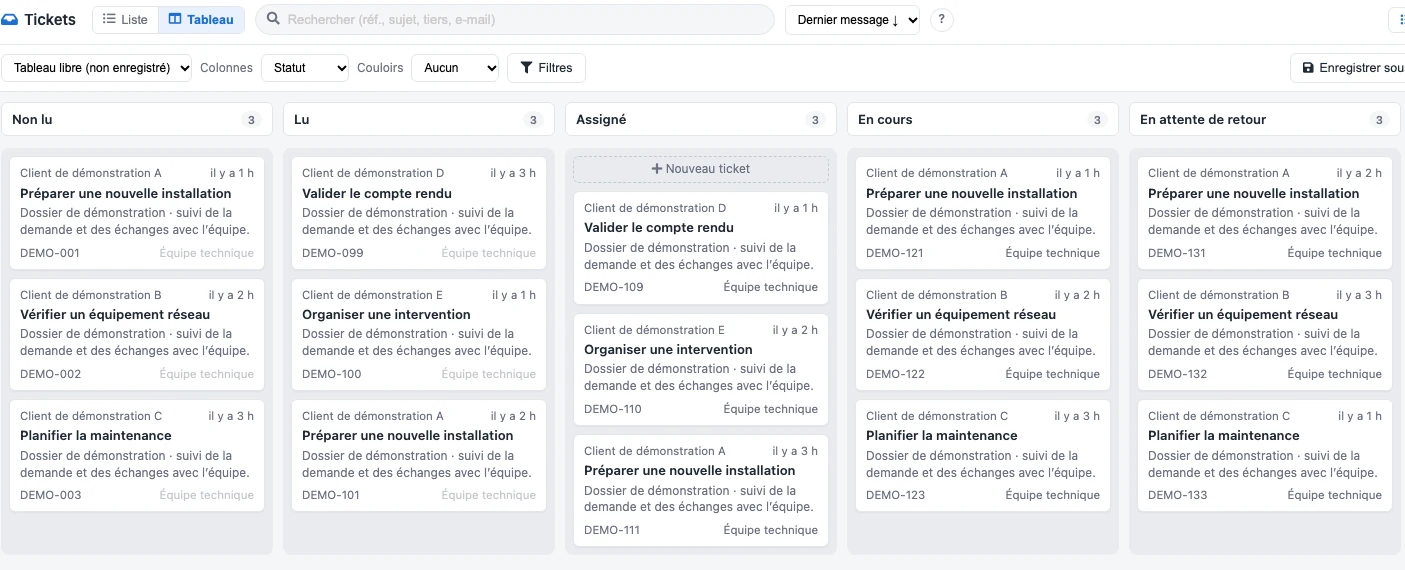
 Requests are grouped by status, with their subject, an overview of the exchanges and the team in charge.
Real interface · test environment · demo data.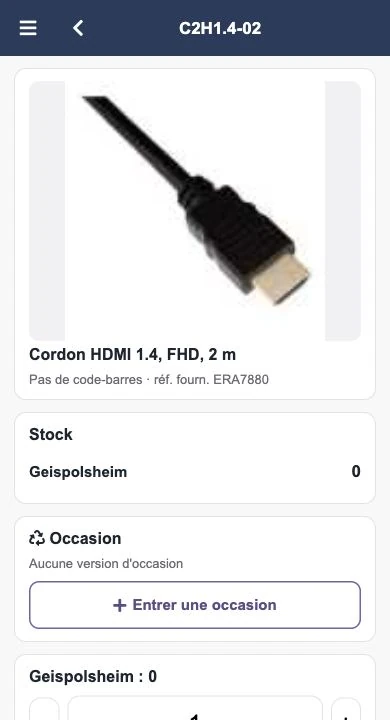 Enlarge screen
 Photo, designation, stock and location are brought together in the file which can be consulted on the telephone.
Real interface · test environment · demo data.The office prepares the appointments, the technicians intervene and the administration finds the elements necessary for follow-up. Times, locations, contacts and documents must remain linked to the same matter.
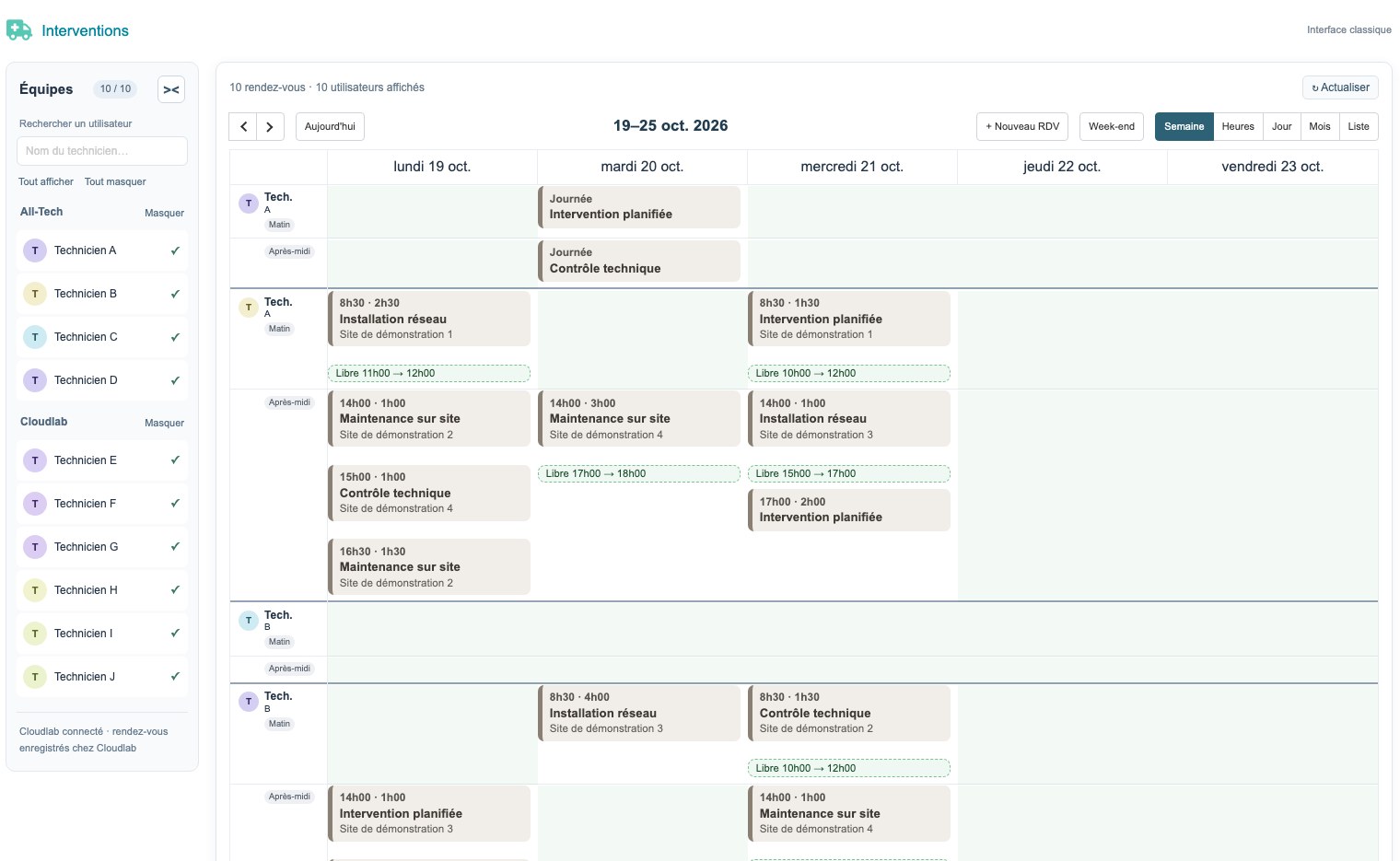
Developments around Planningtech include the view of teams and appointments as well as exchanges with Zimbra. Recurrences, their exceptions and modifications are business cases to be handled explicitly. A common identifier allows you to recognize an appointment that has already been synchronized.
Controlling deletions and distinguishing between events tracked by the connector and other events contribute to overall reliability.
Interventiondesk brings together the location, reason, times, services and elements of the report. Mobile use includes taking serial photos and accessing useful information on site.
The adaptations also take into account contacts, areas of intervention, contracts and links with the documents in the file. The screen must support the technician's work and allow the office to collect usable information.
PDF models, sales documents and product imports extend this journey. Modules are checked in their interaction with the rights, fields and other extensions of each instance.
This approach brings together design, specific development, integration and maintenance of tools used in the Alltech and Cloudlab / Agedis environments.
Features depend on the scope and configuration of each environment. Specific modules and integrated third-party extensions are distinguished during the study.
Developments that connect the organization of teams, the field and documents. The screens below are from the test environment; the presentation data is fictitious.
 Enlarge
  Enlarge
 Teams, appointments, recurrences and exchanges with Zimbra.
Locations, times, photos and reports accessible on mobile.
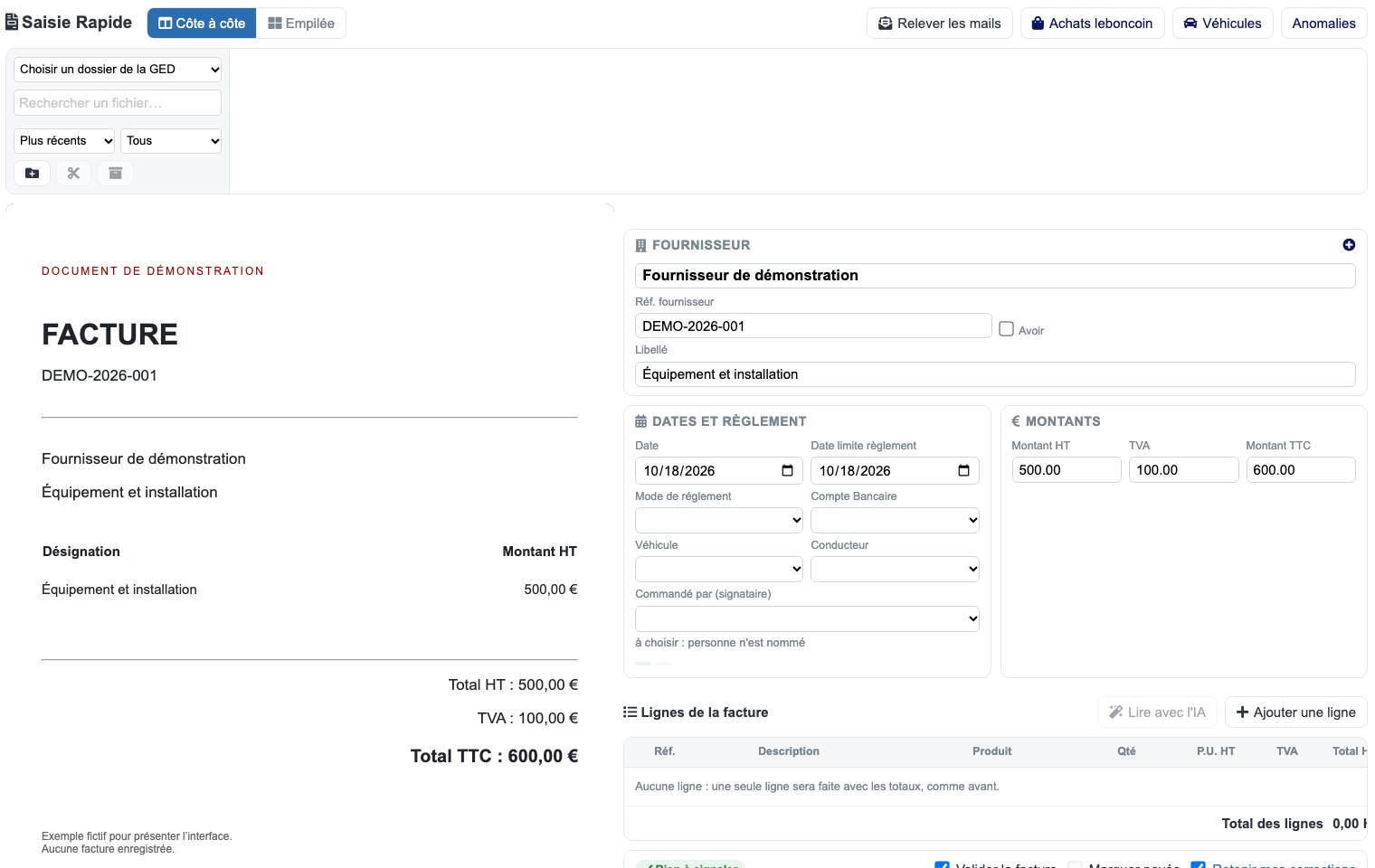
Source document, data entry preparation and verifications in the same process.
Quotes, invoices, vouchers and supplier data adapted to the activity.
The location, motive, time and report are combined in the mobile voucher. The elements of the field join the company file.
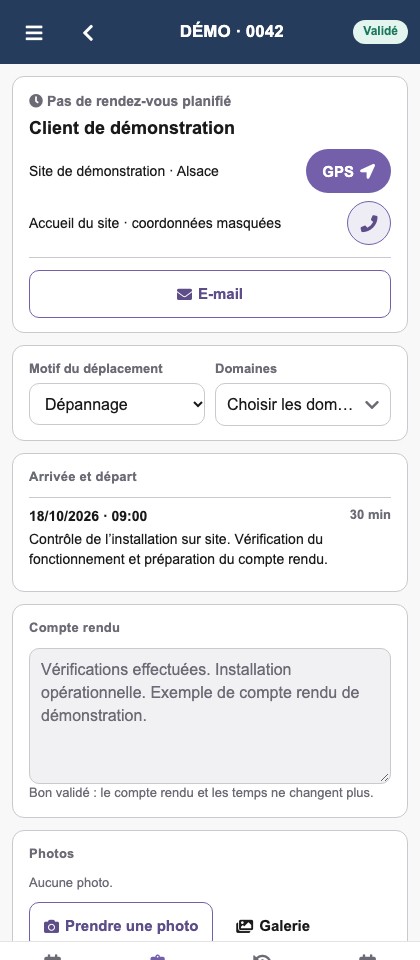 Enlarge
 The planning links requests, priorities, internal teams and offshore partners. Feedback allows you to adjust the next steps.
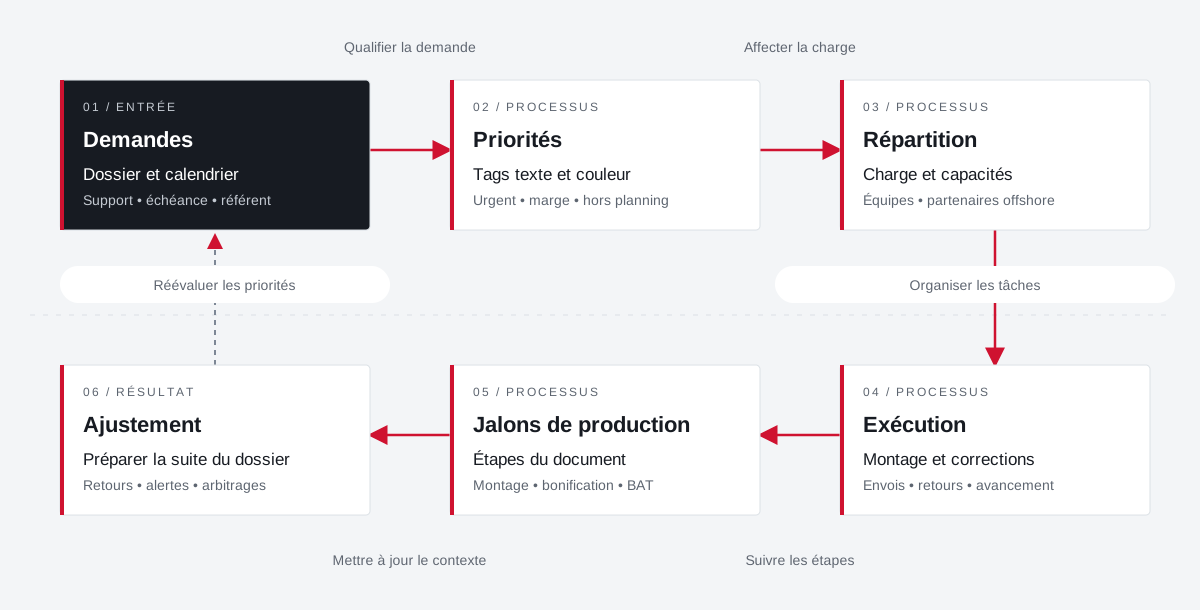 Enlarge the diagram
 File and calendar
Support • deadline • referenceText and color tags
Urgent • margin • excluding scheduleLoad and capacities
Teams • offshore partnersEditing and fixes
Shipments • returns • progressDocument Steps
Editing • bonus • BATPreparing for the rest of the file
Returns • alerts • arbitrationsEnlarge the diagram Make emergencies and margins visible in tasks.
Bringing capacity and stakeholders closer together.
Provide feedback to prepare for further production.
A specific need, a software to evolve, a project to frame.
Complementary expertise, the same high standards.