The systems that run the software.
Stations, servers, access and backups: Agedis supports the IT environment on which the application is based.
Discover Agedis servers and systems
A professional PDF is the result of a folder, rules and data. Dtouch adapts models and treatments to produce estimates, invoices, vouchers and statements consistent with company usages.
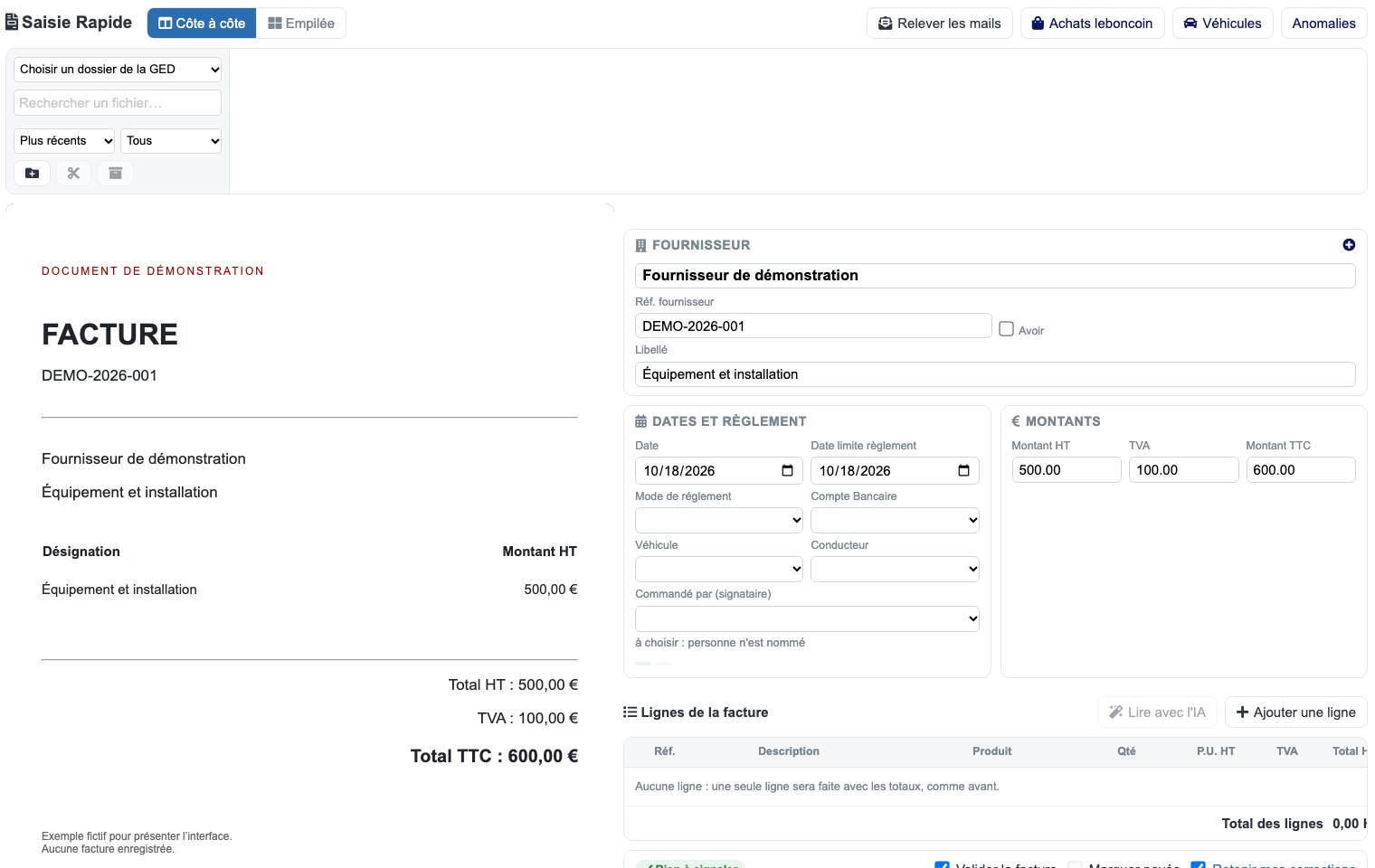
Interfaces used to organize work, prepare data and track files. Each screen shows a specific function, with presentation data.
 Enlarge screen
 The source document remains visible while preparing invoice information.
Real interface · test environment · demo data.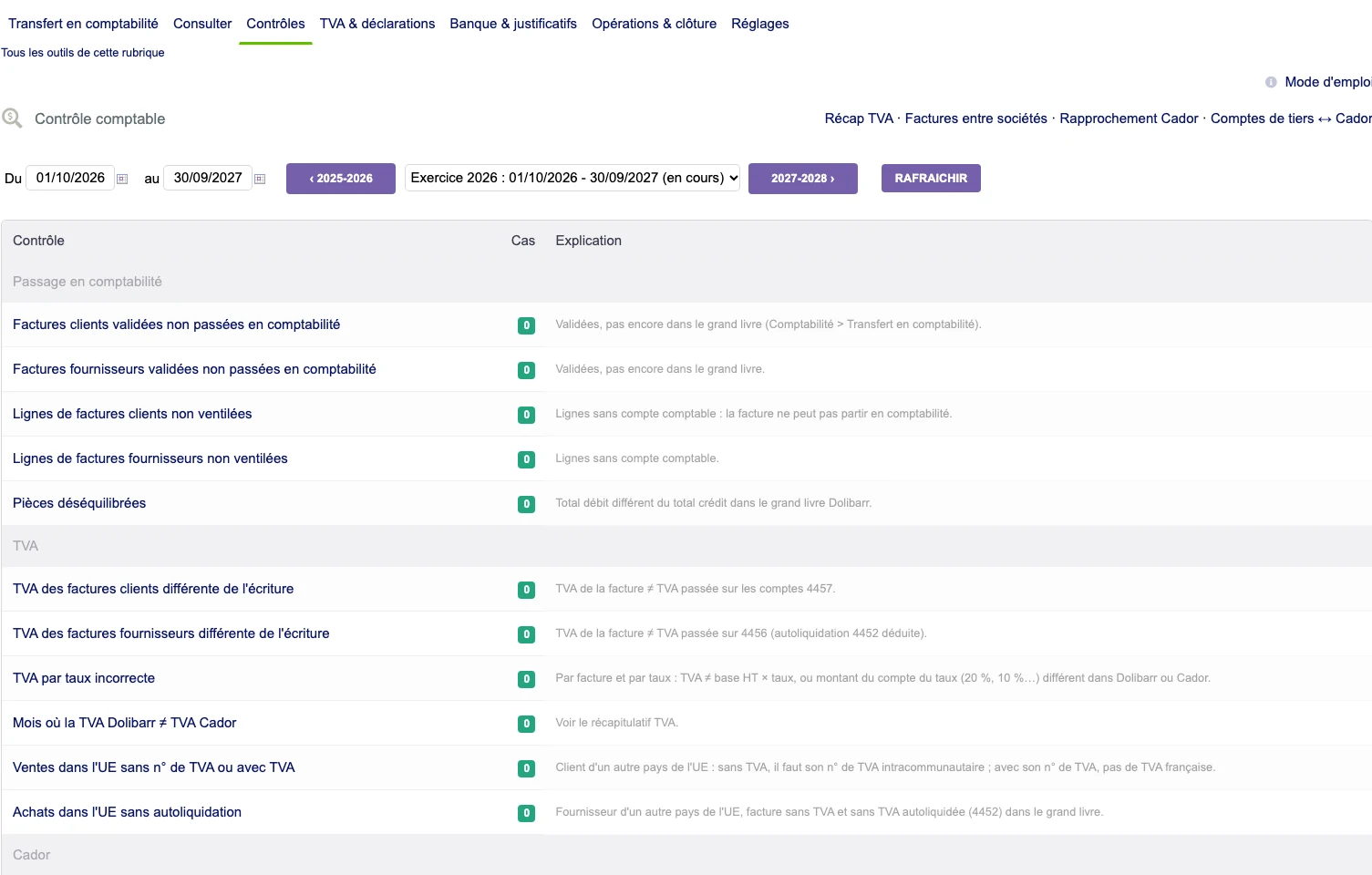 Enlarge screen
 A checklist brings together invoices, breakdown, VAT and accounting, with the number of cases and their explanation.
Real interface · test environment · demo data.The document must include useful information: parties concerned, lines, references, dates, conditions and elements specific to the activity. The data comes from the ERP and its business functions.
We specify the mandatory fields for the route, the optional information and the cases of variation of the model. The document must remain understandable when certain data is missing.
A line may include a long description, characteristics or an image. Tables, page jumps and totals must remain legible on actual cases.
Adaptations may concern the graphic identity, business blocks, columns and multilingual presentations. The rules are checked on documents of different sizes and contents.
The document must use the data and calculations in the file according to the rules adopted. Extensions may require additional fields or related information to be included.
In Dolibarr, this articulation concerns in particular quotes, orders, invoices and intervention documents. Evolutions of the model must take into account the generation context.
The tests concern the contents, the pagination, the amounts included and the cases of modification or regeneration. The document obtained is compared to the file that produced it.
Organizing files and versions completes the layout. Teams must be able to find the right part and understand which stage it corresponds to.
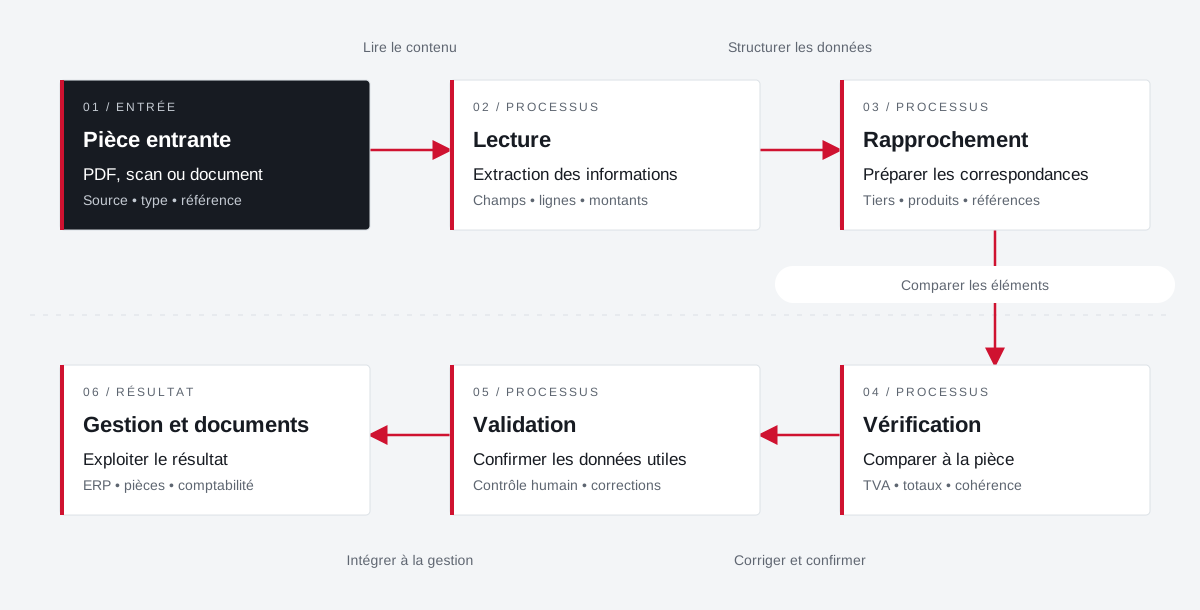
Incoming documents are reconciled with the management fields. Validation retains an explicit place before the exploitation of the result.
 Enlarge the diagram
 PDF, scan or document
Source • type • referenceExtraction of information
Fields • lines • amountsPreparing correspondence
Third party • products • referencesCompare to part
VAT • total • consistencyConfirm payload data
Human control • correctionsUse the result
ERP • documents • accountingEnlarge the diagram Keep the document visible during preparation.
Check fields and amounts against the source.
Confirm the result before its use in management.
Project Dtouch
Technical planning, exchanges with Zimbra and mobile vouchers: link the office, the technician and the file.
Explore the caseProject Dtouch
Pass data from suppliers and parts received into understandable and verifiable management documents.
Explore the caseProject Dtouch
References, categories, rates and images: A useful catalogue also depends on how its data is fed.
Explore the caseA specific need, a software to evolve, a project to frame.
Stations, servers, access and backups: Agedis supports the IT environment on which the application is based.
Discover Agedis servers and systemsCloudlab covers the data center and hosting component. The resources and operating conditions are prepared with the application project.
Understanding the Cloudlab data center baseComplementary expertise, the same high standards.