
Editorial Automation & InDesign
Texts, products, images and pages are the elements of the same production. We build their links so that the changes follow the document until it is released.
The tools of the
editorial production.
These Rey’actif views situate the functions in the editorial chain: products, images, pages and validation. They come from a demonstration of the platform in 2018.
 Enlarge screen
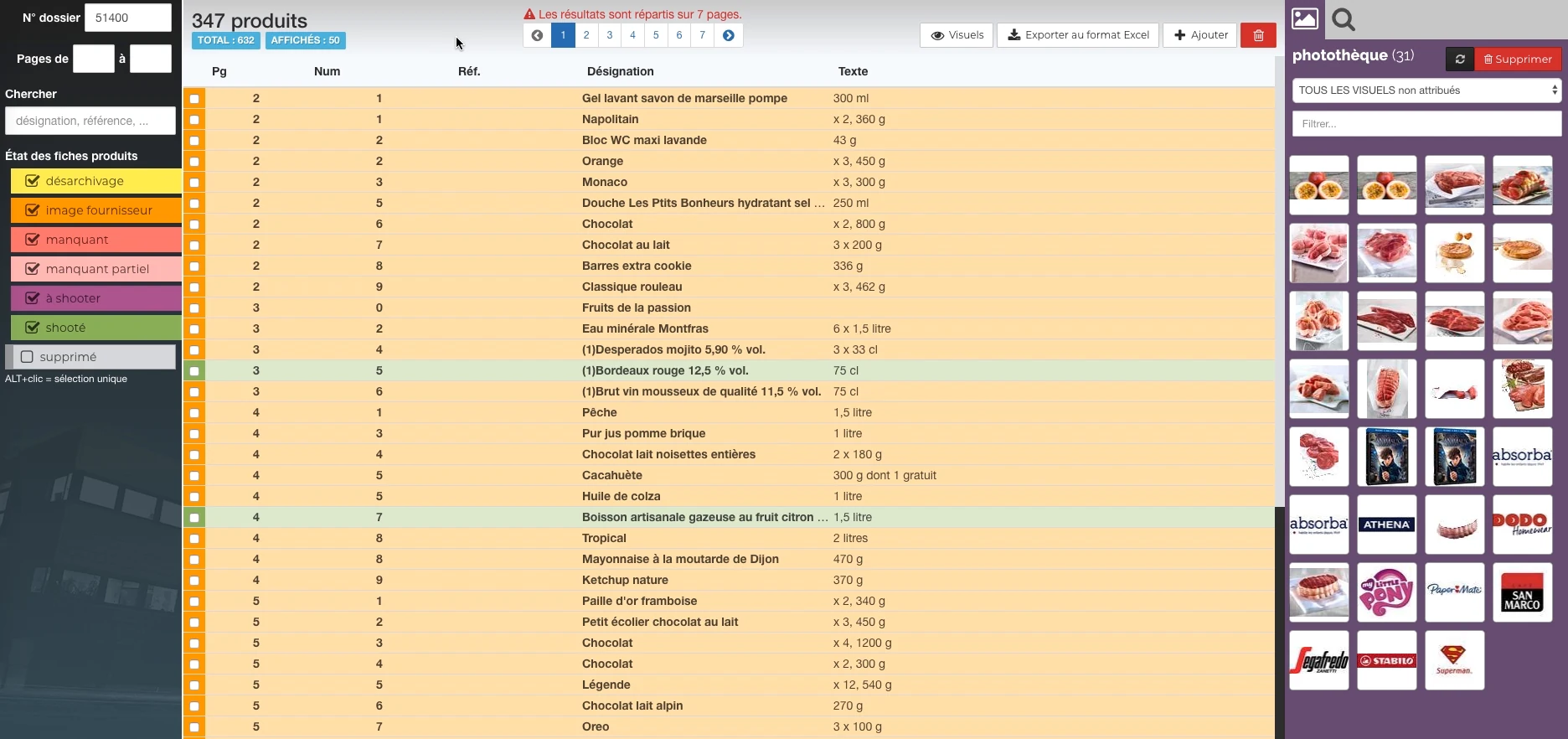
 Products and their state of preparation
A filterable list per state, folder references and the picture can be accessed in the same view.
Real Rey’actif interface · demo archive from 2018.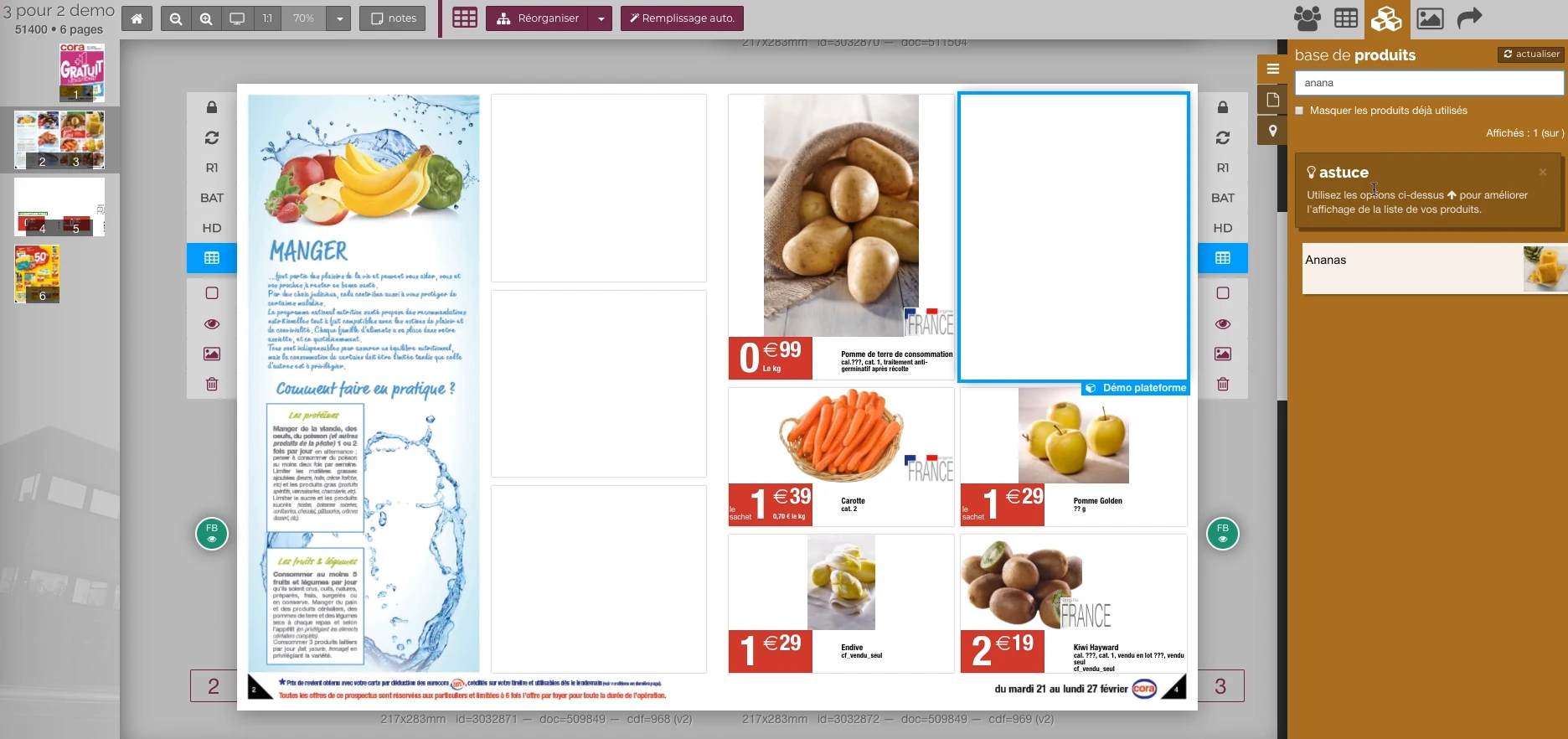 Enlarge screen
 From the product to its location on the page
The double page, the thumbnail and the product base allow you to work in the context of the publication.
Real Rey’actif interface · demo archive from 2018.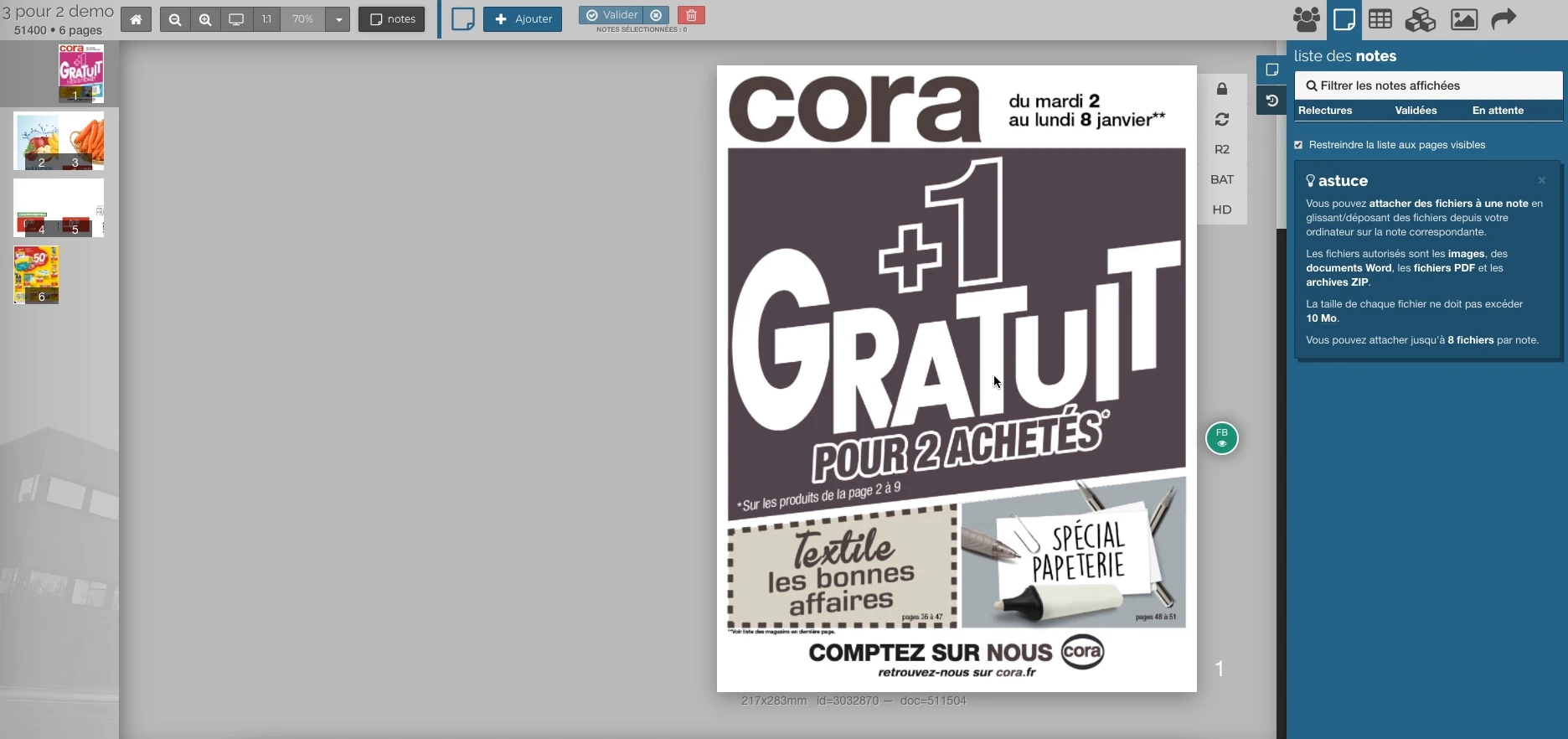 Enlarge screen
 Notes attached to the publication
The outline, the validation steps and the annotations give a common context to the rereading of the pages.
Real Rey’actif interface · demo archive from 2018.Structure the data that feeds the page
A product repository brings together fields that are needed for layout: designation, capacity, mentions, origin, references and visuals. Variations must be defined before generation, with rules that determine what appears or remains hidden.
The Reymann course combines 4D, PIM, ICML texts, XML and EasyCatalog. It includes conditional editorial rules according to product families and controls on the information necessary for publication.
Evolve data and templates together
Linked texts and templates avoid treating each modification as a complete recomposition. However, the correspondence between the source field, the block on the page and the expected style must be maintained.
Experience covers text import, ICML assignments, InDesign tool adaptations and taking into account modified links before export. The structure of layers and templates is also involved in exchanges with remote editing teams.
Orchestrate production engines
An editorial platform brings together several functions: preparing the railway, requesting an InDesign Server processing, checking the status of documents, producing PDFs and assembling them for download.
The scope followed at Reymann included InDesign Server managers, INDD and PDF file controls, assembly services and exchanges with office applications. The tasks, their states and their priorities connect these building blocks to the work of the users.
Interfaces of the Reymann editorial channel, in their period version. These archives illustrate the journey of Patrice Salib, founder of Dtouch, within the agency.
 Enlarge
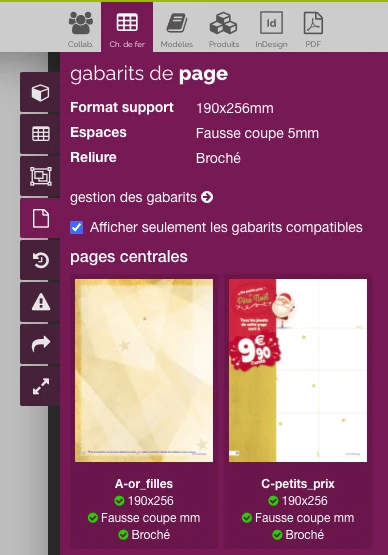
 The filter brings the templates closer to the format, binding and technical margins expected for the catalog.
Archive Reymann · interface extract · 06/16/2021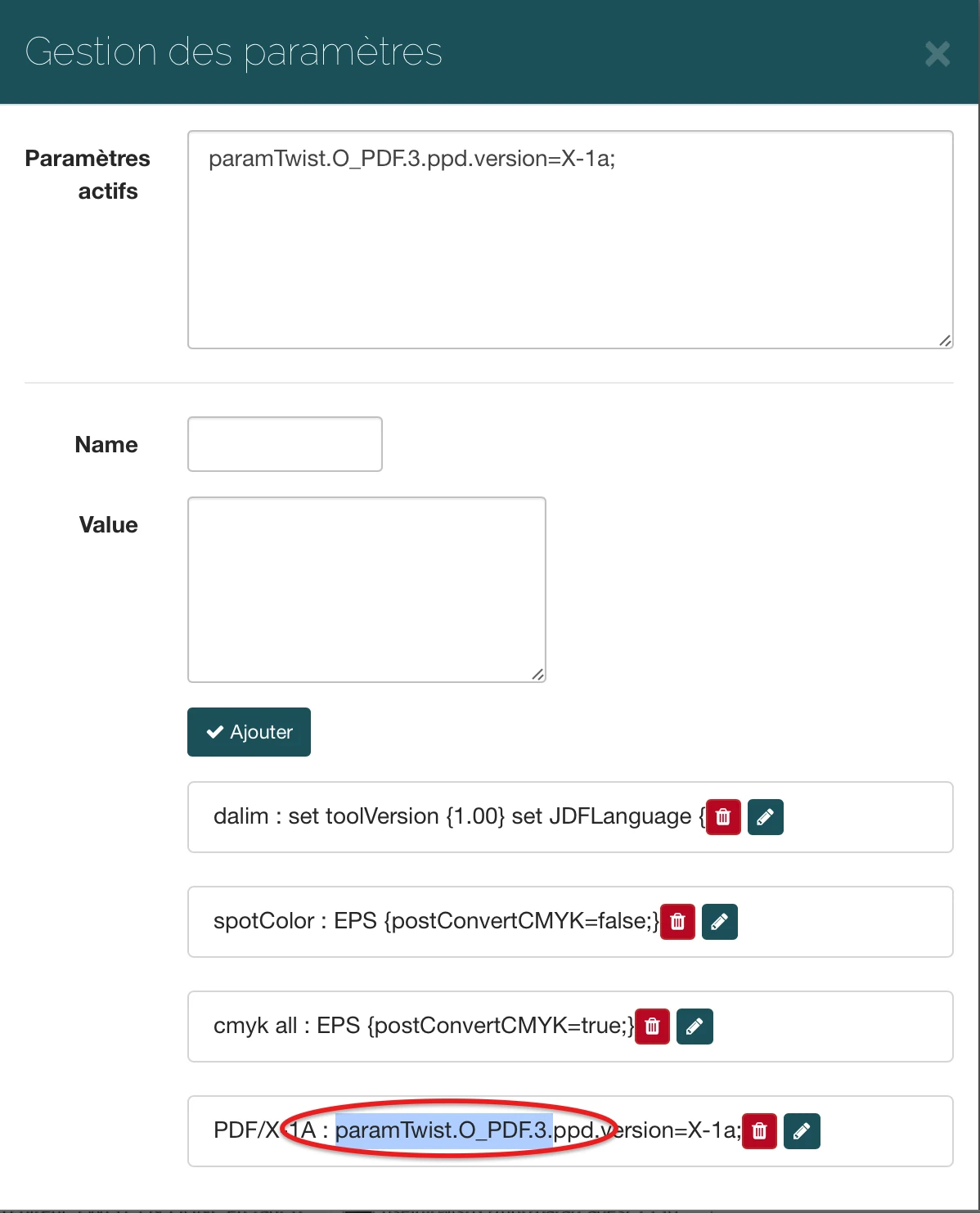 Enlarge
 The interface allows you to specify the parameters transmitted to the processing flow, here a PDF/X-1a output option.
Archive Reymann · interface extract · 03/22/2019Follow versions and validations
A corrected text, a replaced image or a modified print profile may require a new generation. The platform should allow you to find the page, its status, annotations and version to be validated.
The work around Rey’actif includes the collaborative platform, the railways and the consultation circuits. The subject remains the same for a current catalog: everyone must know which version they are working on and which changes still need to be made.
Liaise with manufacturing and partners
High definition and consultation exports meet different uses. The color profiles, PDF parameters and transmitted documents must comply with the manufacturing instructions.
This expertise extends to image management and offshore flows. We approach your channel as a set of data, processing and responsibilities, with progressive integration into the tools that the teams already use.
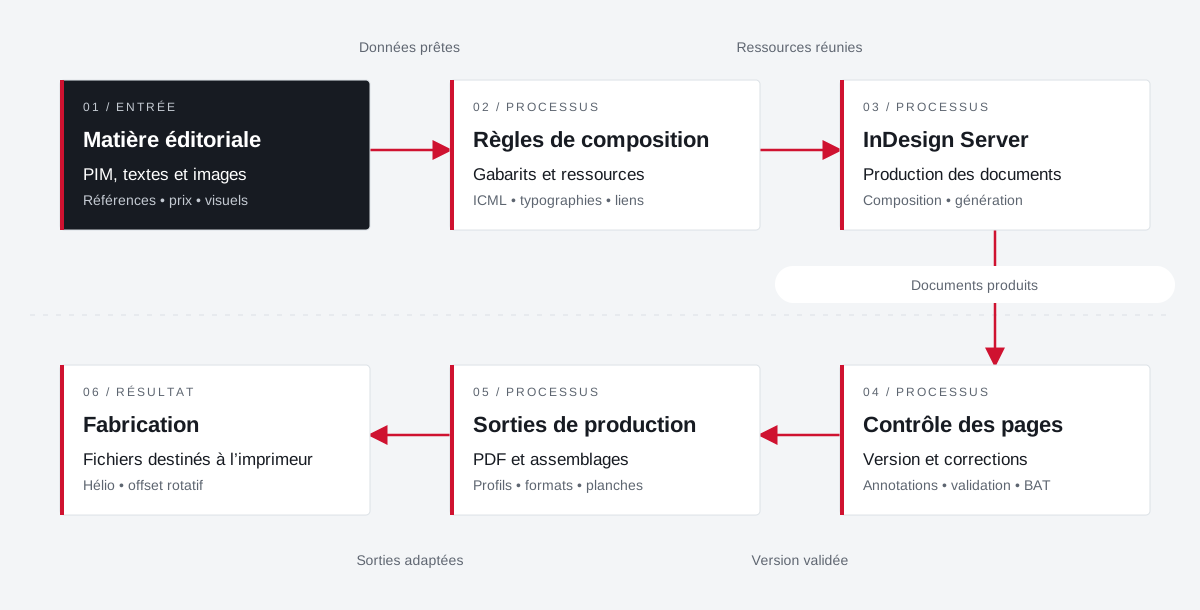
From the product repository to the manufacturing file.
Products, visuals, templates, typographies and output parameters join a production followed by document and version.
 Enlarge the diagram
 - 01Data ready ↓
Editorial material
PIM, texts and images
References • price • visuals - 02Resources combined
Composition rules
Templates and resources
ICML • typographies • links - 03Documents produced ↓
InDesign Server
Production of documents
Composition • generation - 04Validated version
Page control
Version and corrections
Annotations • validation • proof - 05Adapted outputs ▼
Production outputs
PDFs and assemblies
Profiles • formats • boards - 06
Manufacturing
Files for the printer
Helio • rotary offset
Enlarge the diagram Compose
Bring data and resources closer to the template.
Validate
Follow the pages and corrections in their version.
Make
Apply media and printer specifications.
Data, visuals
and the page together.
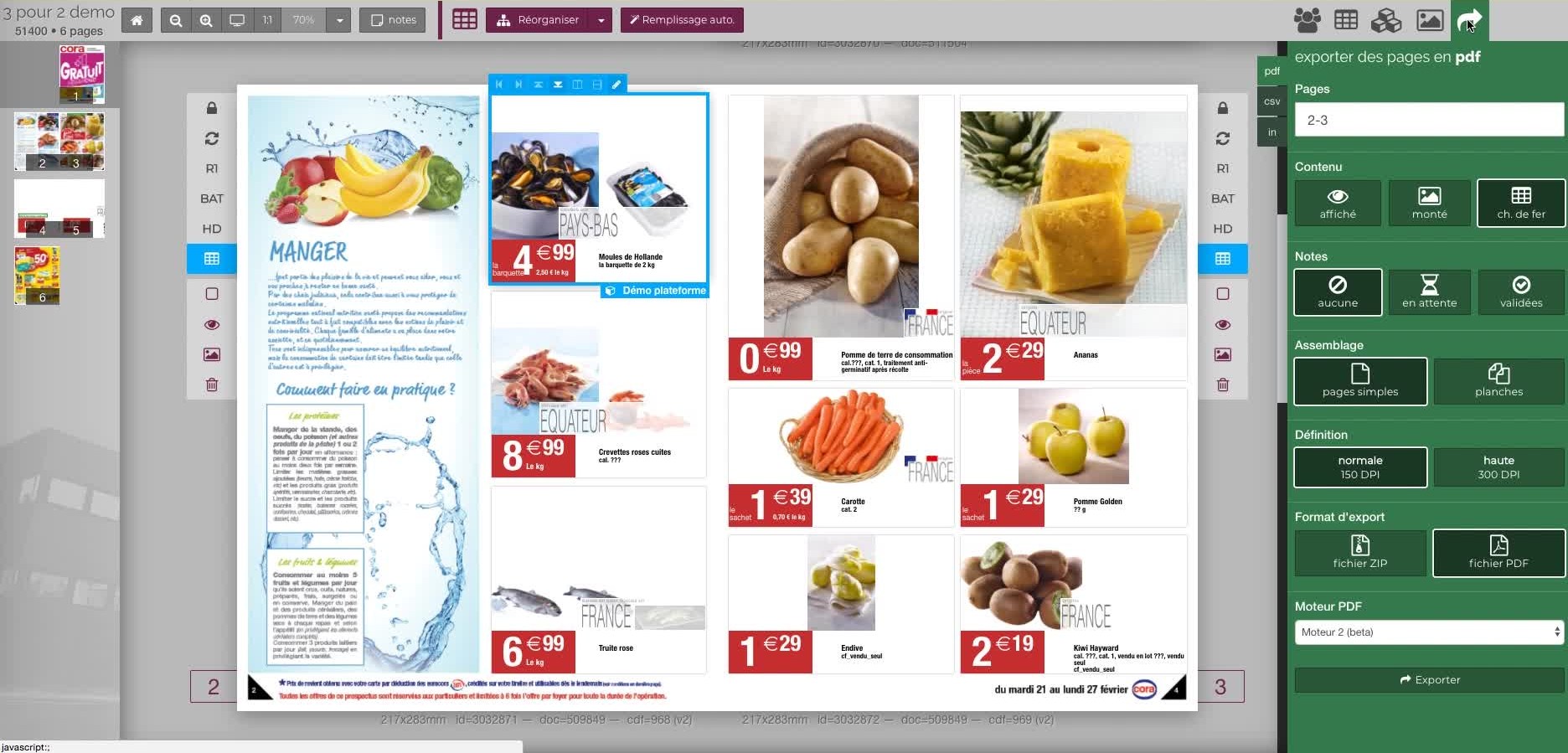
Two demonstration views of Rey’actif in 2018: the repository with its photo library, then the document and its export options.
 Enlarge
 Your job deserves
the right tools.
A specific need, a software to evolve, a project to frame.