
Document reading, OCR & business AI
Document reading combines files, recognition and business rules. Dtouch builds paths where the extraction prepares the user's work, with the source part and the necessary controls.
Concrete functions.
Tools in situ.
Interfaces used to organize work, prepare data and track files. Each screen shows a specific function, with presentation data.
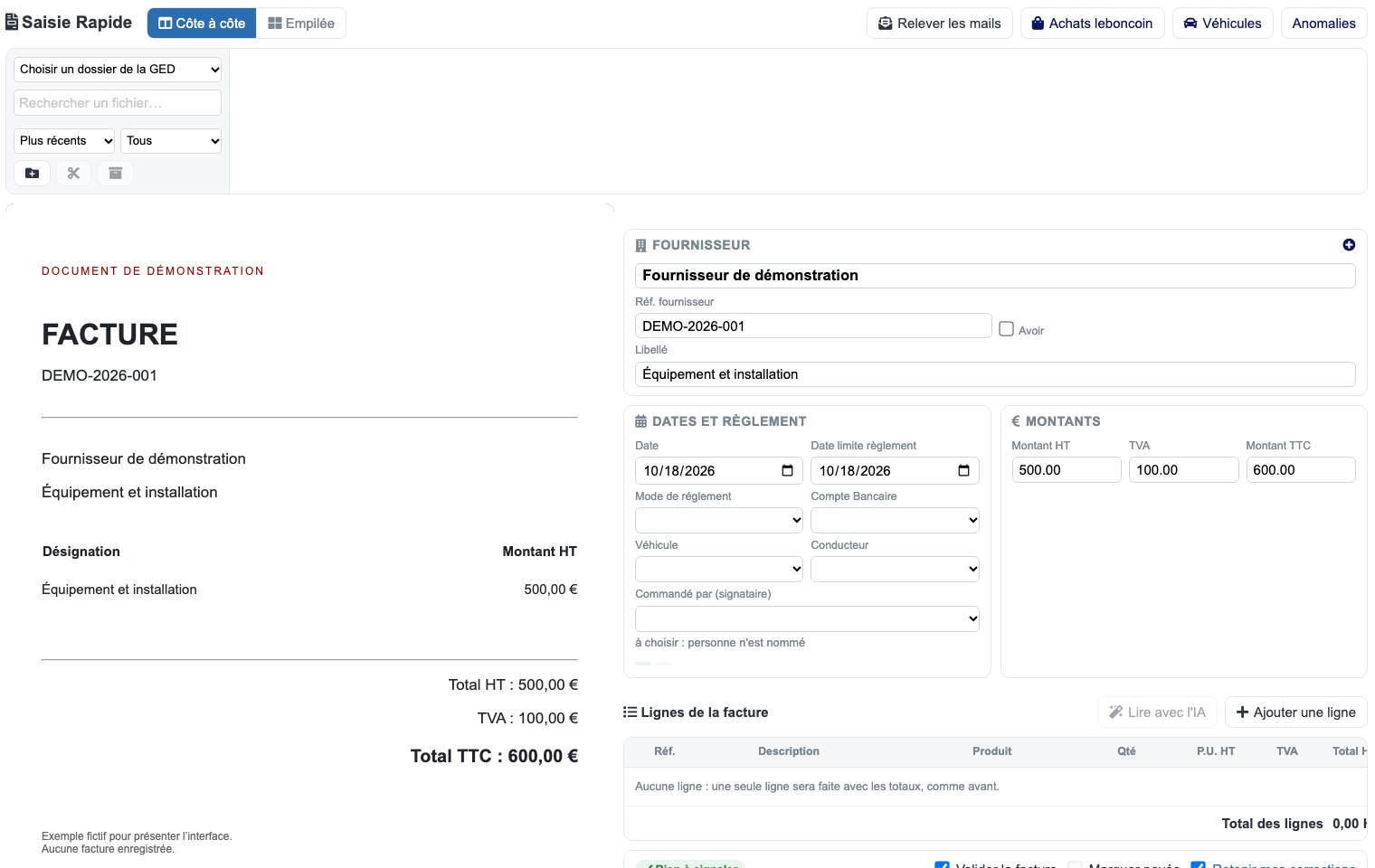 Enlarge screen
 The part and its capture side by side
The source document remains visible while preparing invoice information.
Real interface · test environment · demo data.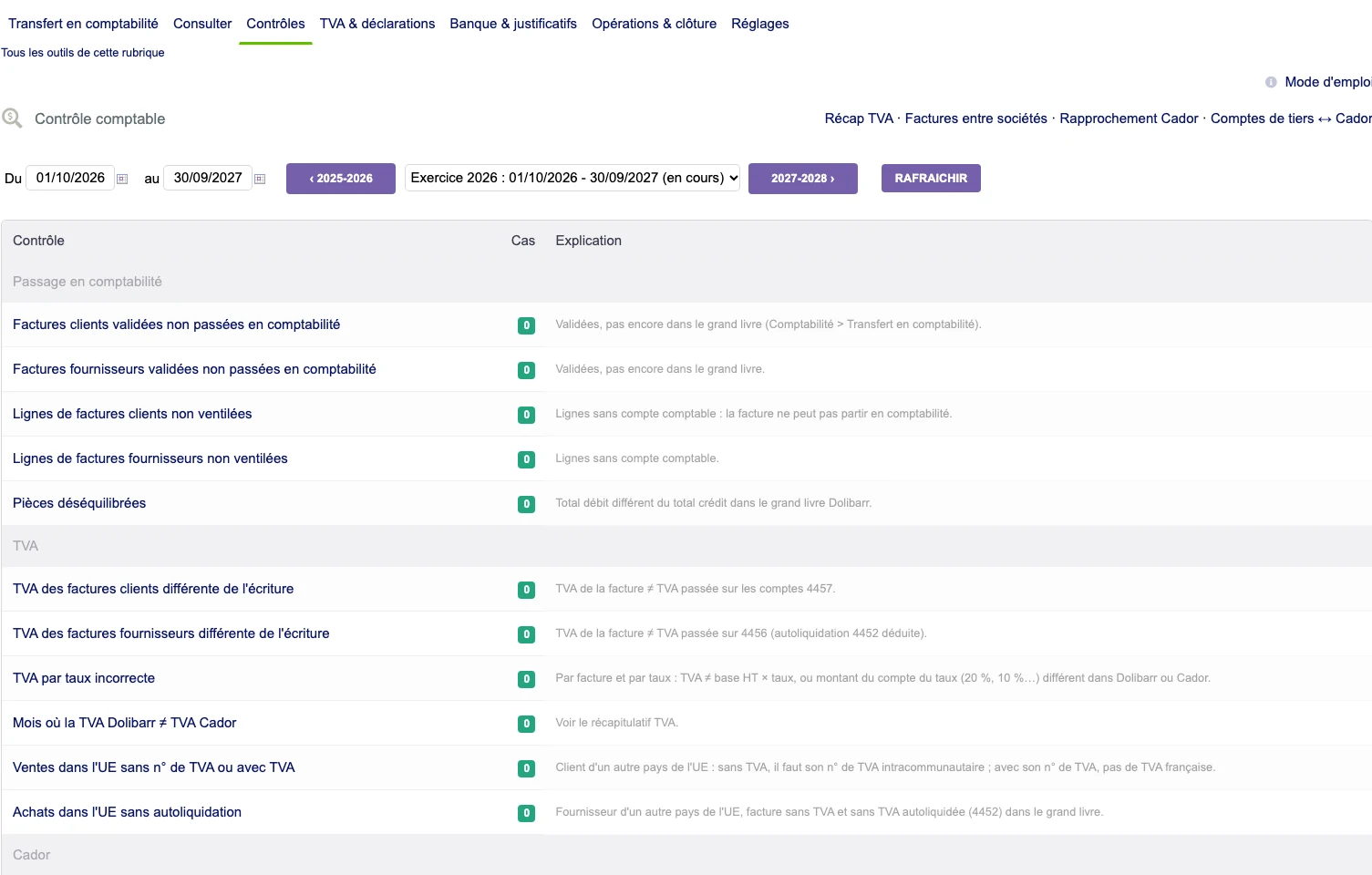 Enlarge screen
 Identify variances before transfer
A checklist brings together invoices, breakdown, VAT and accounting, with the number of cases and their explanation.
Real interface · test environment · demo data.Starting from the nature of the documents
Invoices, vouchers, scans and photographs do not provide the same information. We examine the formats, quality and expected fields to choose the appropriate treatments.
When structured data is already available in the file, it can be used in the journey. OCR or AI intervene depending on the nature of the document and the agreed scope.
Prepare fields and lines
The extraction must find the references, dates, amounts and lines useful for entry. The values are reconciled with third parties and management objects already present.
Ambiguities and missing information must remain visible. The journey gives the user the necessary elements to confirm or correct the proposal.
Keep the part facing the data
The Dolibarr documentary developments present the room and the fields in the same journey. This proximity makes it possible to check a value without losing the context of the document.
Duplicate rules, amount discrepancies and reading results are examined before recording according to the project's choices. The limitations of the treatment must be understandable.
Organize batches and follow-up
Document processing may require filing, cutting and re-launching. The statements and balance sheets distinguish the pieces read, the ones to be checked and the errors to be taken.
The recipe uses representative documents, with attention to difficult holdings, tables and scans. Support retains a place for human control in the defined stages.
The source document accompanies the preparation of the data.
Incoming documents are reconciled with the management fields. Validation retains an explicit place before the exploitation of the result.
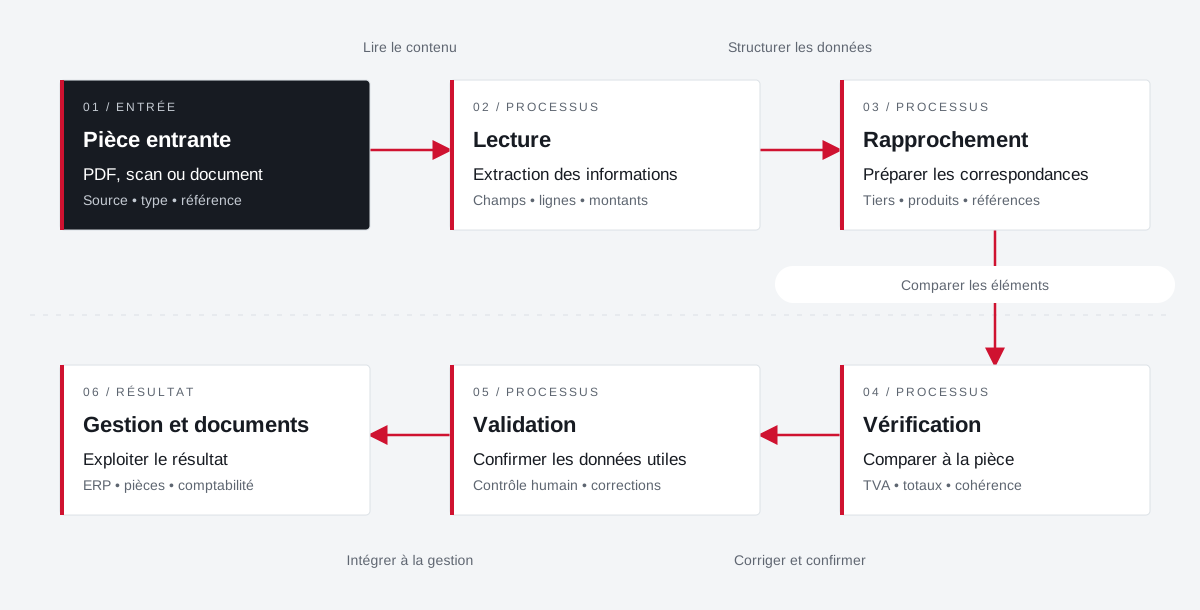 Enlarge the diagram
 - 01Read content ↓
Incoming part
PDF, scan or document
Source • type • reference - 02Structure data ▼
Reading
Extraction of information
Fields • lines • amounts - 03Compare items ↓
Approximation
Preparing correspondence
Third party • products • references - 04Correct and confirm ↓
Verification
Compare to part
VAT • total • consistency - 05Integrate into management ↓
Validation
Confirm payload data
Human control • corrections - 06
Management and documents
Use the result
ERP • documents • accounting
Enlarge the diagram Keep
Keep the document visible during preparation.
Compare
Check fields and amounts against the source.
Validate
Confirm the result before its use in management.
Projects and concrete situations.
JPEG & PDF: recover information from the heart of files
Founder's Experience · Reymann
Traces incorporated into JPEGs, Apoove annotations, images and attachments: processing to make information usable between applications.
Explore the caseUTS & InDesign Server: linking typography to generation
Founder's Experience · Reymann
A back-engineering around Universal Type Server to make typographies available in the InDesign Server generation chain.
Explore the caseCirculate products between tools
Project Dtouch
References, categories, rates and images: A useful catalogue also depends on how its data is fed.
Explore the caseYour job deserves
the right tools.
A specific need, a software to evolve, a project to frame.