
Retro-engineering & resumption existing
Your software contains years of business rules. We analyse its operation to find these rules, open up exchanges and prepare the next.
Concrete functions.
Tools in situ.
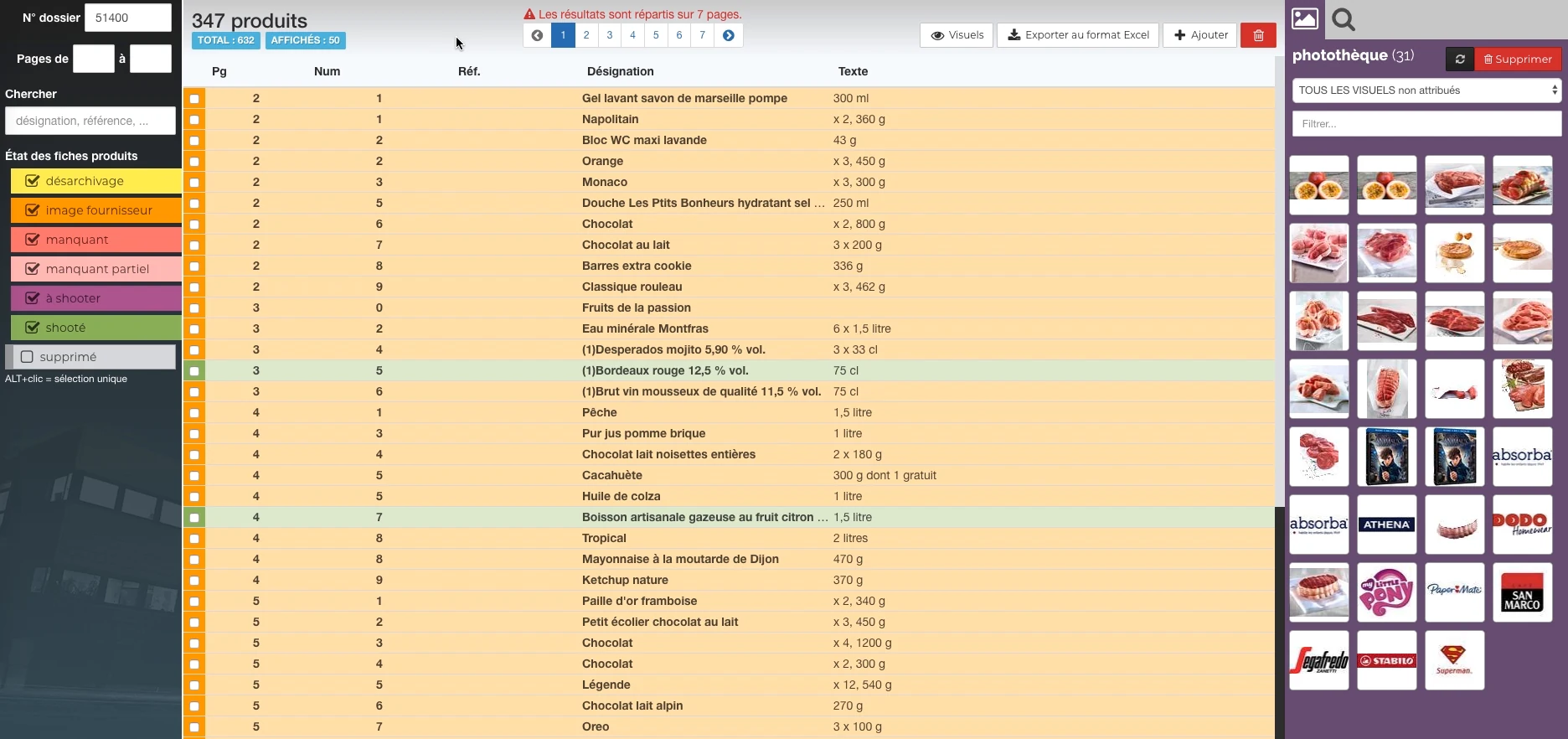
Interfaces used to organize work, prepare data and track files. Each screen shows a specific function, with presentation data.
 Enlarge screen
 Products and their state of preparation
A filterable list per state, folder references and the picture can be accessed in the same view.
Real Rey’actif interface · demo archive from 2018.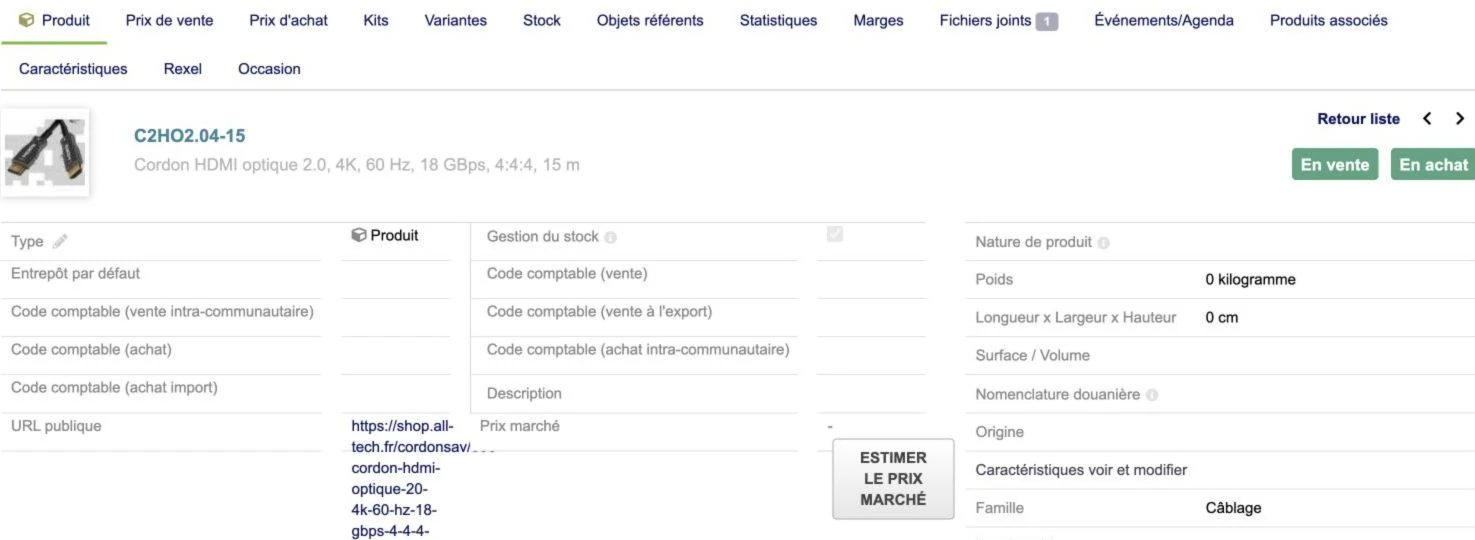 Enlarge screen
 One product, several business information
The sheet brings together the characteristics and access to prices, stock, documents and supplier information.
Real interface · test environment · demo data.Find the logic behind the screen
An older application often continues to perform an essential function, while its knowledge is dispersed: incomplete code, aged documentation, specific files or departure from the original provider. The first step is to observe what it actually does.
We bring together screens, data, produced files and operations carried out by users. Field names are not enough: you need to understand what triggers a creation, a modification, a calculation or a change of status.
UTS: making typographies available in InDesign Server
The Reymann course includes reverse engineering around Universal Type Server to connect the typ library to the InDesign Server generation. Patrice carried out this work with the technical team, with the aim of finding the fonts necessary for the documents on the server.
Font availability is a production dependency: a missing family or wrong variant can change prices, line wraps, and page balance. PTO tests, alerts and checks complete the connection.
Analyze formats and exchanges
Within the scope of the system you entrust to us, we study the requests, responses, exports and available logs. An identifier can change between two tools; a date be expressed in another time zone; a file contains multiple versions or cross-references.
We construct reproducible examples and describe the observed correspondences. The expected result is a usable specification: data structure, exchange conditions, known errors and limits.
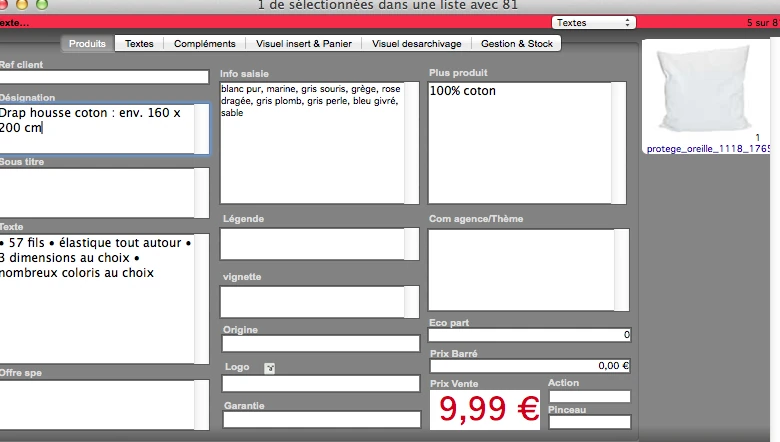
Interfaces of the Reymann editorial channel, in their period version. These archives illustrate the journey of Patrice Salib, founder of Dtouch, within the agency.
 Enlarge
 A structured fact sheet contains designation, entry information, text, origin and commercial information.
Archive Reymann · interface extract · 02/07/2014Read file structure to retrieve information
The work carried out in the Reymann chain included reading Photoshop 8BIM resources integrated into JPEGs: locating the active path, extracting and re-inserting the paths, cropping on the clipping and preserving the useful path. This involved acting on the information in the file to automate an operation previously linked to graphic tools.
Another set of developments related to the Aproove PDFs: recovery of annotations, texts, embedded images and associated attachments. The treatments had to take into account several encodings, including ASCII85 and ASCIIHex, as well as the referenced but missing images of the PDF.
These cases illustrate reverse engineering in the service of interoperability: understanding how information is actually stored in order to find it, link it to a file and make it usable in another tool.
Diagnose a heterogeneous chain
The experience acquired around 4D, production scripts, image services and InDesign Server feeds this method. It involves tracking a file and its metadata across multiple applications, rather than looking at a screen in isolation.
Cases encountered in this chain illustrate the difficulties: a file locked in 4D while the first call works, an image converted but copied incorrectly, a clipping present in a return without being applied to the high definition file. Understanding the order and role of operations allows you to locate the break.
Understand the mechanism before building the connection
The work on Dalim TWIST flows constitutes a concrete case of existing analysis. The question was how to get work into the engine and how to pass its parameters to it. The study of the behavior showed that dropping the files into the monitored folders was part of the initialization of the processing; writing a state elsewhere did not constitute equivalent input.
This understanding guided the organization of bridges and common flows. It illustrates the interest in reconstituting the real operation before replacing an operation with an interface which would seem more direct.
Reconnect before replacing
Depending on the diagnosis, the response can be an adapter, a reliable export, a new interface or the progressive replacement of a treatment. We seek to isolate a function that can be checked before extending the change.
A connector can leave the historical software in place while opening a new shop or portal. A migration may take over the identifiers, links to documents and rules necessary for continuity of activity.
Making knowledge transmissible
We distinguish between verified behaviors, hypotheses and points still to be clarified. Mapping, sample files, matching rules and recovery procedure provide a basis for maintaining the solution.
This service is aimed at companies that need to upgrade a tool they already use, connect a specialized system or resume development for which knowledge has been lost.
Connect applications and keep exchange control.
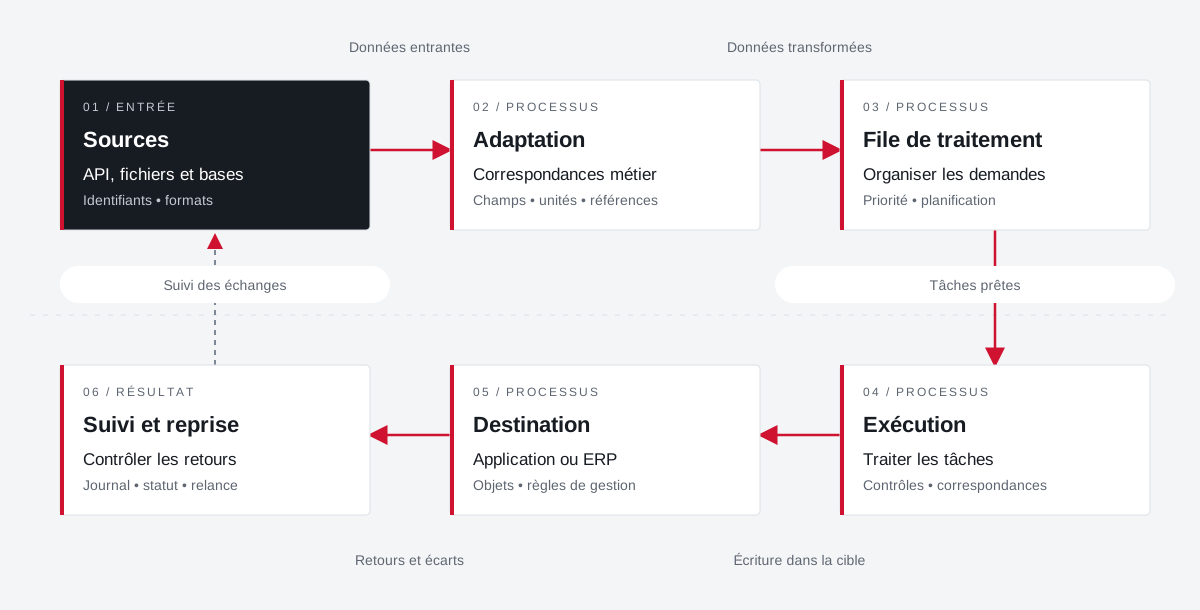
Example of a path with deferred processing: the connector prepares the data, organizes their transfer and keeps the results of the exchanges for monitoring and recovery.
 Enlarge the diagram
 - 01Incoming data ↓
Sources
API, files and databases
Identifiers • formats - 02Transformed data ↓
Adaptation
Business correspondence
Fields • units • references - 03Tasks ready ▼
Processing queue
Organize requests
Priority • planning - 04Writing in the target ▼
Execution
Treating tasks
Controls • matches - 05Returns and variances ▼
Destination
Application or ERP
Objects • management rules - 06
Follow-up and resumption
Control returns
Journal • status • reminder
Enlarge the diagram Identify
Keep the reference of the source and that of the target application.
Transform
Describe correspondences and distinguish direct calls from deferred processing.
Take over
Find the state and context of an exchange to be retired.
The Reymann route,
in detail.
How images, color, applications and partners fit together in the Rey’actif channel.
Explore this experienceYour job deserves
the right tools.
A specific need, a software to evolve, a project to frame.