The systems that run the software.
Stations, servers, access and backups: Agedis supports the IT environment on which the application is based.
Discover Agedis servers and systems
Your activity is going through several software programs. We build connections that allow data, files and actions to follow the same path.
Interfaces used to organize work, prepare data and track files. Each screen shows a specific function, with presentation data.
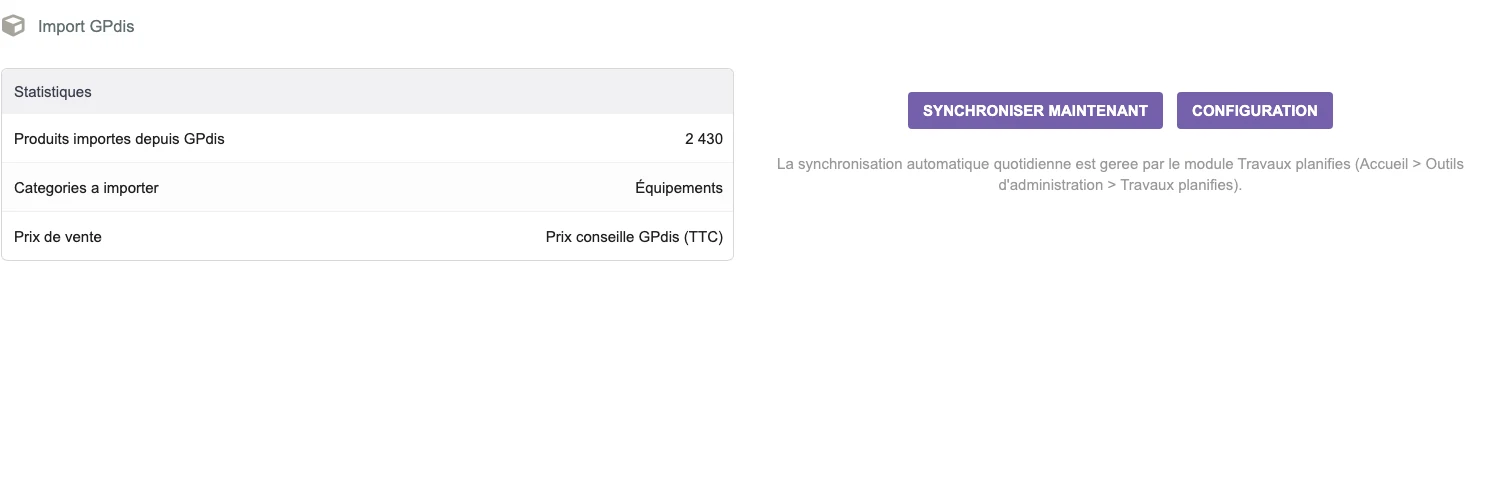 Enlarge screen
 The GPdis interface presents the statistics, the target category and the choice of the selling price before import.
Real interface · test environment · demo data.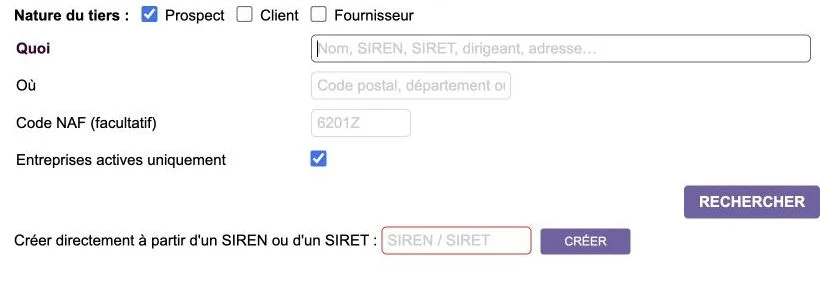 Enlarge screen
 The search accepts a name, identifier or address, with filters on the nature of the third party and the activity.
Real interface · test environment · demo data.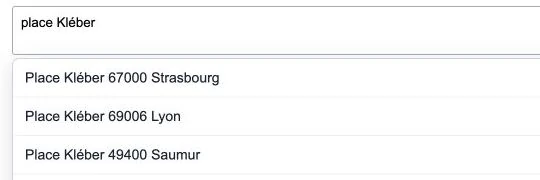 Enlarge screen
 Autocompletion offers matches during entry to make it easier to complete a file.
Real interface · test environment · demo data.A connector starts with a reading of the existing trade and systems. Who creates the product? Where is the reference image located? Which event allows publication, billing or production departure? We identify the source of each information, the stable identifiers and the updating rules.
References, variants, statutes and rights do not always have the same meaning from one tool to another. This correspondence work prevents technically successful transfer from producing unusable data.
Our practice covers REST exchanges, webservices, JSON, XML and CSV formats, file repositories and scheduled tasks. It also includes connections between web applications and workstations, when InDesign files or local processing are part of the process.
The Reymann course brings together 4D bases, web services, office applications, PIM, image processing engines and InDesign Server. The exchanges between 4D and PrestaShop included the creation of the product then the sending of its images: two operations to be articulated and controlled.
A request can trigger multiple treatments: recover an original, produce an overview, send a file, wait for its return and update the sheet and page. Dependencies must be explicit.
The Reymann Task Manager experience includes API logged requests, associated settings and files, immediate, deferred, or scheduled execution, and concurrent processing priorities and limits. The challenge is to make the chain usable, even when the operations do not all have the same duration.
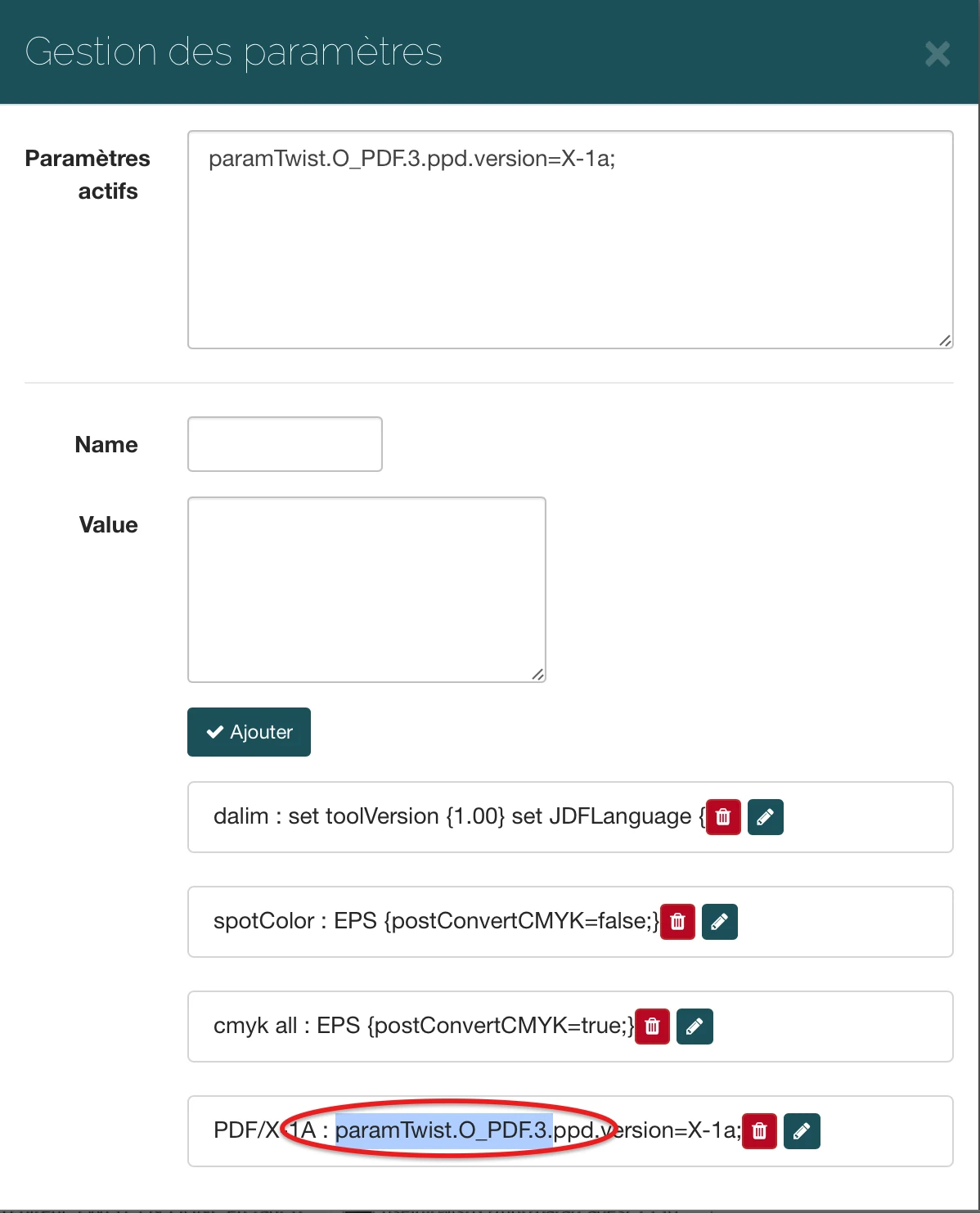
Interfaces of the Reymann editorial channel, in their period version. These archives illustrate the journey of Patrice Salib, founder of Dtouch, within the agency.
 Enlarge
 The interface allows you to specify the parameters transmitted to the processing flow, here a PDF/X-1a output option.
Archive Reymann · interface extract · 03/22/2019The unification of TWIST flows illustrates an integration that acts on the processing itself. The files submitted as input were connected to common flows; scripts used Rey’actif data via REST to choose the parameters adapted to the support.
This common organization replaced around twenty flows, with the management of ICC profiles and their indication on the tests. The production settings were thus linked to the file definition.
A service can answer too late, a file will arrive before its file or a data will remain locked. We design controls, newspapers and the possibilities of taking over these real situations. A repeated attempt must not create a second or unnecessary shipment.
The diagnosis follows the complete journey: initial request, correspondence, execution, feedback and result in the application. This reading makes it possible to distinguish a transfer failure from a result received but poorly integrated.
ERP and store, suppliers and catalog, diary and planning, offshore service providers and internal production: the same care applies to each connection. We deliver the operating rules with the connector, so that the team can understand what is circulating and deal with exceptions.
When a system lacks documentation, the study can be extended by reverse engineering its formats or its behavior, before choosing a replacement interface or a progressive migration.
The Reymann experience also connects editorial planning to page milestones, platform requests to InDesign Server and proofing, and submission queues to feedback from offshore partners. InDesign documents and associated assets join the transfer and replication mechanisms.
Consistency depends on all these connections: business data, events, files, deadlines and responsibilities. It is this end-to-end reading that we bring to integration projects.
Treatments were supplemented by diaries, nightly checks and event notifications. The notification service aggregated information by user and exposed integration points for other applications.
Reporting a failed text import, a missing file or the result of a maintenance batch is part of the business flow. The integration must make these events actionable for the team, in the same way as the initial transfer.
Example of a path with deferred processing: the connector prepares the data, organizes their transfer and keeps the results of the exchanges for monitoring and recovery.
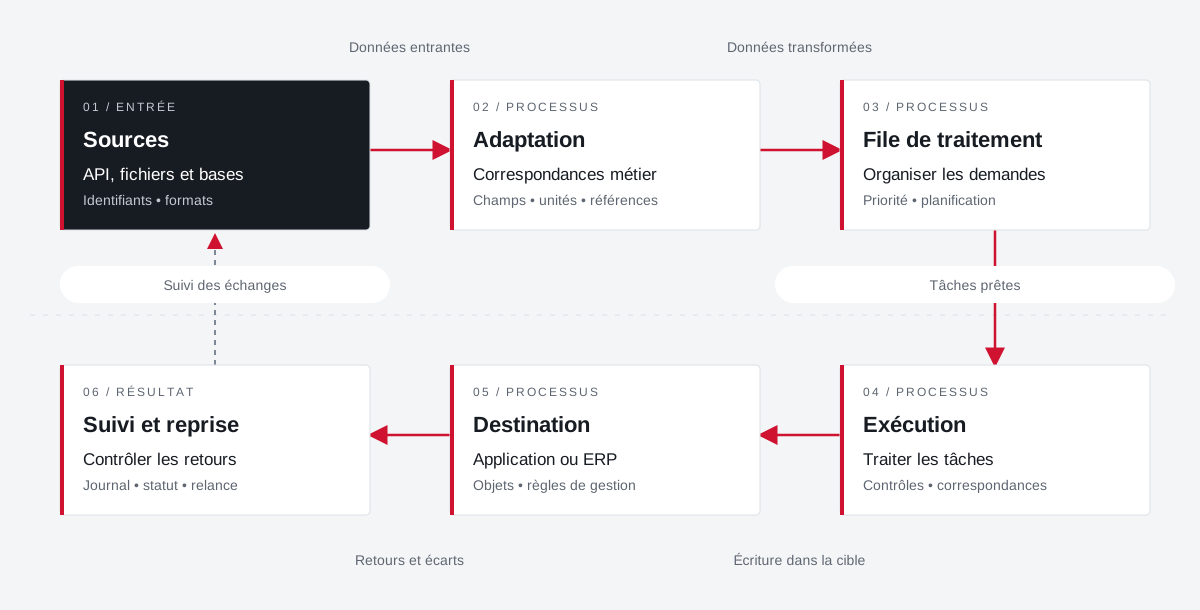 Enlarge the diagram
 API, files and databases
Identifiers • formatsBusiness correspondence
Fields • units • referencesOrganize requests
Priority • planningTreating tasks
Controls • matchesApplication or ERP
Objects • management rulesControl returns
Journal • status • reminderEnlarge the diagram Keep the reference of the source and that of the target application.
Describe correspondences and distinguish direct calls from deferred processing.
Find the state and context of an exchange to be retired.
How images, color, applications and partners fit together in the Rey’actif channel.
Explore this experienceFounder's Experience · Reymann
Moving from around twenty production flows to generic flows linked to file data: integration between 4D, Rey’actif, Dalim TWIST and ICC profiles.
Explore the caseProject Dtouch
References, categories, rates and images: A useful catalogue also depends on how its data is fed.
Explore the caseA specific need, a software to evolve, a project to frame.
Stations, servers, access and backups: Agedis supports the IT environment on which the application is based.
Discover Agedis servers and systemsCloudlab covers the data center and hosting component. The resources and operating conditions are prepared with the application project.
Understanding the Cloudlab data center baseComplementary expertise, the same high standards.