
Circulate products between tools
References, categories, rates and images: A useful catalogue also depends on how its data is fed.
See the tools
and their functions.
Screens of the application environment to understand the functions and exchanges presented in this case. Real interfaces, with demo data.
 Enlarge screen
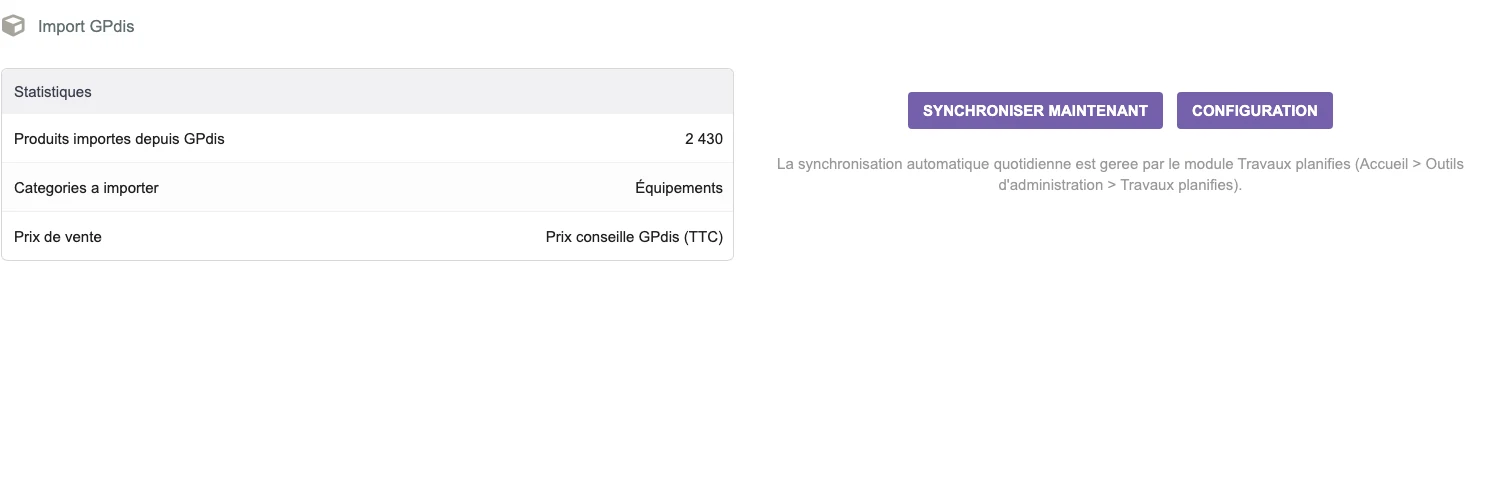
 Preparing the entry of a catalogue
The GPdis interface presents the statistics, the target category and the choice of the selling price before import.
Real interface · test environment · demo data.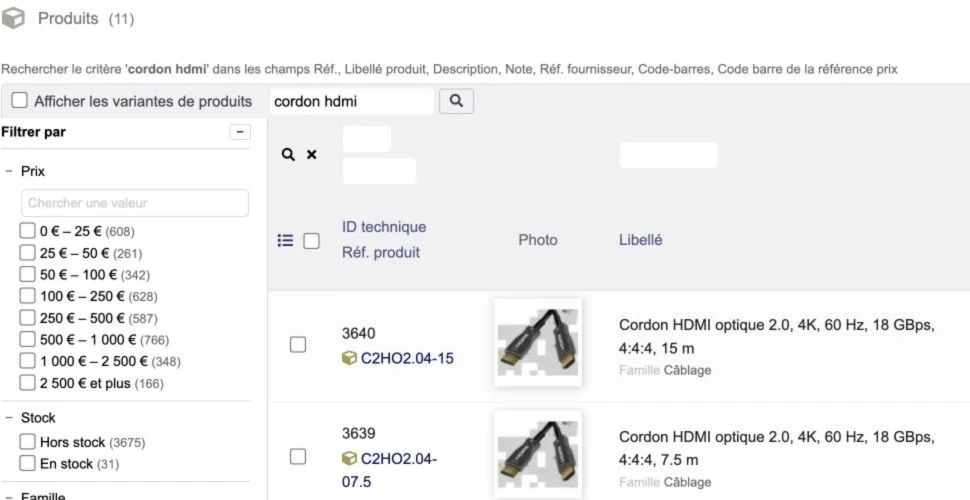 Enlarge screen
 Find a reference among the variants
Search, faceted filters, photos and references help compare catalogue products.
Real interface · test environment · demo data.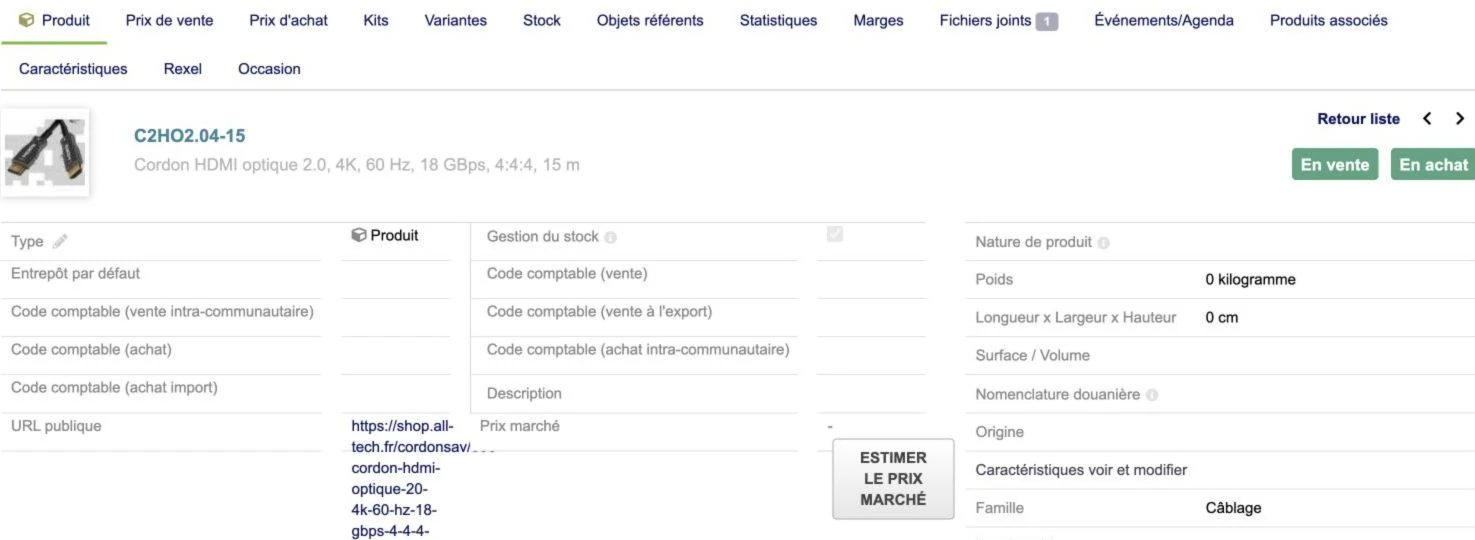 Enlarge screen
 One product, several business information
The sheet brings together the characteristics and access to prices, stock, documents and supplier information.
Real interface · test environment · demo data.The business need
The products exist in several systems: internal management, supplier files and store. Differences in structure and reference may produce misclassifications or duplicates.
The work carried out
The technical journey includes exchanges between 4D databases and PrestaShop, imports of products and images, then synchronization work around Dolibarr and supplier web services. Topics covered include common categories, references, and update requirements.
The rule before the transfer
The success of a flow depends on correspondences and the management of incomplete cases. We define the source of each data, the reconciliation rules and the controls before setting up the circulation between applications.
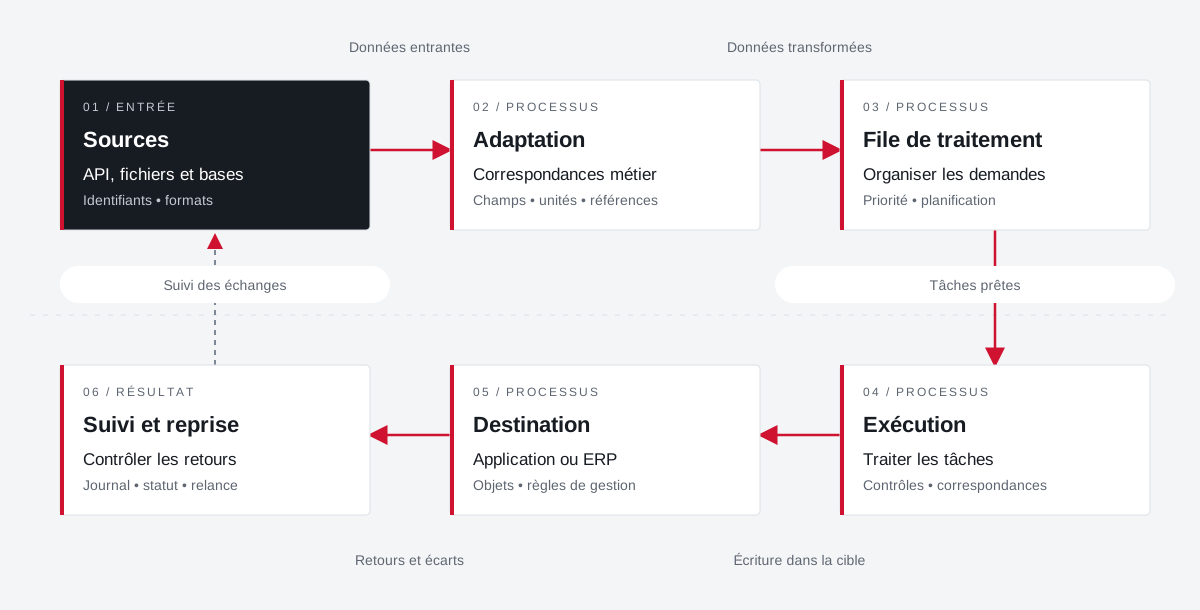
The diagram illustrates a connection principle. The flows and their frequency are defined for each project according to the APIs and formats actually available.
Connect applications and keep exchange control.
Example of a path with deferred processing: the connector prepares the data, organizes their transfer and keeps the results of the exchanges for monitoring and recovery.
 Enlarge the diagram
 - 01Incoming data ↓
Sources
API, files and databases
Identifiers • formats - 02Transformed data ↓
Adaptation
Business correspondence
Fields • units • references - 03Tasks ready ▼
Processing queue
Organize requests
Priority • planning - 04Writing in the target ▼
Execution
Treating tasks
Controls • matches - 05Returns and variances ▼
Destination
Application or ERP
Objects • management rules - 06
Follow-up and resumption
Control returns
Journal • status • reminder
Enlarge the diagram Identify
Keep the reference of the source and that of the target application.
Transform
Describe correspondences and distinguish direct calls from deferred processing.
Take over
Find the state and context of an exchange to be retired.
Your job deserves
the right tools.
A specific need, a software to evolve, a project to frame.