Planning & diaries
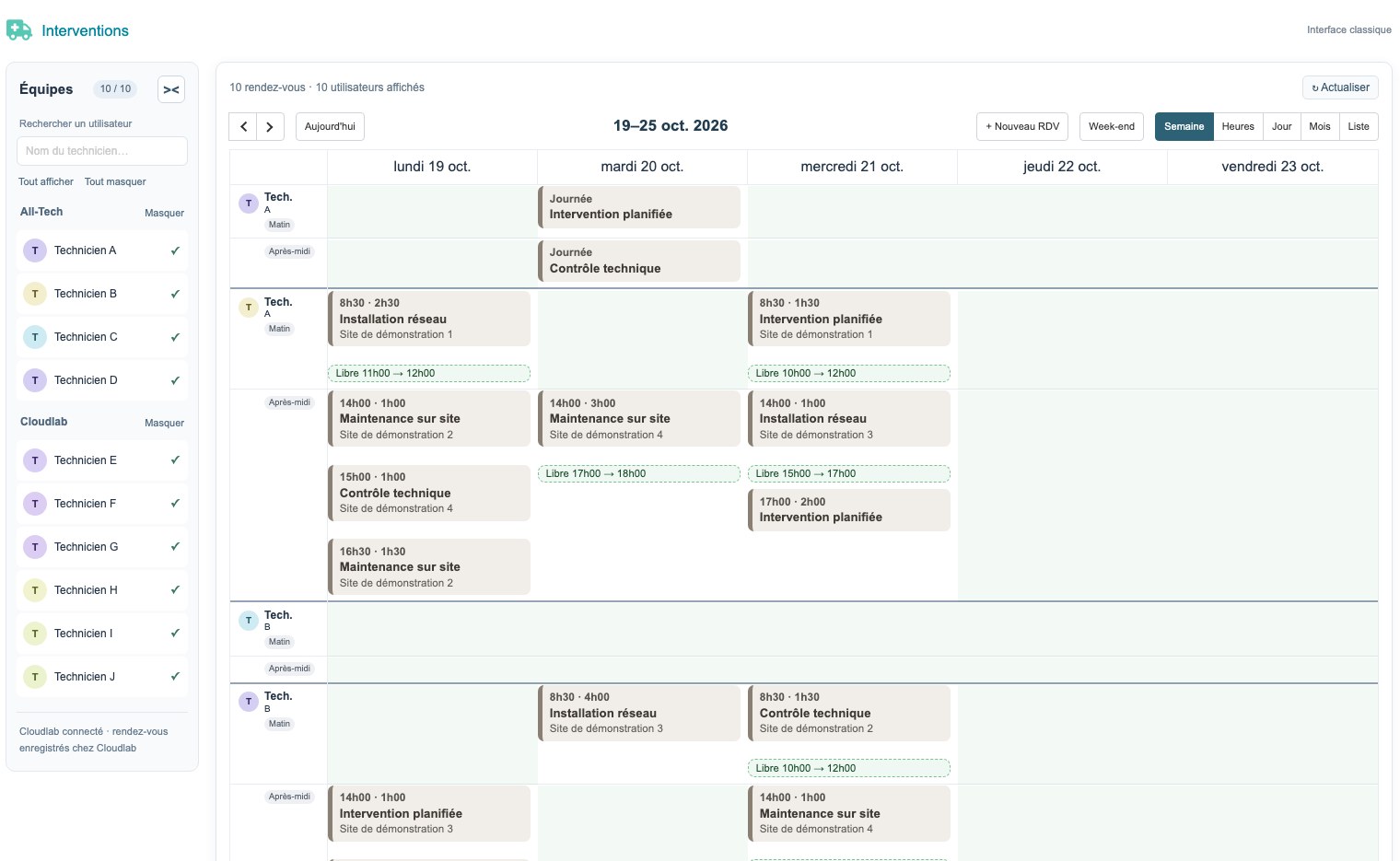
Teams, appointments, recurrences and exchanges with Zimbra.

Pass data from suppliers and parts received into understandable and verifiable management documents.
Screens of the application environment to understand the functions and exchanges presented in this case. Real interfaces, with demo data.
 Enlarge screen
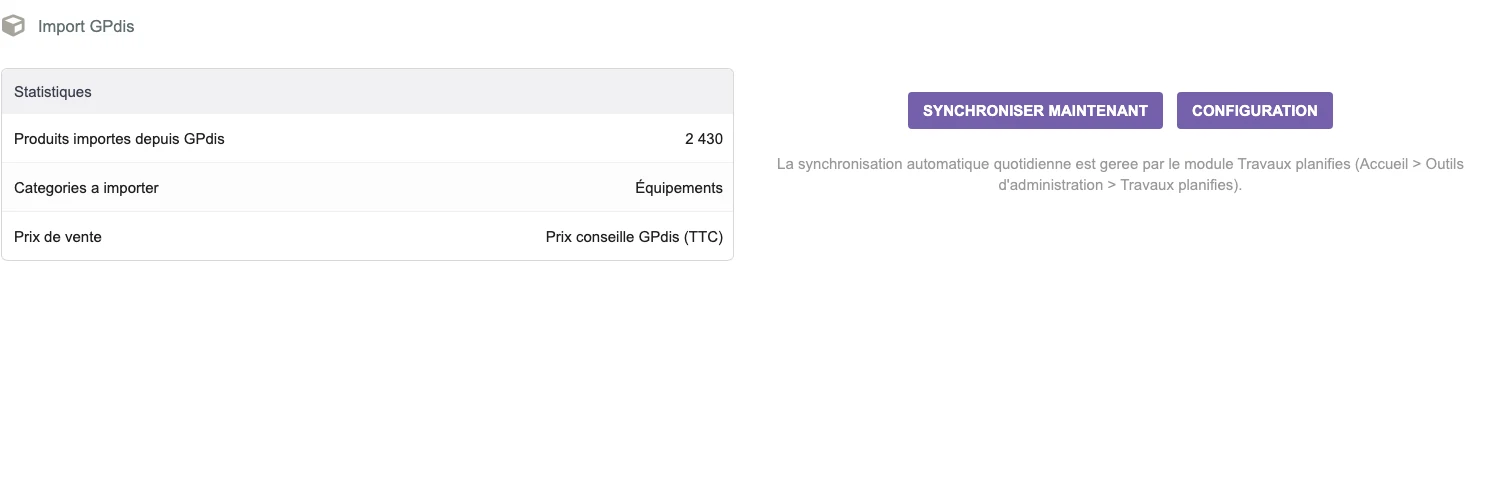
 The GPdis interface presents the statistics, the target category and the choice of the selling price before import.
Real interface · test environment · demo data.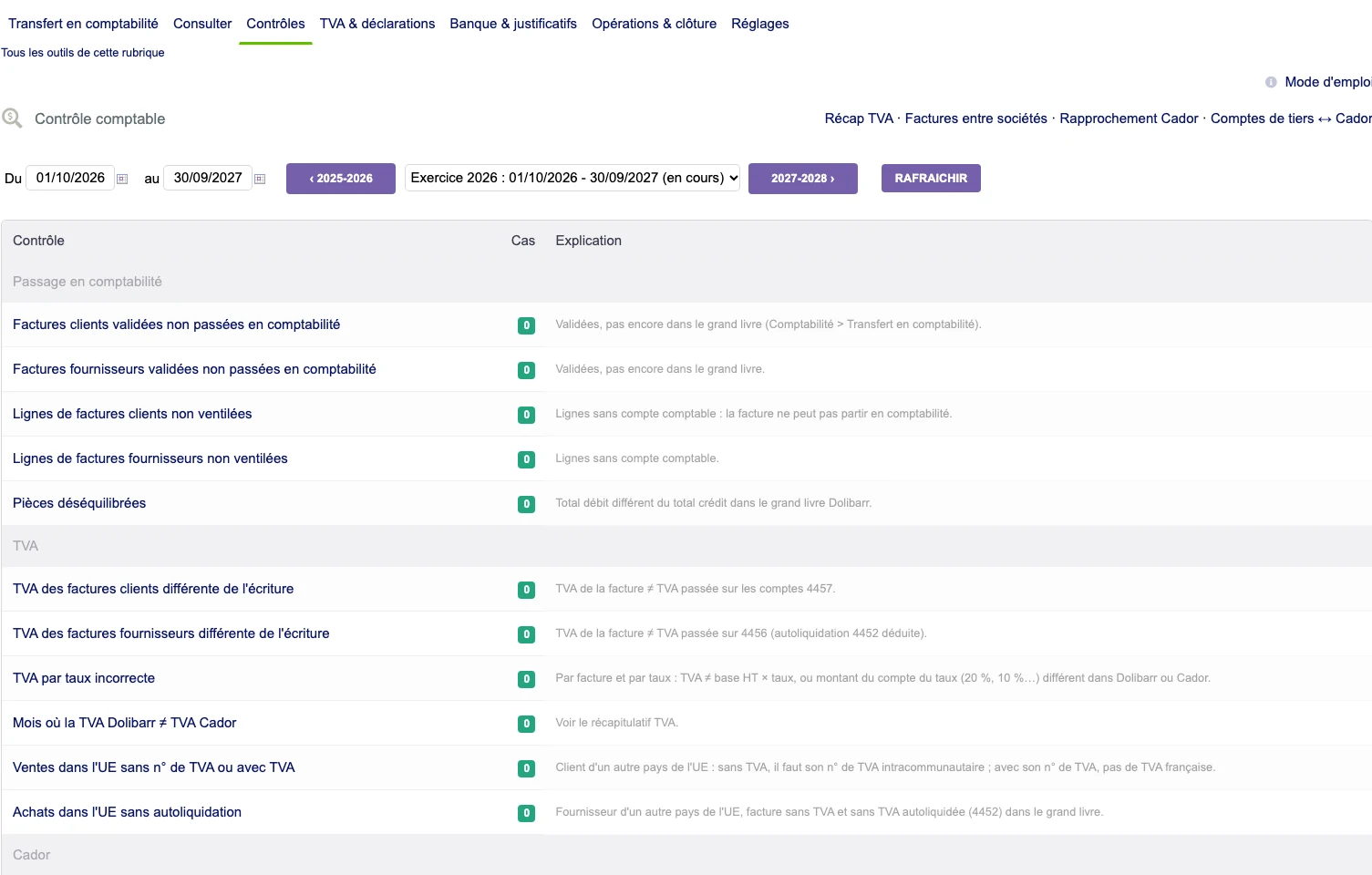 Enlarge screen
 A checklist brings together invoices, breakdown, VAT and accounting, with the number of cases and their explanation.
Real interface · test environment · demo data.Supplier file, PDF invoice, photograph of a part: each source presents its structure and limitations. A reference may require reconciliation; an amount or rate may require verification before entry.
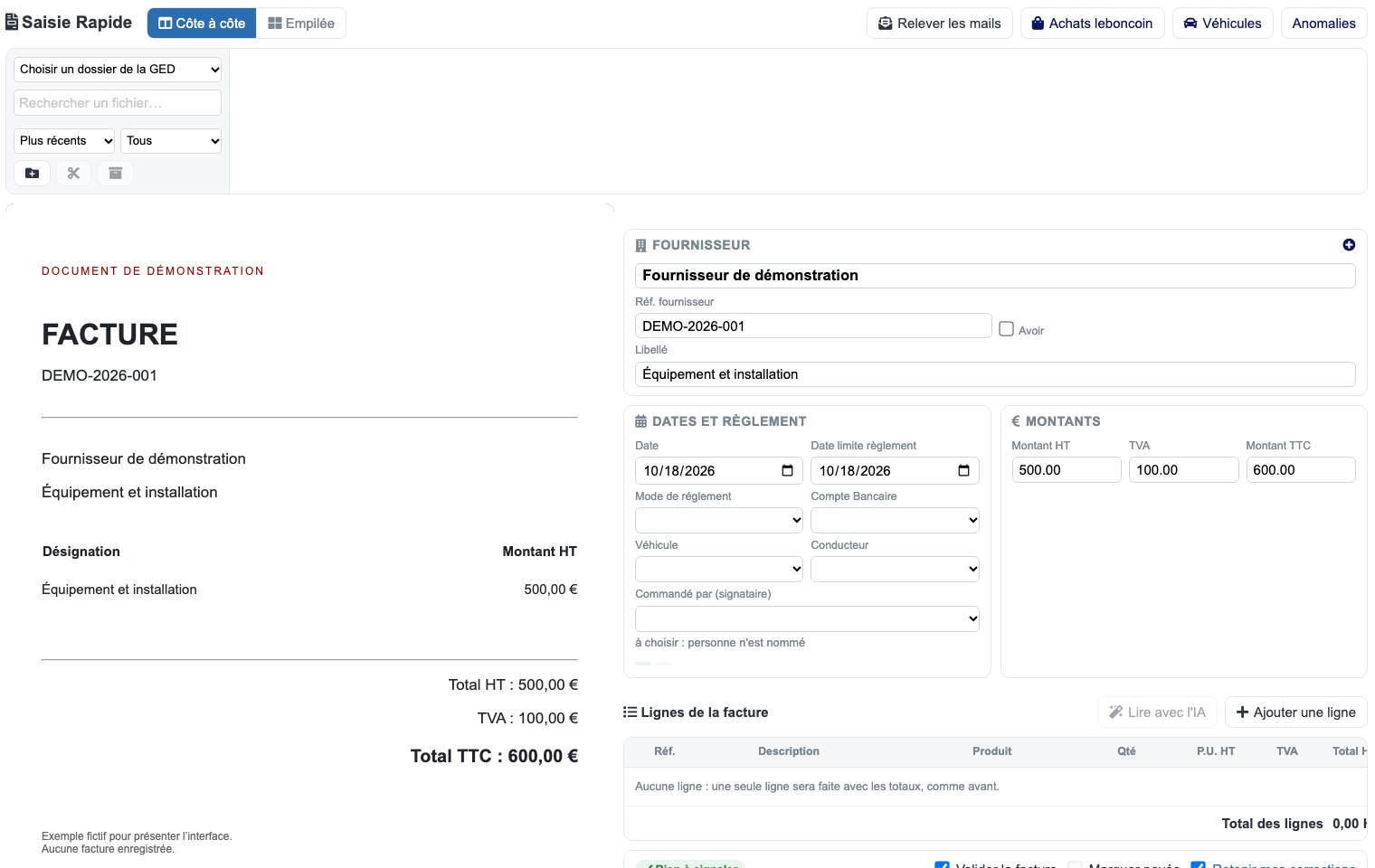
The document import tools followed integrate line preparation and consistency checks into Dolibarr. The user must be able to consult the document and correct the proposal before validation. Anomalies and documents already processed are part of the journey.
Quotes, orders, invoices and vouchers require models consistent with the business information. Adaptations include titles, descriptions, references and presentations specific to certain uses, including rental.
The work is not limited to drawing the PDF: you must maintain the link with the lines and rules of the Dolibarr document.
Specific developments sit alongside standard modules and third-party extensions. Updates require verification of their interactions, rights and documents generated within the scope concerned.
Captures show interfaces with demo data or removed private areas. The import and validation rules are adapted to each environment.
Developments that connect the organization of teams, the field and documents. The screens below are from the test environment; the presentation data is fictitious.
 Enlarge
  Enlarge
 Teams, appointments, recurrences and exchanges with Zimbra.
Locations, times, photos and reports accessible on mobile.
Source document, data entry preparation and verifications in the same process.
Quotes, invoices, vouchers and supplier data adapted to the activity.
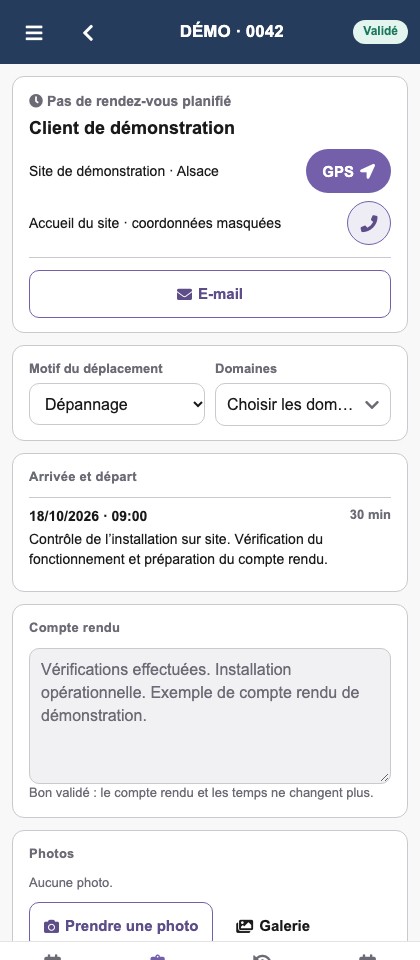
The location, motive, time and report are combined in the mobile voucher. The elements of the field join the company file.
 Enlarge
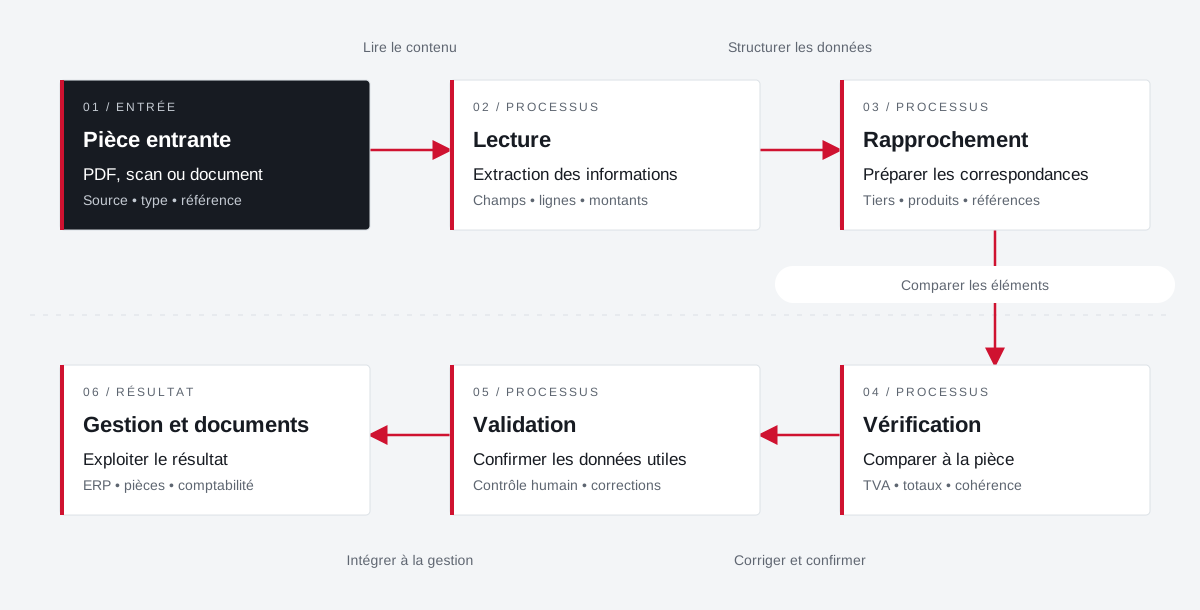
 Incoming documents are reconciled with the management fields. Validation retains an explicit place before the exploitation of the result.
 Enlarge the diagram
 PDF, scan or document
Source • type • referenceExtraction of information
Fields • lines • amountsPreparing correspondence
Third party • products • referencesCompare to part
VAT • total • consistencyConfirm payload data
Human control • correctionsUse the result
ERP • documents • accountingEnlarge the diagram Keep the document visible during preparation.
Check fields and amounts against the source.
Confirm the result before its use in management.
A specific need, a software to evolve, a project to frame.
Complementary expertise, the same high standards.