
Accounting interfaces & data exports
Dtouch supports the software aspect of accounting exchanges: correspondence, formats, documents and controls are defined with the people responsible for maintenance and revision.
Concrete functions.
Tools in situ.
Interfaces used to organize work, prepare data and track files. Each screen shows a specific function, with presentation data.
 Enlarge screen
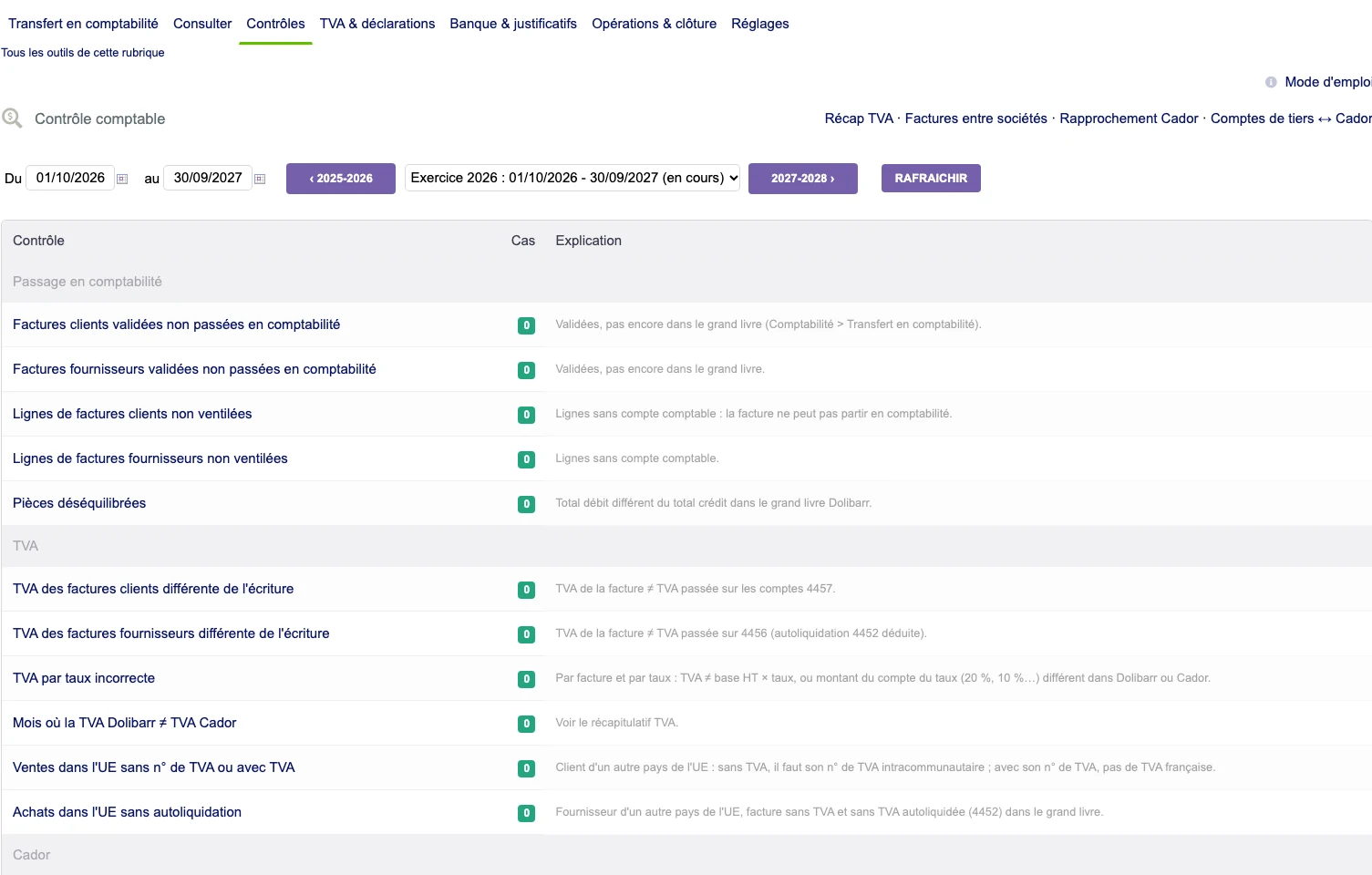
 Identify variances before transfer
A checklist brings together invoices, breakdown, VAT and accounting, with the number of cases and their explanation.
Real interface · test environment · demo data.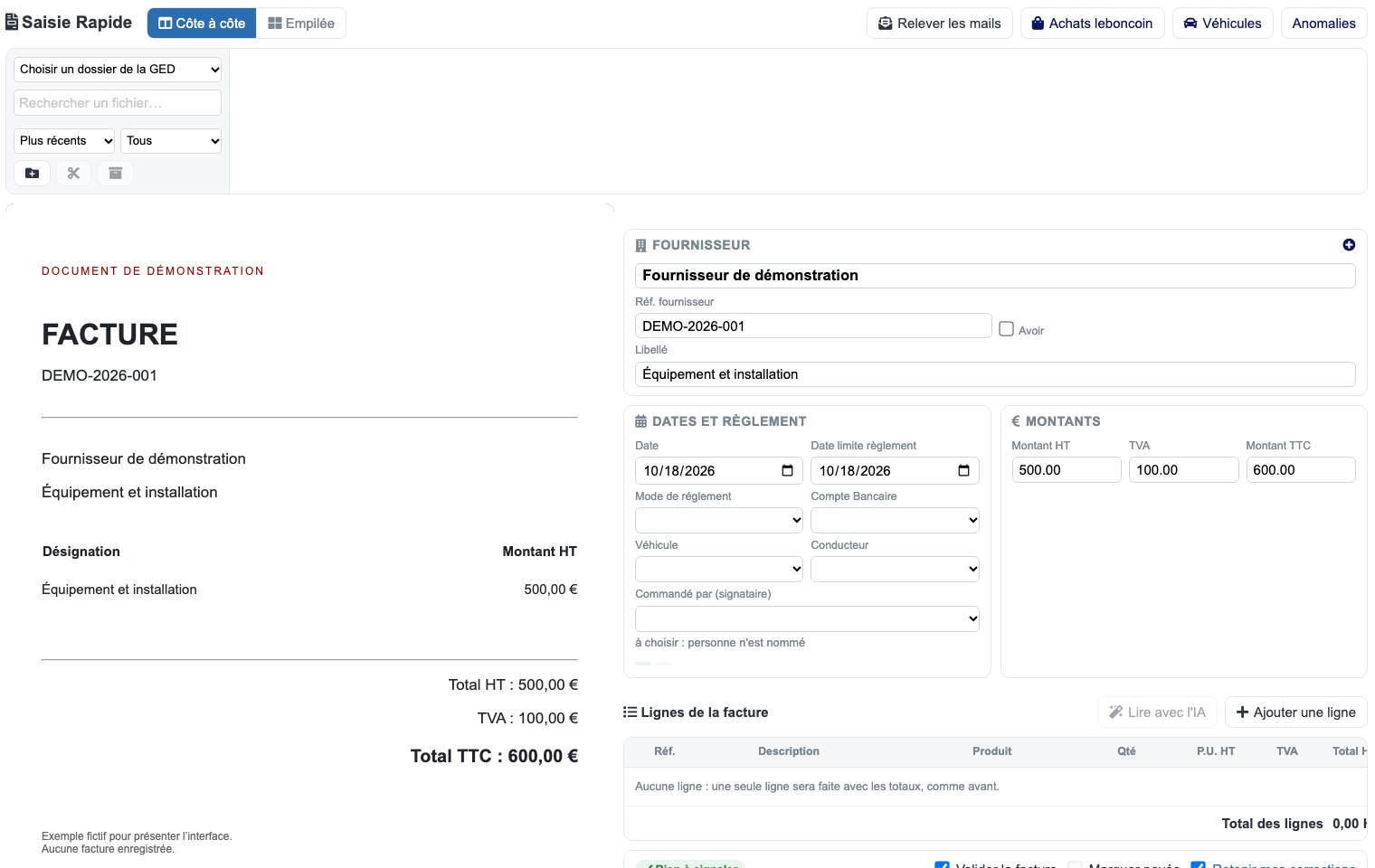 Enlarge screen
 The part and its capture side by side
The source document remains visible while preparing invoice information.
Real interface · test environment · demo data.Understand the data and tools involved
The framework identifies the source documents, the information available in the ERP and the format expected by the recipient tool. The accounting teams specify the rules to apply.
The development work focuses on the translation of these rules into the fields and exchanges. Special cases should be identified before extensive treatment.
Prepare correspondence and formats
Accounts, journals, references and dates must join the correct fields in the export. The types of coins and the signs of the amounts require special attention.
Existing imports or exports are examined on representative samples. The data is compared to the documents and the results expected by the people who use them.
Connecting parts to control
A handwriting or management information must be able to be examined with its source document. Documentary links and checklists help identify the elements needed for the audit.
Processors can prepare reports and report missing data. Accounting decisions remain made by the people who are responsible for them.
Check for recaptures and developments
Changes to formats, exercises or applications are prepared with correspondence checks. Discrepancies must be explainable and processing can be restarted according to the rules adopted.
Documenting mappings and export conditions makes it possible to maintain the interface over time, with management teams and their accounting partners.
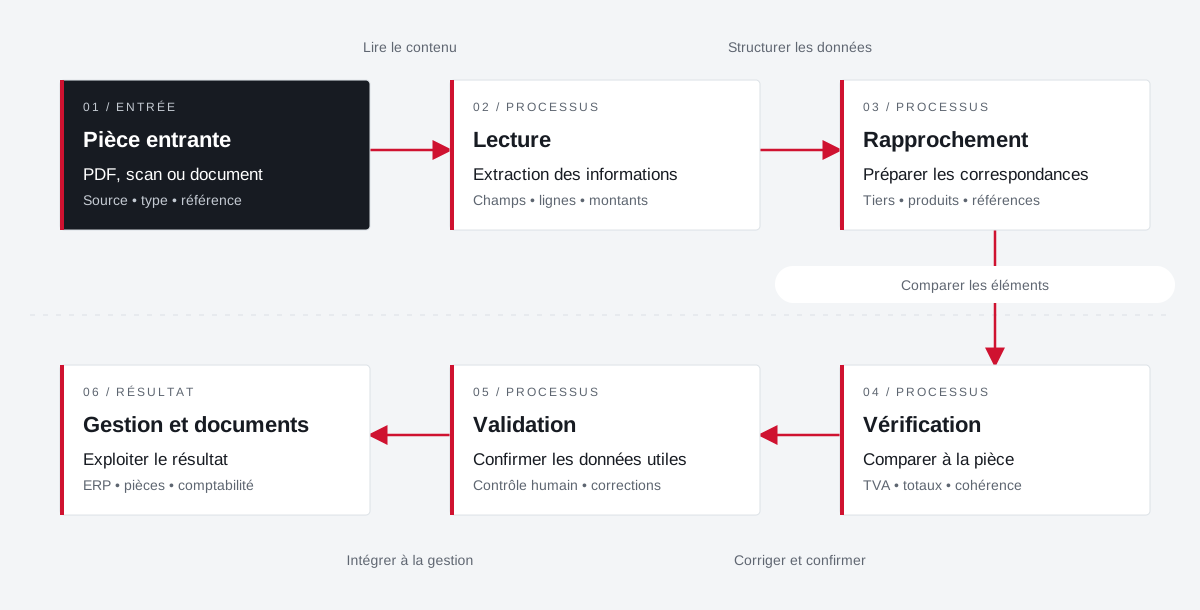
The source document accompanies the preparation of the data.
Incoming documents are reconciled with the management fields. Validation retains an explicit place before the exploitation of the result.
 Enlarge the diagram
 - 01Read content ↓
Incoming part
PDF, scan or document
Source • type • reference - 02Structure data ▼
Reading
Extraction of information
Fields • lines • amounts - 03Compare items ↓
Approximation
Preparing correspondence
Third party • products • references - 04Correct and confirm ↓
Verification
Compare to part
VAT • total • consistency - 05Integrate into management ↓
Validation
Confirm payload data
Human control • corrections - 06
Management and documents
Use the result
ERP • documents • accounting
Enlarge the diagram Keep
Keep the document visible during preparation.
Compare
Check fields and amounts against the source.
Validate
Confirm the result before its use in management.
Projects and concrete situations.
Dolibarr: from planning to reporting
Project Dtouch
Technical planning, exchanges with Zimbra and mobile vouchers: link the office, the technician and the file.
Explore the caseBusiness documents & imports in Dolibarr
Project Dtouch
Pass data from suppliers and parts received into understandable and verifiable management documents.
Explore the caseCirculate products between tools
Project Dtouch
References, categories, rates and images: A useful catalogue also depends on how its data is fed.
Explore the caseYour job deserves
the right tools.
A specific need, a software to evolve, a project to frame.