
Rey-Active: Connecting a complete platform
PIM, office applications, web services, image tasks, InDesign Server and business bases: experience in the articulation between the components of a production platform.
See the tools
and their functions.
Views of the editorial environment Reymann, from the course of Patrice Salib, founder of Dtouch : data produced, composition and tracking of pages in Reysactive. Platform demonstration archive, 2018.
 Enlarge screen
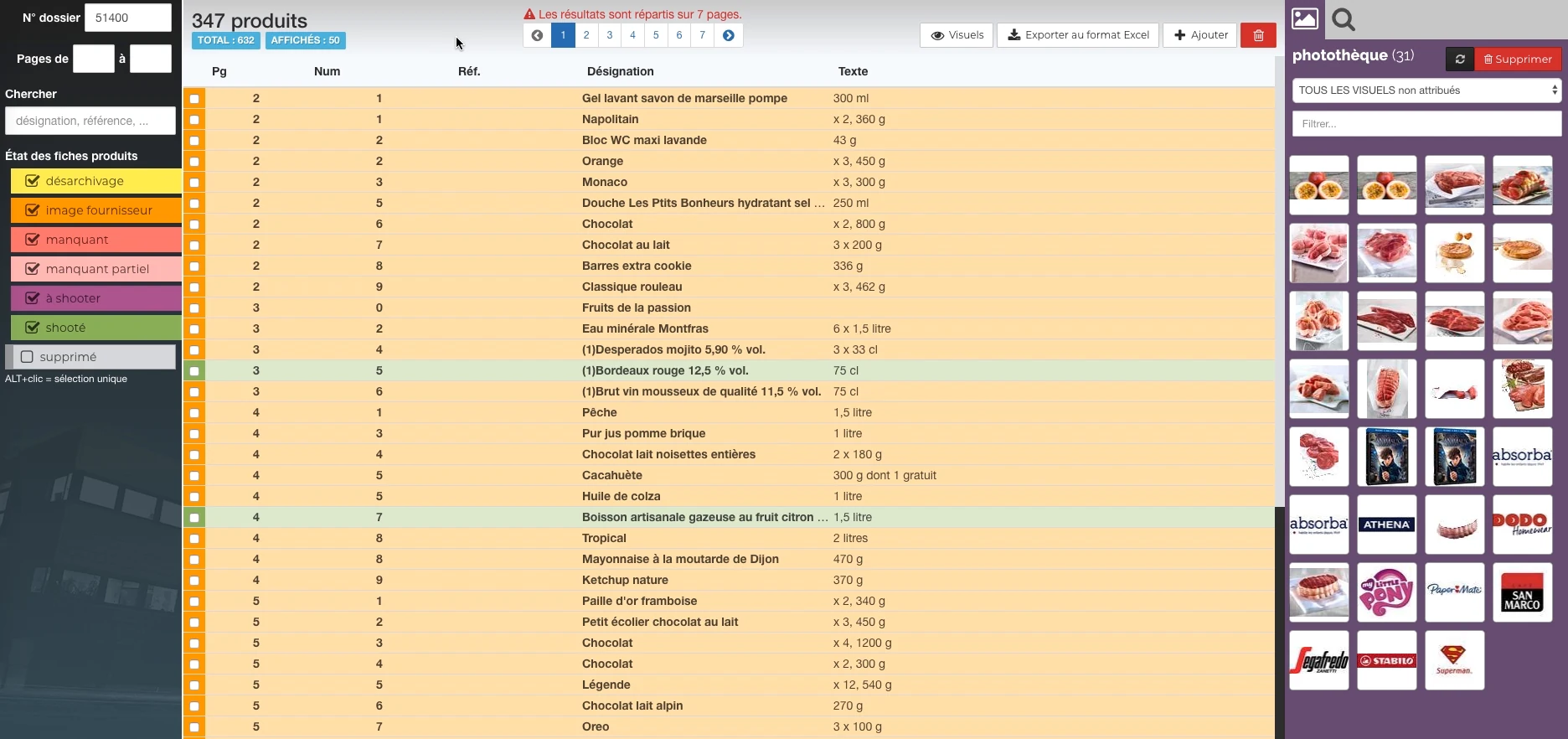
 Products and their state of preparation
A filterable list per state, folder references and the picture can be accessed in the same view.
Real Rey’actif interface · demo archive from 2018.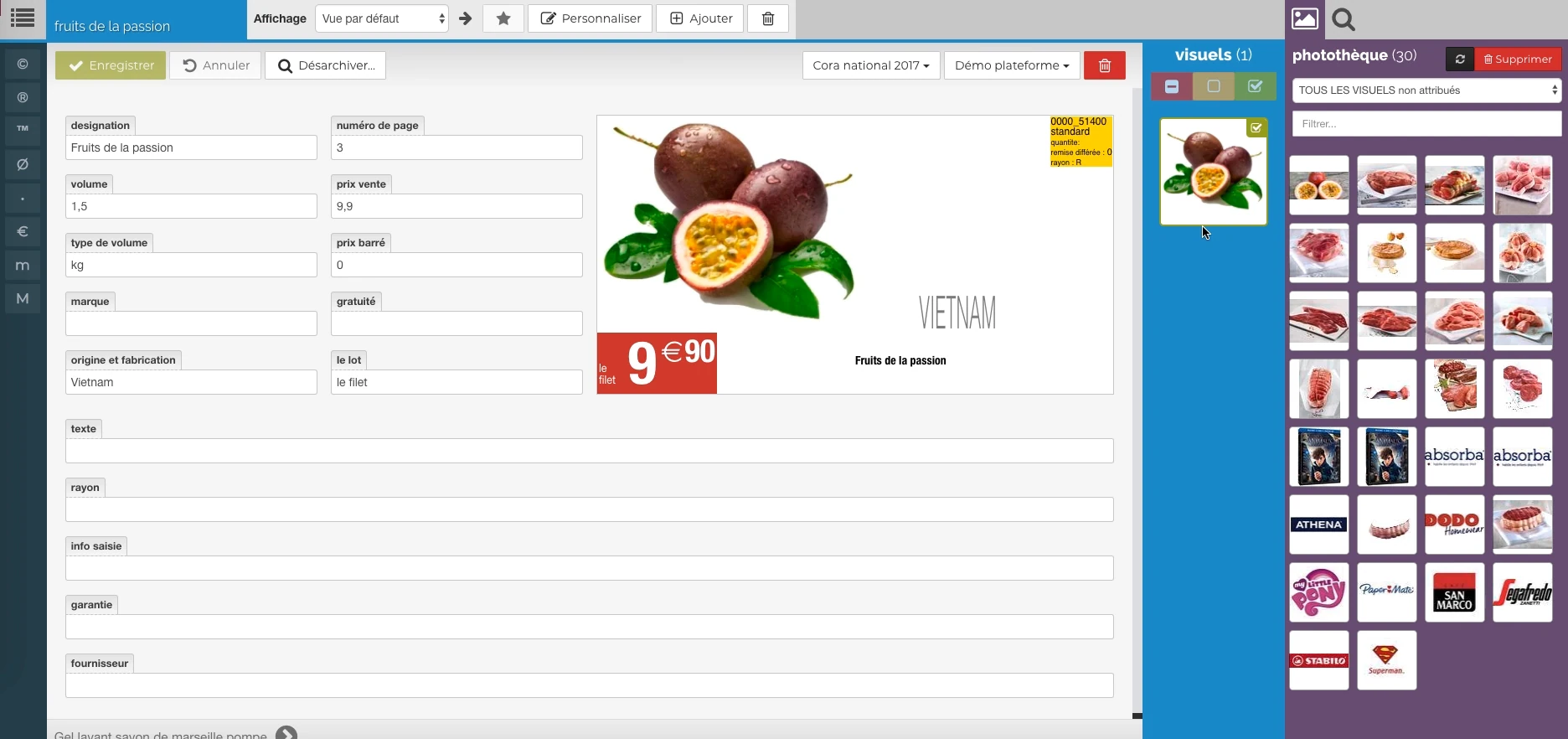 Enlarge screen
 The data meets the visual
Description, price, origin and packaging provide a preview, with image resources alongside.
Real Rey’actif interface · demo archive from 2018.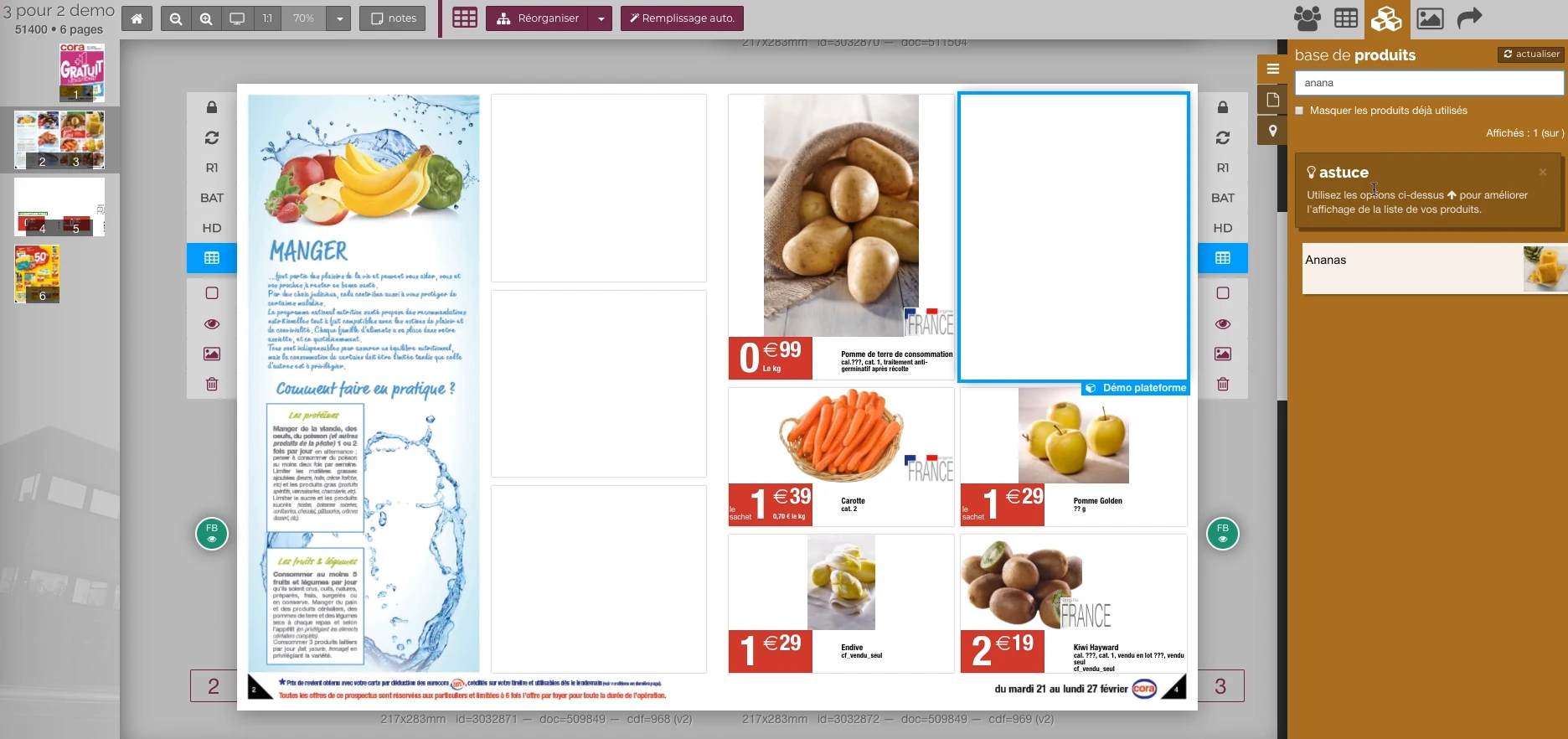 Enlarge screen
 From the product to its location on the page
The double page, the thumbnail and the product base allow you to work in the context of the publication.
Real Rey’actif interface · demo archive from 2018.A platform that connects several professions
The environment brought together a back office, a customer platform, production planning, a dashboard and applications on workstations. Graphic designers, production teams and clients did not use the same screens but worked around the same files.
Patrice's contribution combined technical management, integration and coordination with agency teams and development partners. Understanding the overall operation made it possible to link a business request to the components to be developed.
From data to images and documents
The PIM managed texts and images with a PostgreSQL database and Elasticsearch indexing. Processing included generating previews, clipping returns, and finding duplicate images.
InDesign Server handlers took over for documents. Controls tracked INDD modifications and PDF status; a service provided assembly and processing for downloads.
Specialized services, exchanges to coordinate
Tasks could be requested by API, with priority and immediate, deferred or scheduled execution. Waiting and simultaneous execution limits governed the processing categories.
WebSocket dispatchers connected services to applications. Desktop connectors linked to the user workstation, while tracking tools made it possible to examine tasks and their logs.
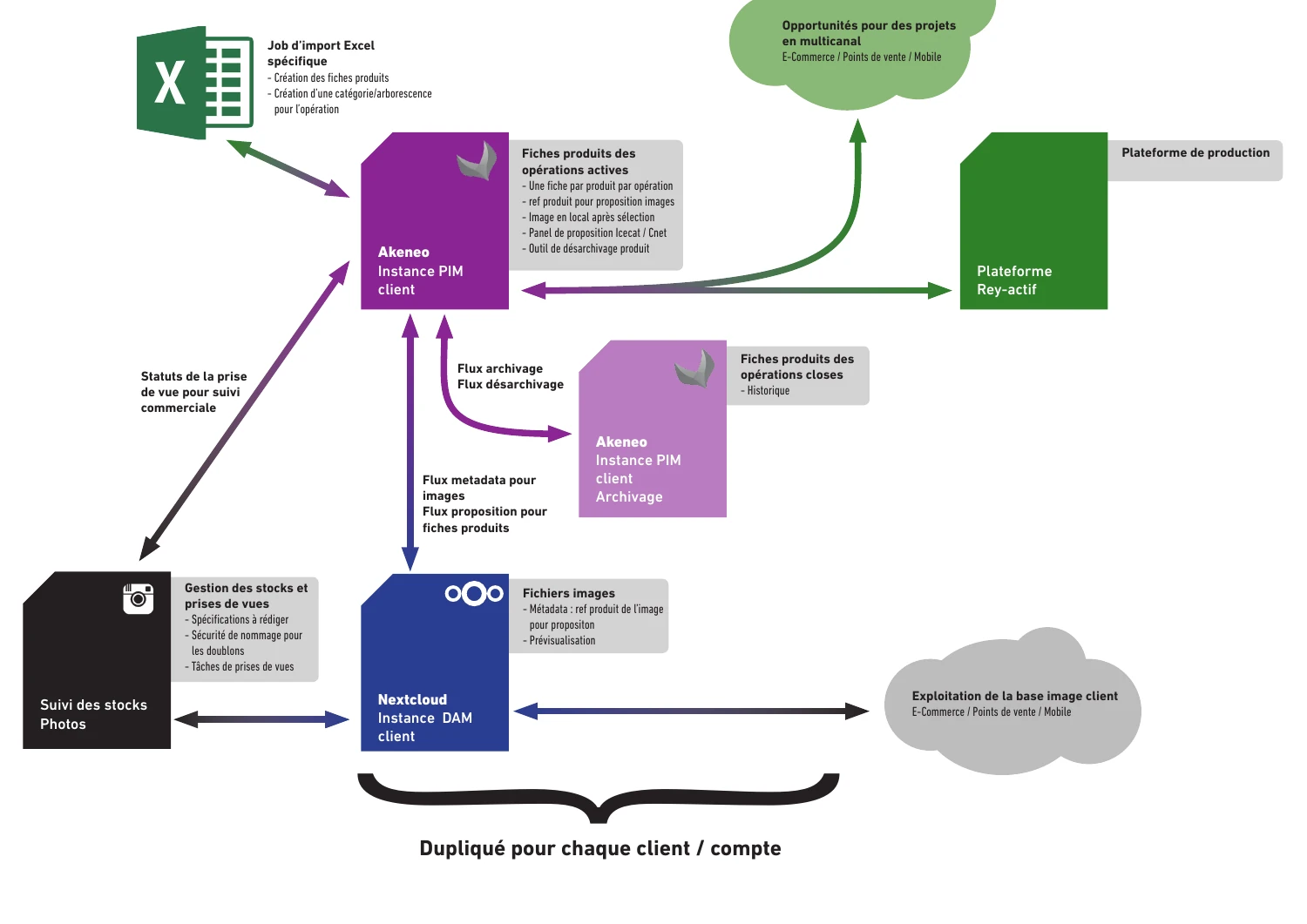
A 2017 architectural study to organize applications and their exchanges.
 Enlarge
 Design document from January 2017: study of exchanges between Excel imports, PIM Akeneo, images in Nextcloud and Rey’actif production platform.
Architecture study · design document · 27/01/2017Connections beyond the catalog
The ecosystem also included 4D/Dolibarr synchronization, the integration of leave from automatic Paypilote messages into the schedule, cloud file management and time tracking on the job.
These connections show that integration goes beyond the layout engine: it connects team availability, production organization and management data.
A farm prepared with partners
Development and production environments, containers, packages, and versions of Windows and Mac applications were part of the system to support.
This experience provides a method for current projects: identifying dependencies, translating needs into precise exchanges and verifying the result until final use, with the teams concerned.
This case study presents the experience of Patrice Salib, founder of Dtouch, acquired at Reymann with the agency's teams and its development and production partners.
Connect applications and keep exchange control.
Example of a path with deferred processing: the connector prepares the data, organizes their transfer and keeps the results of the exchanges for monitoring and recovery.
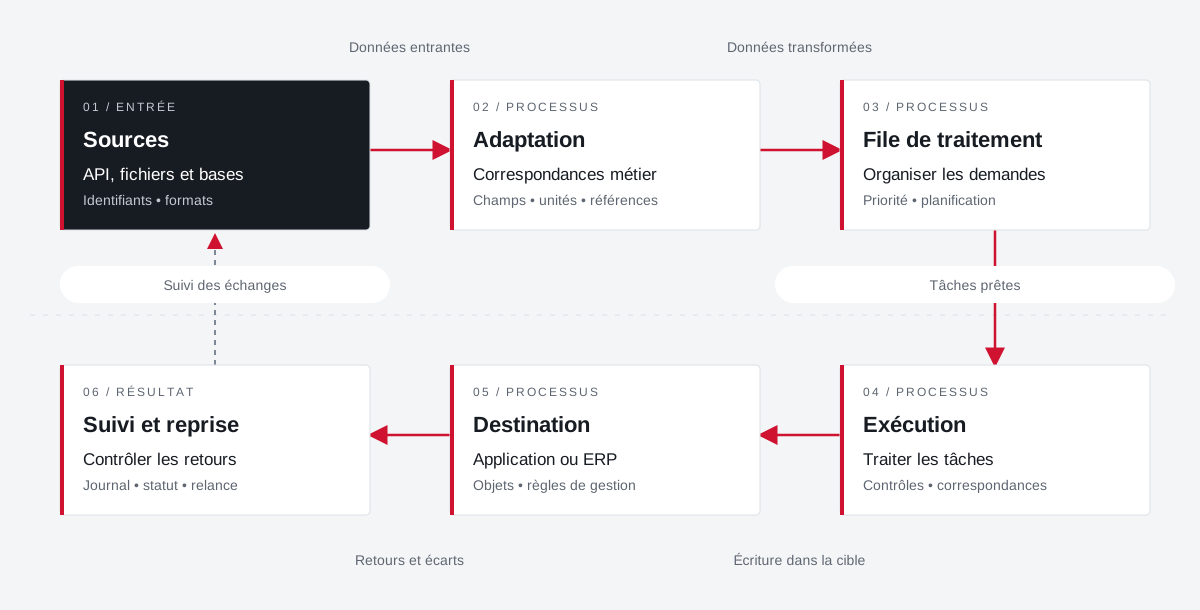 Enlarge the diagram
 - 01Incoming data ↓
Sources
API, files and databases
Identifiers • formats - 02Transformed data ↓
Adaptation
Business correspondence
Fields • units • references - 03Tasks ready ▼
Processing queue
Organize requests
Priority • planning - 04Writing in the target ▼
Execution
Treating tasks
Controls • matches - 05Returns and variances ▼
Destination
Application or ERP
Objects • management rules - 06
Follow-up and resumption
Control returns
Journal • status • reminder
Enlarge the diagram Identify
Keep the reference of the source and that of the target application.
Transform
Describe correspondences and distinguish direct calls from deferred processing.
Take over
Find the state and context of an exchange to be retired.
File browsing.
From studio to PDF.
Follow what's going on between teams and software: images, ICC profiles, InDesign documents, typographies and PDF. Six sequences present the transfers, returns and controls from the experience of Patrice Salib at Reymann.
- 01
Images & product data
Identify the resourceThe shot joins the product reference and information useful for production. The Photo tool and the photo library link the visual to the file.
Explore this skill - 02
Images, ICC & versions
Preparing graphical resourcesHigh-definition images, color profiles and versions used in pages must maintain their context. The film also features actual photo library archives and ICC profiles.
Explore this skill - 03
Queues & Submissions
Distribute offshore workBundles bring together visuals, InDesign documents, resources and instructions. The planning accompanies the assignments, deadlines and production statuses.
Explore this skill - 04
Returns & replication
Find Available FilesFeedback from partners joins the studio's resources with file replication. The actual Retrieve and Make Available orders are shown in Rey’actif Planning, in 2020.
Explore this skill - 05
InDesign & typographies
Gathering the document and its dependencies.indd documents, linked images and typographies must be available for composition. The course includes connecting Universal Type Server to InDesign Server.
Explore this skill - 06
PDF & CMYK separations
Control the preparation of outingsDalim TWIST, output profiles and PDF controls are part of the graphics chain. All four splits in the film come from a real Cora catalog page from 2022.
Explore this skill
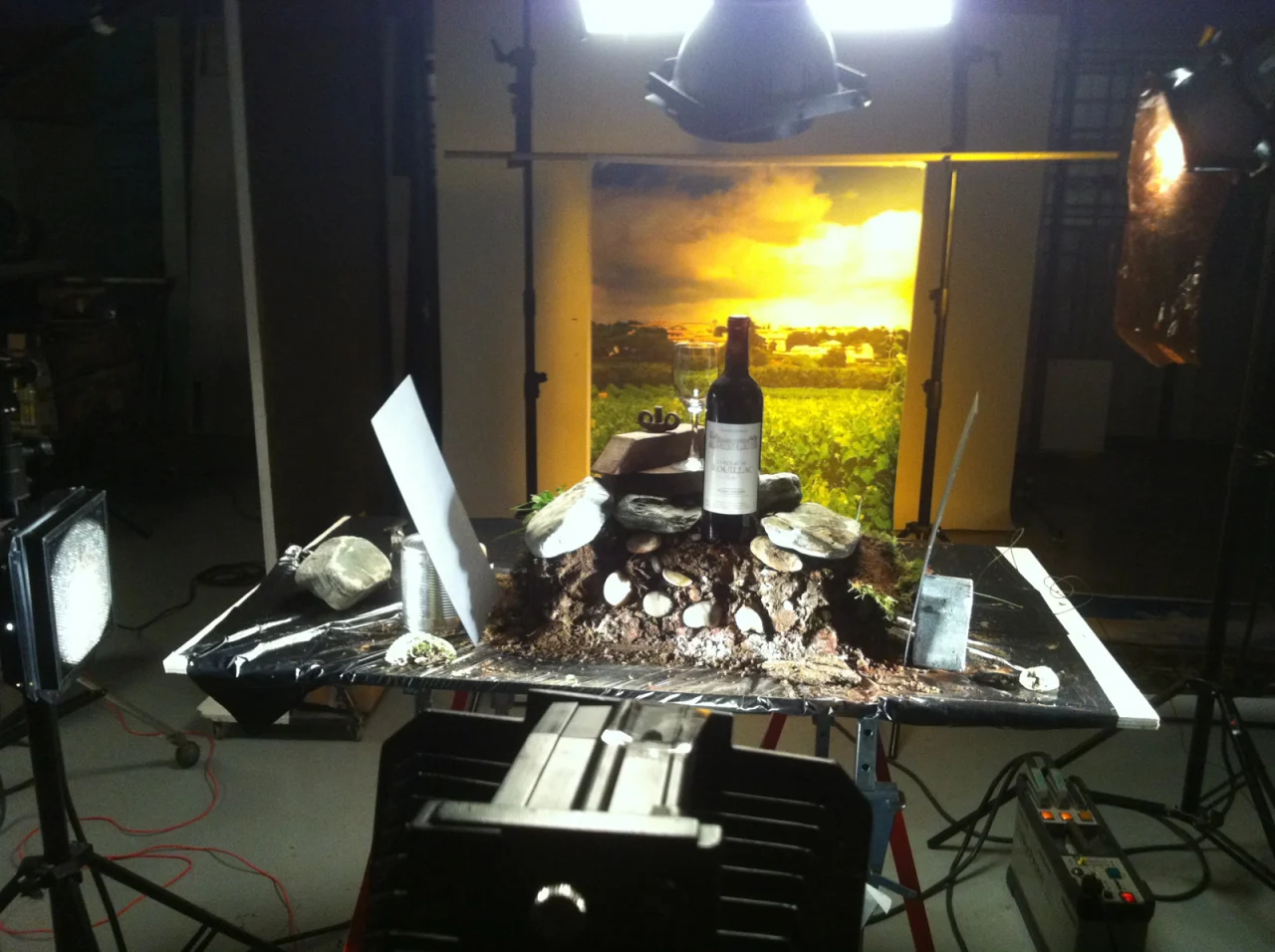
The diagram brings together the professions and skills of the Reymann path of Patrice Salib. The archives come from different periods; the 3D view offers an explanatory summary.
Connect the tools.
Hold the whole chain.
Reading the components of the platform: each domain responds to a production need and articulates with others.
API · files · WebSocket events
Requests, data and reports connect the platform tools.
PIM & photo library
Texts, images, PostgreSQL, Elasticsearch indexing.
02 / TREATMENTSTasks & queues
Images, clipping, priorities, scheduled execution and logs.
03 / DOCUMENTSInDesign Server & PDF
Typography, INDD controls, generation and assembly.
04 / MANAGEMENT4D, Dolibarr & planning
Synchronization of data, time tracking and availability.
Your job deserves
the right tools.
A specific need, a software to evolve, a project to frame.