
Task Servers & Processing Files
A detour, a engraving or a preview generation does not treat itself as a simple interface click. The journey Reymann includes the integration of task servers to organize these processes and monitor their execution.
The tools of the
editorial production.
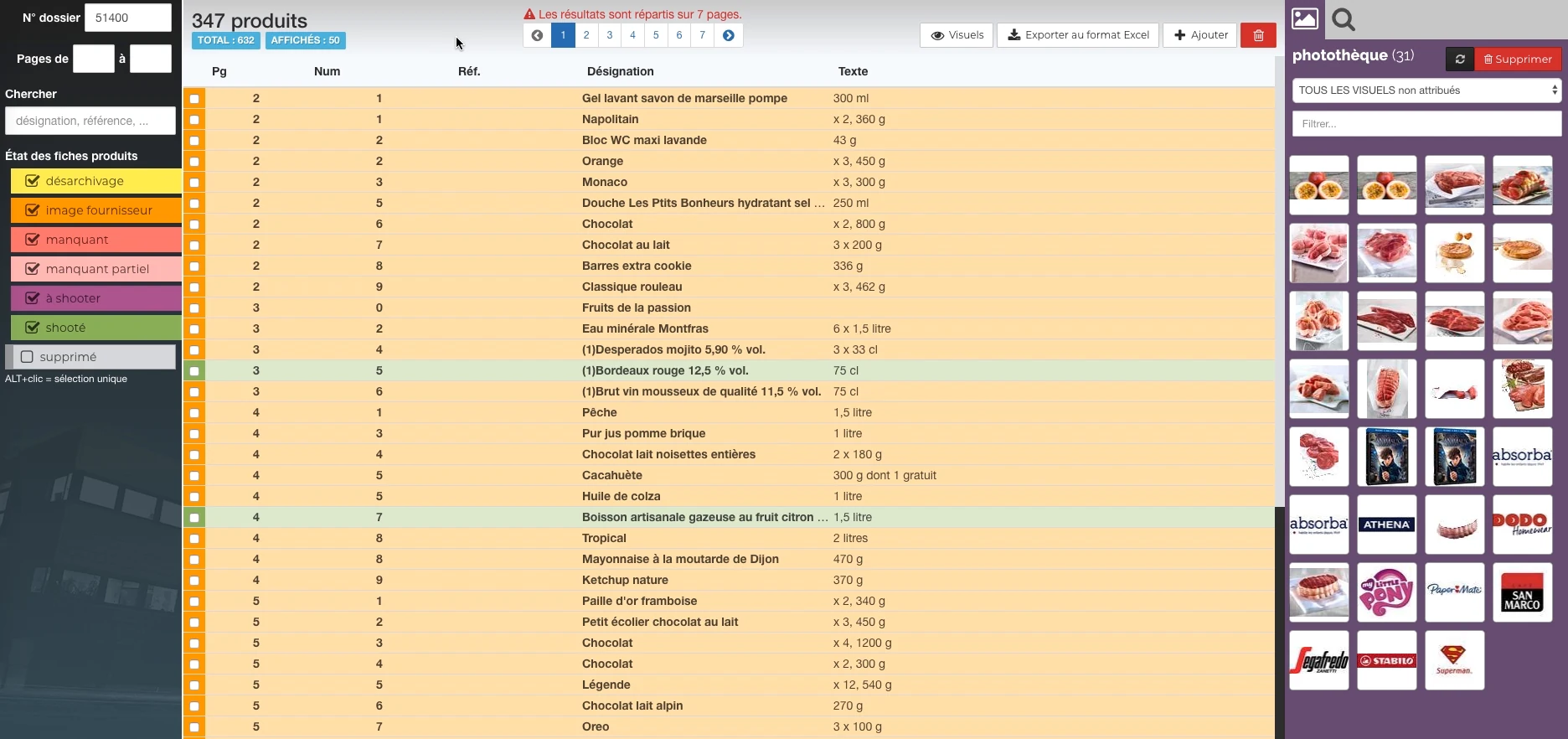
These Rey’actif views situate the functions in the editorial chain: products, images, pages and validation. They come from a demonstration of the platform in 2018.
 Enlarge screen
 Products and their state of preparation
A filterable list per state, folder references and the picture can be accessed in the same view.
Real Rey’actif interface · demo archive from 2018.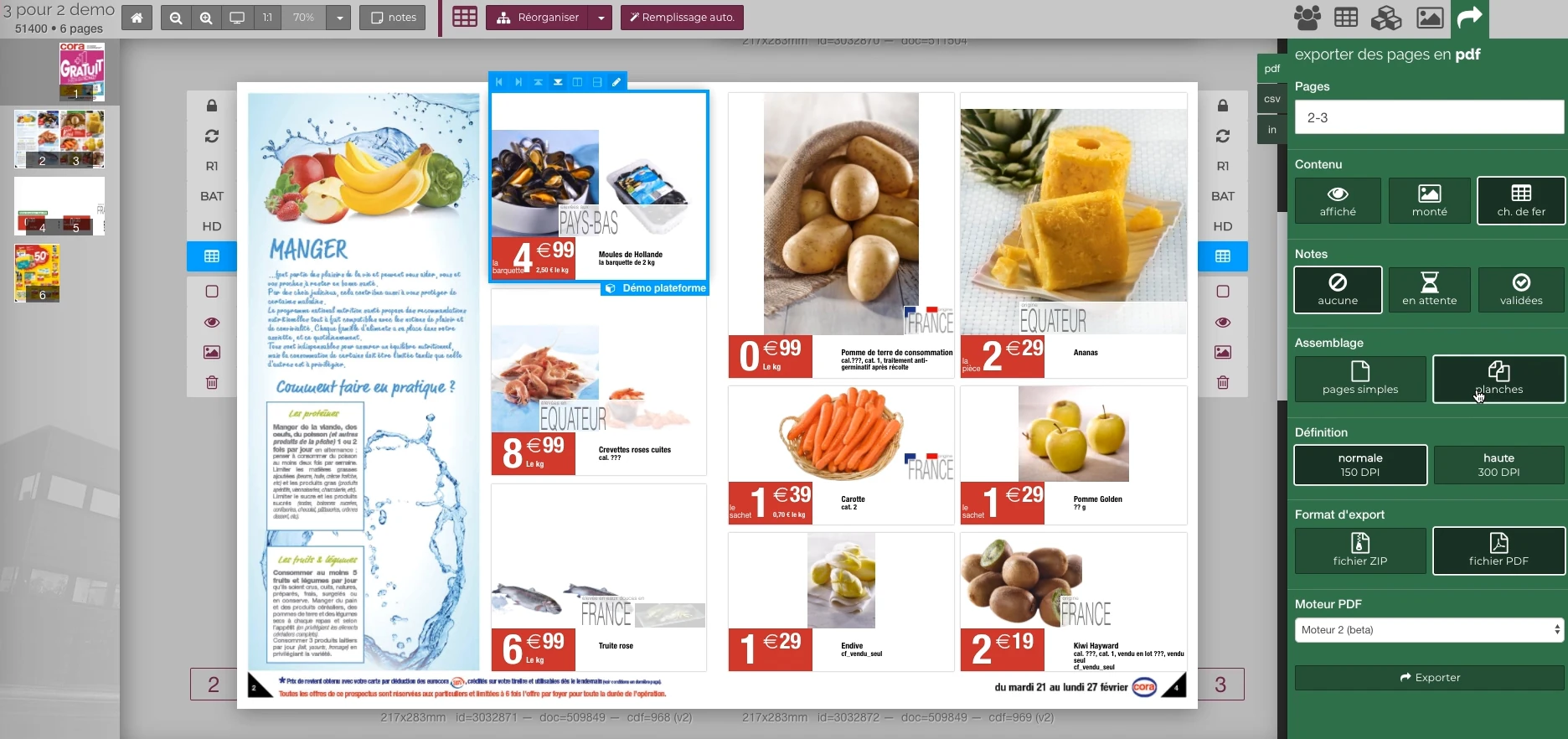 Enlarge screen
 Preparing the output of the document
The document remains visible next to the PDF output panel and the parameters offered in the platform.
Real Rey’actif interface · demo archive from 2018.Describe precisely the work requested
The Rey’actif task manager received requests via API: task name, script, parameters, files concerned, user and priority. The request could be immediate, deferred or scheduled for a date.
This description gives context to the treatment. It allows you to understand what was requested, with what resources and according to what schedule, rather than depending solely on a script launched without follow-up.
Adapt execution to available capacities
Task categories had wait and concurrent execution constraints. Engraving, return clipping, reprocessing or image preparation processes did not necessarily require resources in the same way.
The integration had to take into account these limits and production priorities. An urgent request, a batch of images and a planned operation had to find their place in shared processing capacity.
Track shipments and offshore returns
Clipping flows combined a send and return engine with a tracking interface. For offshore documents and visuals, file queues and replication linked the stages of preparation, transfer and reintegration.
A completed transfer is not enough to prove that an image is ready for layout. Monitoring should distinguish between receiving the file, processing and availability in the production chain.
Understanding failures and organizing recovery
A task and log interface completed the engine. It provided a common point of observation for stakeholders to consider an application and its outcome.
During a recovery, it is necessary to identify the files and the step actually concerned, check what is already produced and avoid recirculating a bad version. This requirement links technical orchestration to production continuity.
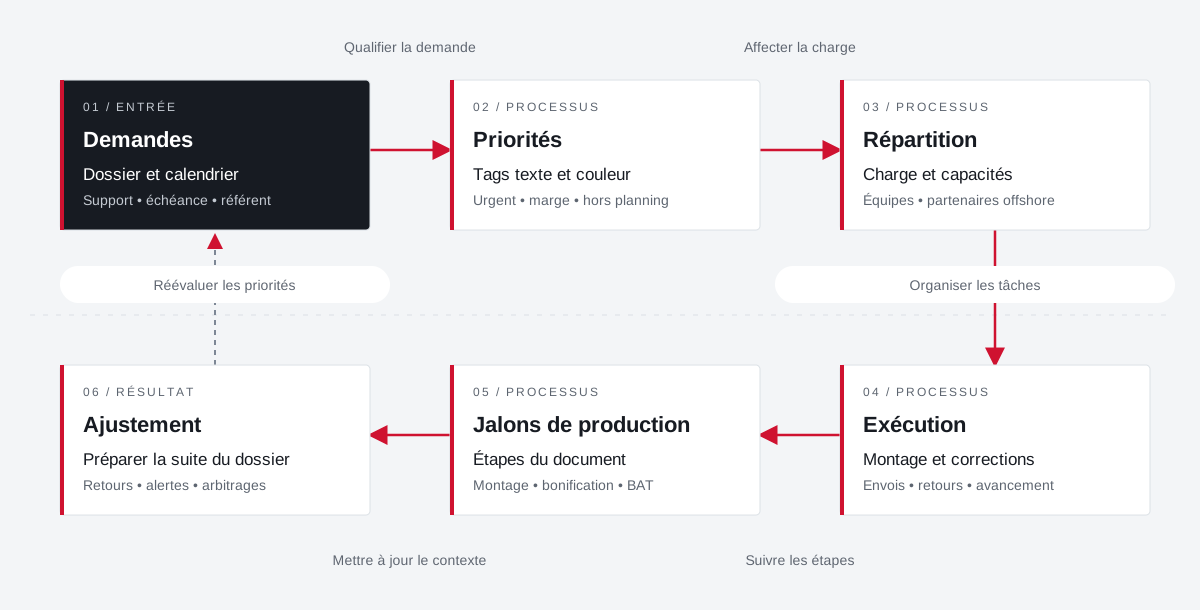
The load, emergencies and milestones respond to each other.
The planning links requests, priorities, internal teams and offshore partners. Feedback allows you to adjust the next steps.
 Enlarge the diagram
 - 01Qualifying the demand ▼
Requests
File and calendar
Support • deadline • reference - 02Assign load ↓
Priorities
Text and color tags
Urgent • margin • excluding schedule - 03Organize tasks ↓
Distribution
Load and capacities
Teams • offshore partners - 04Follow the steps ▼
Execution
Editing and fixes
Shipments • returns • progress - 05Update context ↓
Production milestones
Document Steps
Editing • bonus • BAT - 06
Adjustment
Preparing for the rest of the file
Returns • alerts • arbitrations
Enlarge the diagram Prioritize
Make emergencies and margins visible in tasks.
Divide
Bringing capacity and stakeholders closer together.
Adjust
Provide feedback to prepare for further production.
Projects and concrete situations.
Your job deserves
the right tools.
A specific need, a software to evolve, a project to frame.