
Images, photo library & treatments
An image has a reference, a history, variants and several uses. Our experience is about all this traffic, from the photo library to the published page.
The tools of the
editorial production.
These Rey’actif views situate the functions in the editorial chain: products, images, pages and validation. They come from a demonstration of the platform in 2018.
 Enlarge screen
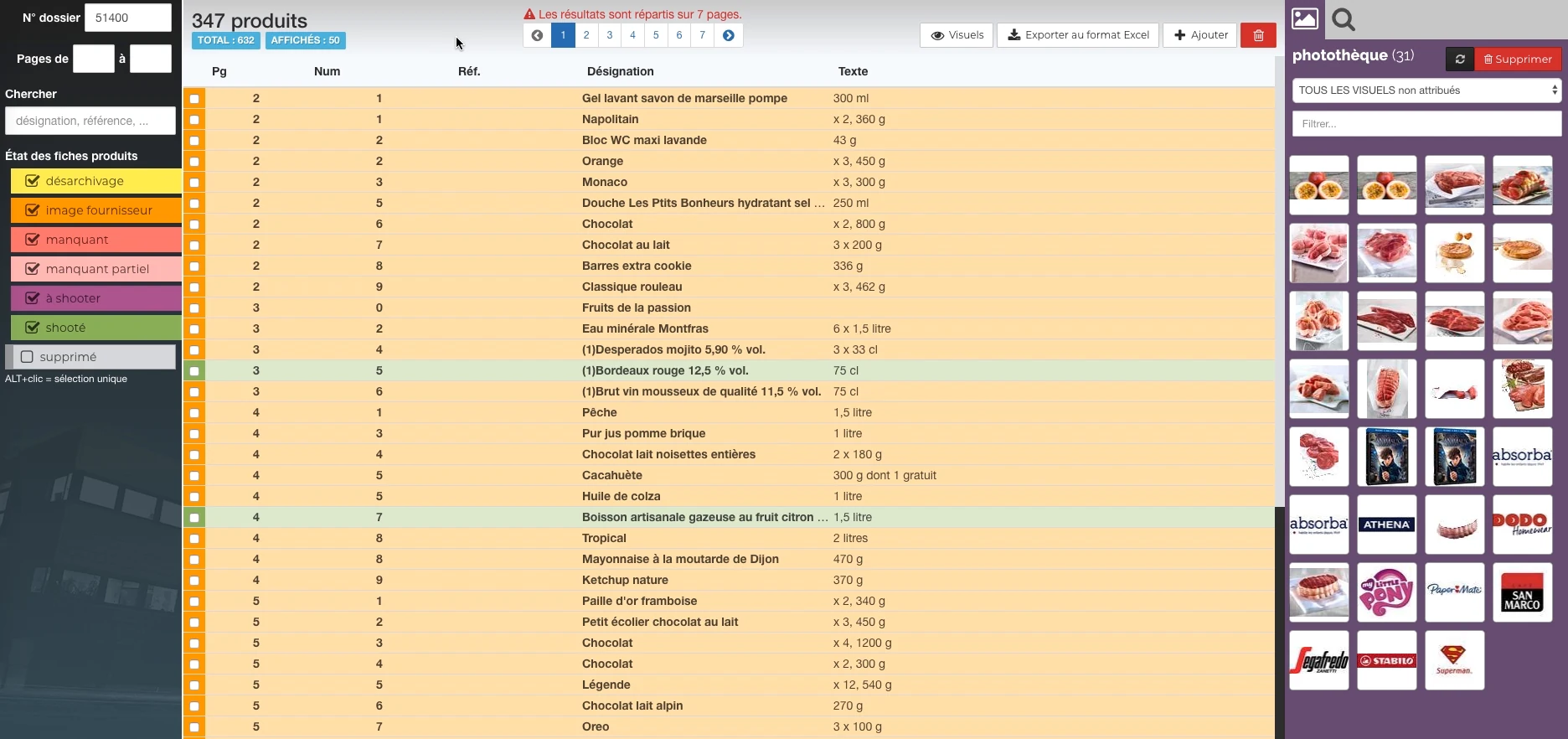
 Products and their state of preparation
A filterable list per state, folder references and the picture can be accessed in the same view.
Real Rey’actif interface · demo archive from 2018.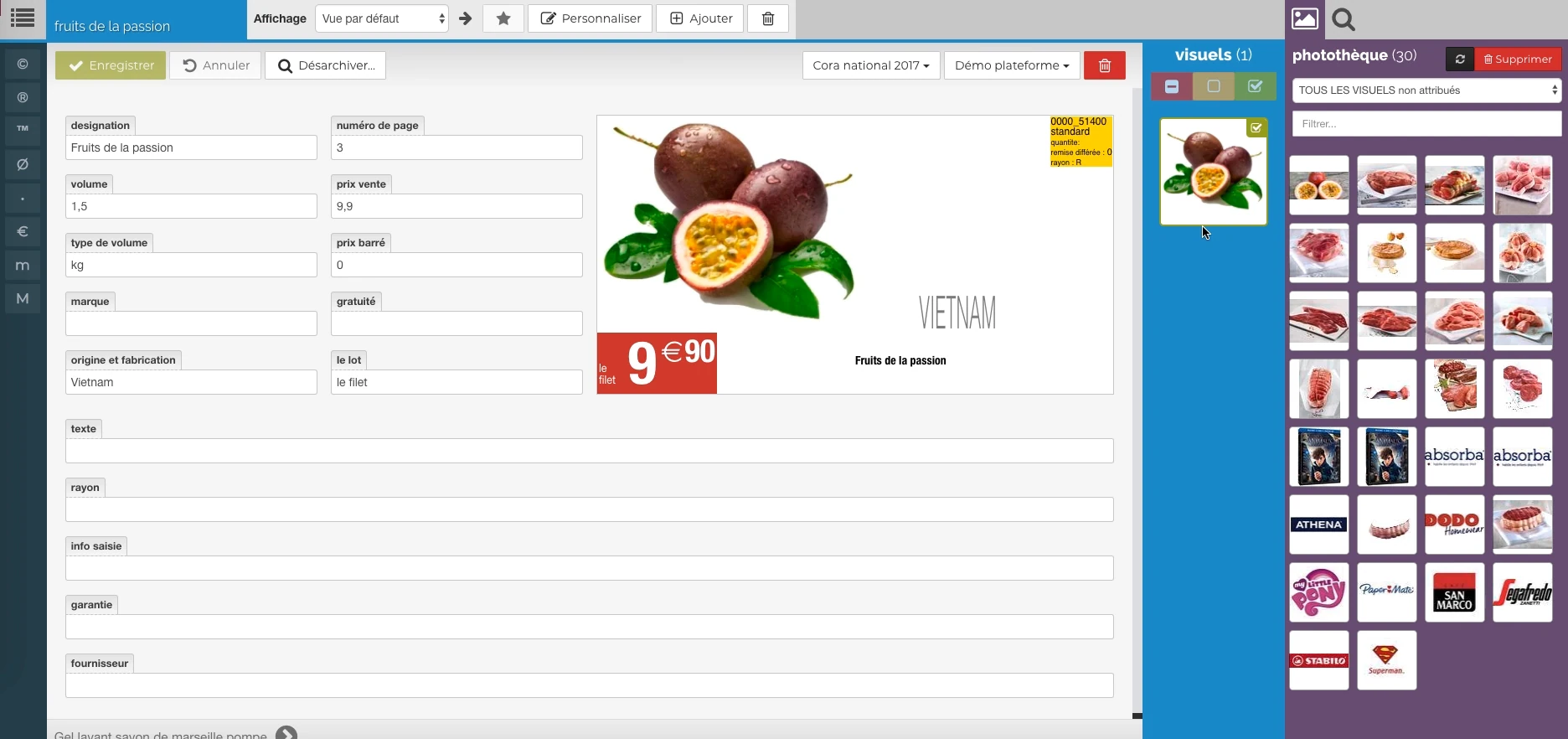 Enlarge screen
 The data meets the visual
Description, price, origin and packaging provide a preview, with image resources alongside.
Real Rey’actif interface · demo archive from 2018.A Image Bank related to product data
Finding a visual is not limited to browsing a folder. It must be associated with the right product, distinguish an original from a working version, know its condition and maintain links with the files that use it.
At Reymann, the work around Rey’actif and PIM combined texts, images, product references and railways. Search, unarchiving, supplier images, elements to photograph and available visuals formed visible stages of the same process.
Standardize files to make them reusable
The 2015 image centralization meetings brought together the question of format, color profile, layout and nomenclature. Identification by department, product reference and index made it possible to distinguish the visuals and prepare their classification. Packshot and ambient photos also required explicit rules.
This experience shows that an image repository depends on a common contract between the teams that produce the files and those that consume them. The file name, metadata and product association should tell the same story.
Maintain consistency between variations
The high definition file, the photo library preview and the image used in the layout must match. A clipping or source correction may require reconstructing multiple derivatives.
This practice includes generating previews, producing transparency from a path, and adding margins for presentation. It distinguishes consultation needs from production needs, without treating an overview as a new original.
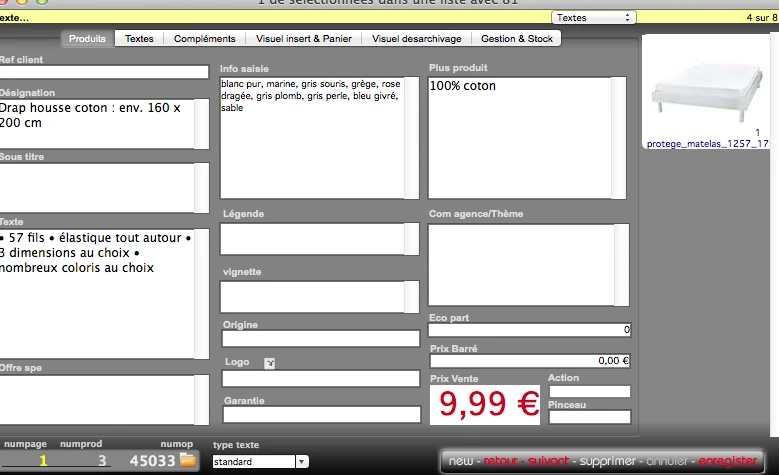
Interfaces of the Reymann editorial channel, in their period version. These archives illustrate the journey of Patrice Salib, founder of Dtouch, within the agency.
 Enlarge
 The product data, price and visual are reconciled before being included in the publication.
Archive Reymann · interface extract · 02/07/2014Work on the tracks, at file level
The channel used specialized utilities to extract 8BIM assets from a JPEG, replace them, and identify the active clipping path. Processing included cropping on this path with a margin, applying it to an image, and cleaning up unnecessary paths.
The clipping return could be compared to the traces already present in the sent file. The integration was therefore not based solely on the name of the visual: it also took into account the clipping information contained in the file. Developments then covered the exchanges and processing of PSD files.
Industrialize processing and returns
Image processing joins a task manager: engraving, clipping return, reprocessing or creation of previews. Each task has its files, its parameters, its priority and its execution conditions.
Exchanges with service providers require consistency between the base reference, the high definition file, the departure queue and the return. An affected image is not necessarily gone; a received file is not yet an integrated and controlled image.
Dealing with exceptions without losing the wire
This experience includes the analysis of images returned in a loop, feedback received before the creation of the file and PSD clippings absent from high definition. These situations show why tracking should focus on states and dependencies, not just the existence of a file.
A reprocessing must retain the possibility of voluntary correction, while avoiding accidental repeated departures. After correction, check for high definition, previews and availability in production tools.
A chain adapted to your supports
Printed catalog, store, web publication or made available to teams: each use has its formats, its size and its constraints. We organize the generation rules and the links with the repository.
Image management thus joins three other skills: colorimetry for the destination, integration for exchanges and offshore coordination for operations carried out by remote teams.
Detect inconsistencies and organize repairs
Maintenance processing identified images without a production path, erroneous paths, interrupted photo imports and previews lacking high definition. They included mechanisms for recovering and restarting clipping returns, reprocessing and imports.
Other checks looked for true duplicates, high and low definition versions of the same visual, and images reduced to one pixel. Nighttime reports and notifications made these anomalies visible to the teams. This maintenance layer was necessary to maintain a usable photo library over time.
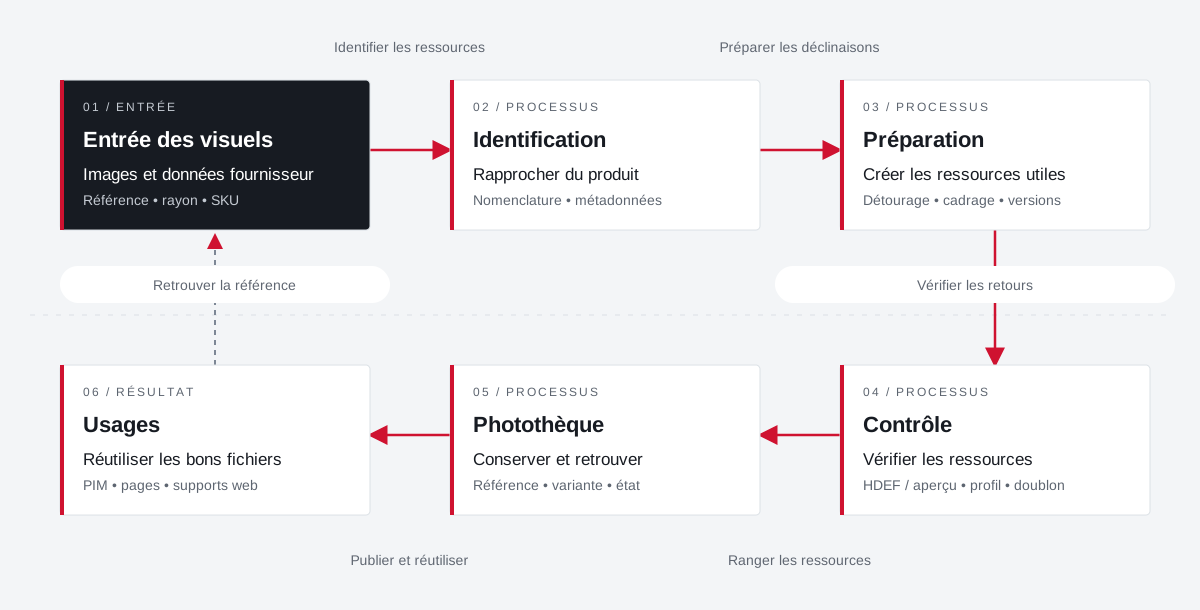
An image returns its product, versions and uses.
The organization of the photo library combines identifiers, metadata, preparation of visuals and reuse in publications.
 Enlarge the diagram
 - 01Identify resources ↓
Entry of visuals
Images and supplier data
Reference • radius • SKU - 02Preparing for Decline ▼
Identification
Bringing the product closer
Nomenclature • metadata - 03Check returns ▼
Preparation
Create useful resources
Clipping • framing • versions - 04Sorting resources ▼
Control
Check resources
HDEF / overview • profile • duplicate - 05Publish and reuse ▼
Photo library
Preserve and find
Reference • variant • condition - 06
Uses
Reuse the right files
PIM • pages • web supports
Enlarge the diagram Closer
Distinguish between the product, the original file and its variations.
Control
Identify duplicates and gaps between previews and high definition.
Reuse
Find the appropriate visual for the document and its destination.
Data, visuals
and the page together.
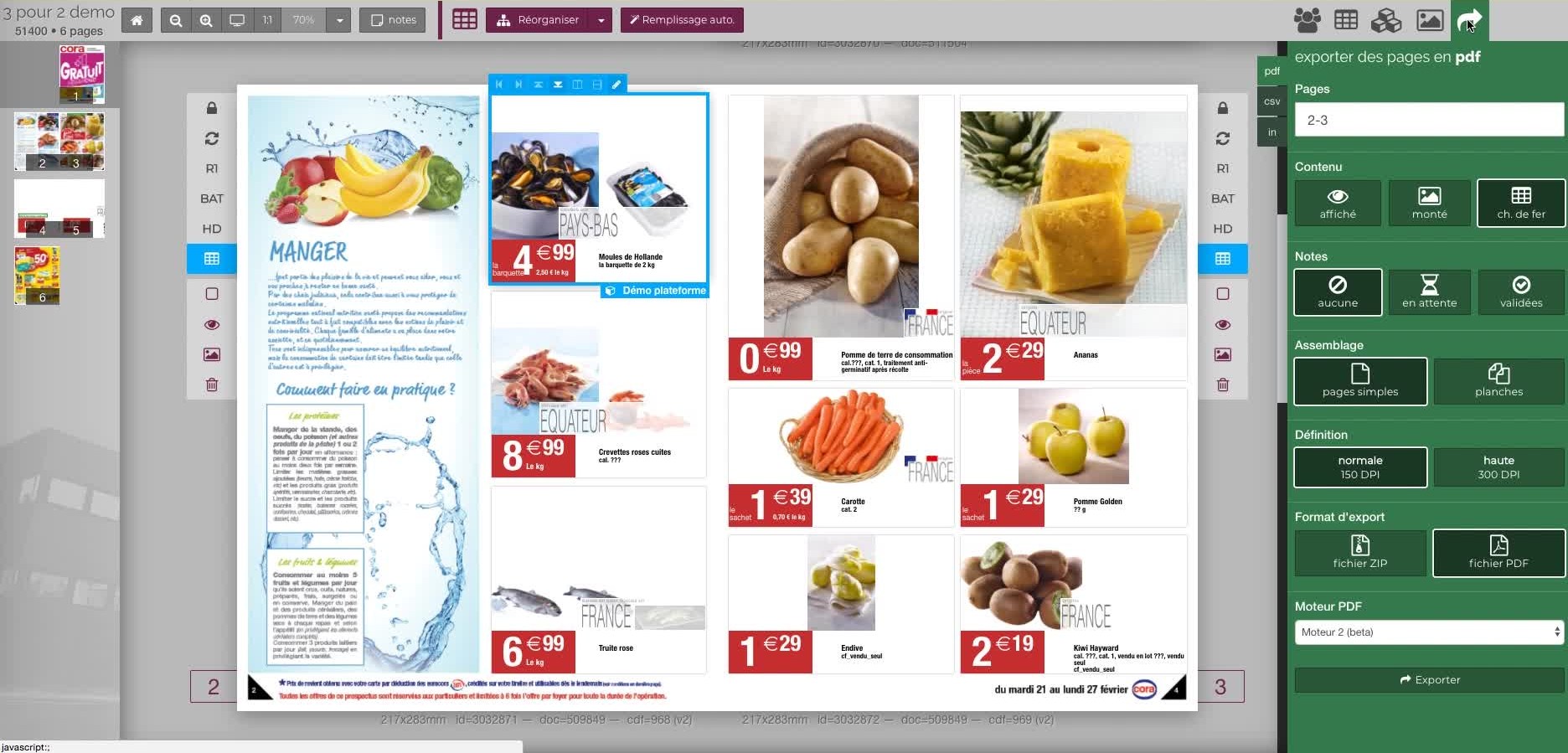
Two demonstration views of Rey’actif in 2018: the repository with its photo library, then the document and its export options.
 Enlarge
 Projects and concrete situations.
Cora: structuring a common photo library
Founder's Experience · Reymann
Define images that can circulate between several agencies and several uses: formats, color profiles, product references, clipping and nomenclature.
Explore the caseReymann : from schedule to studio InDesign files
Founder's Experience · Reymann
Rey-Active Planning brought together assignments, folders and access to studio files. A business application related to production, with weekly view, task statements and commands for recovery and availability of InDesign documents.
Explore the caseFrom offshore clipping to image ready for publication
Founder's Experience · Reymann
Follow an image from his assignment to the claimant to high definition and the insights available on the platform.
Explore the caseYour job deserves
the right tools.
A specific need, a software to evolve, a project to frame.