
Proofing & color separations
Choose the pages, color layers and support, then follow their printing: an experience of proofing integrated into rotogravure and rotary offset productions.
The tools of the
editorial production.
These Rey’actif views situate the functions in the editorial chain: products, images, pages and validation. They come from a demonstration of the platform in 2018.
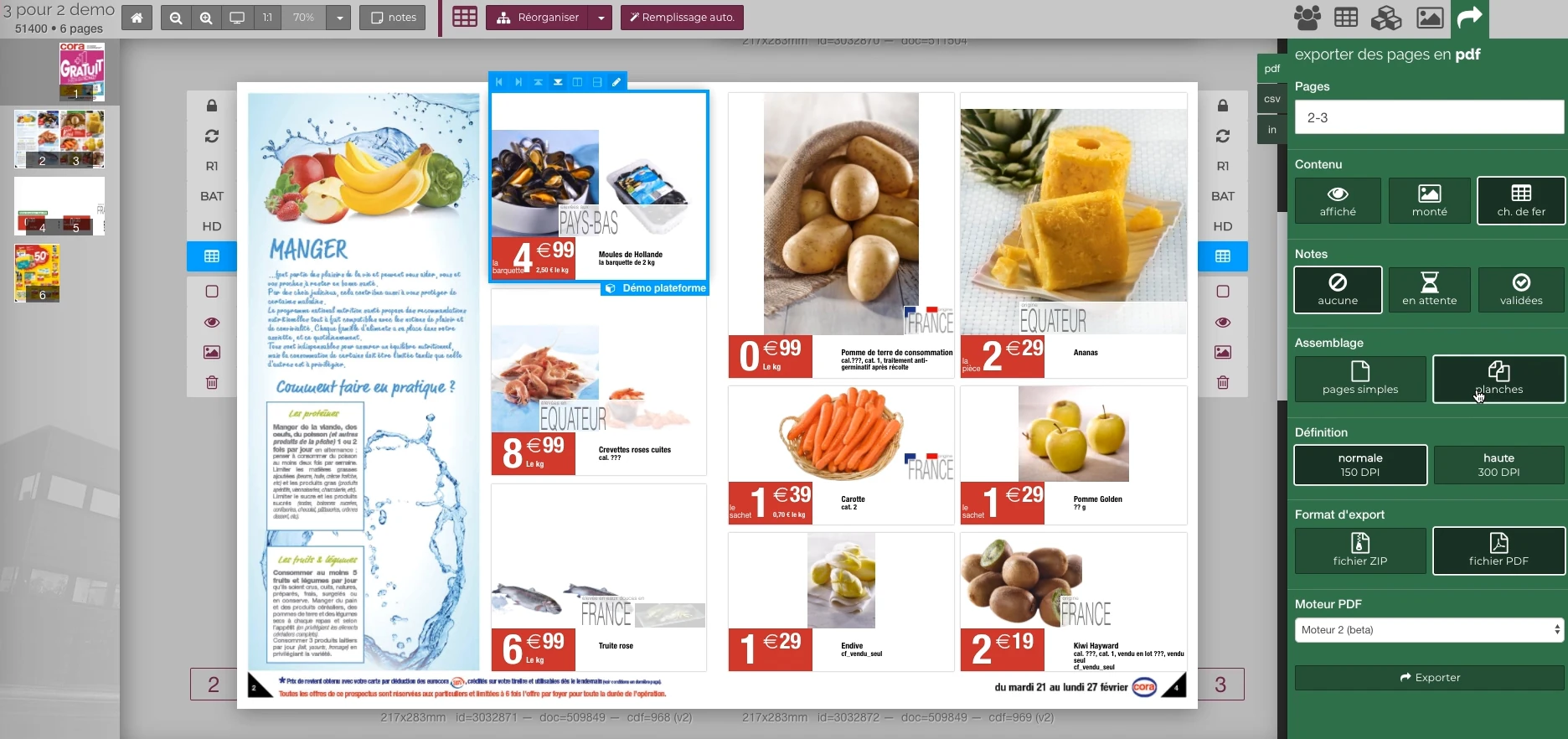 Enlarge screen
 Preparing the output of the document
The document remains visible next to the PDF output panel and the parameters offered in the platform.
Real Rey’actif interface · demo archive from 2018.The color is built
layer by layer.
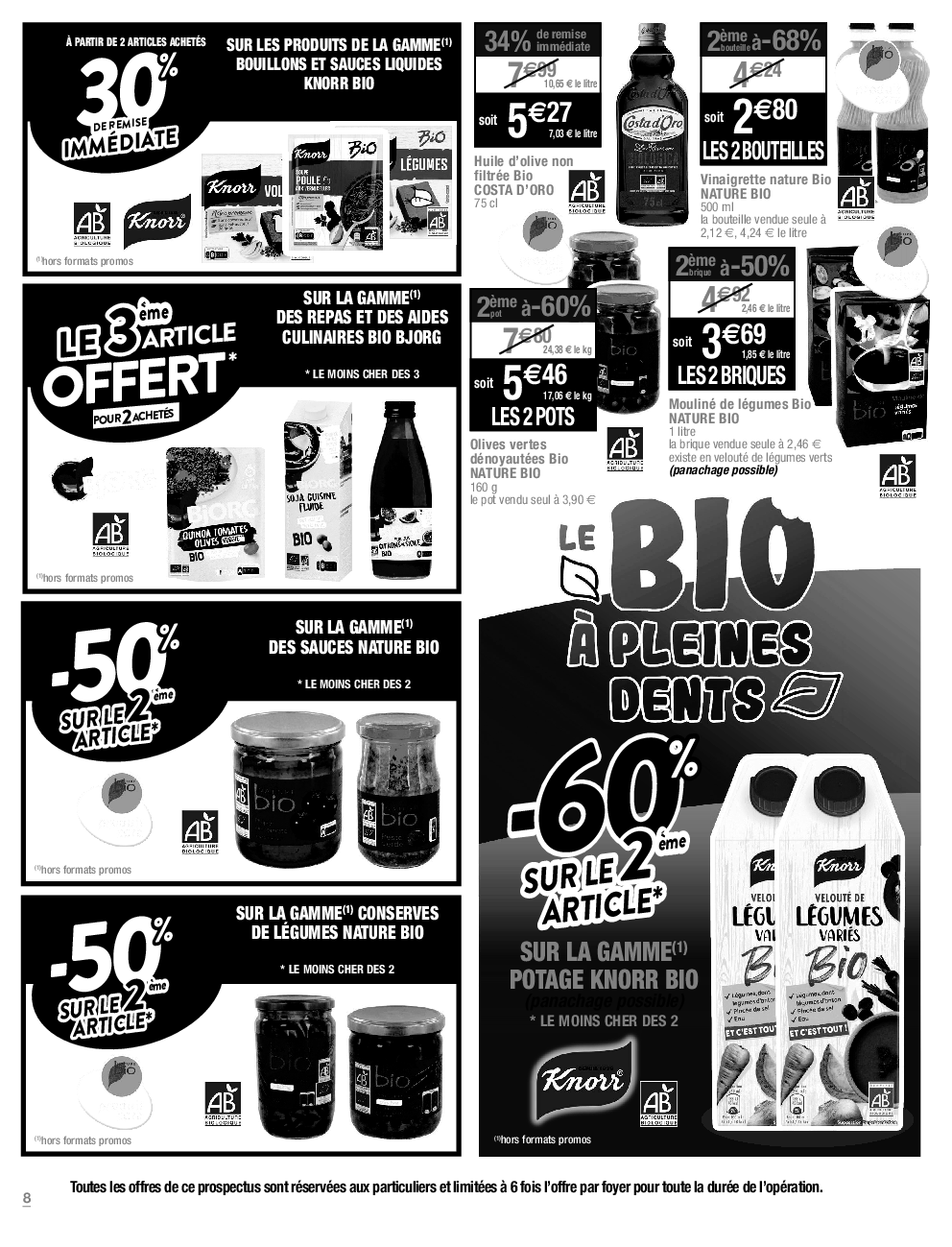
This catalog page Cora · Organic Homemade · 2022 comes from a production PDF. Activate inks to see their contribution to image and text.
This PDF contains four CMYK inks, without spot color.
Cyan · Magenta · Yellow · Black — paper
- Document
- Cora catalog · page 8
- PDF Output Profile
- PSO SNP Paper (ECI)
- Calculation
- Separations extracted from PDF, recomposition and conversion ICC to screen
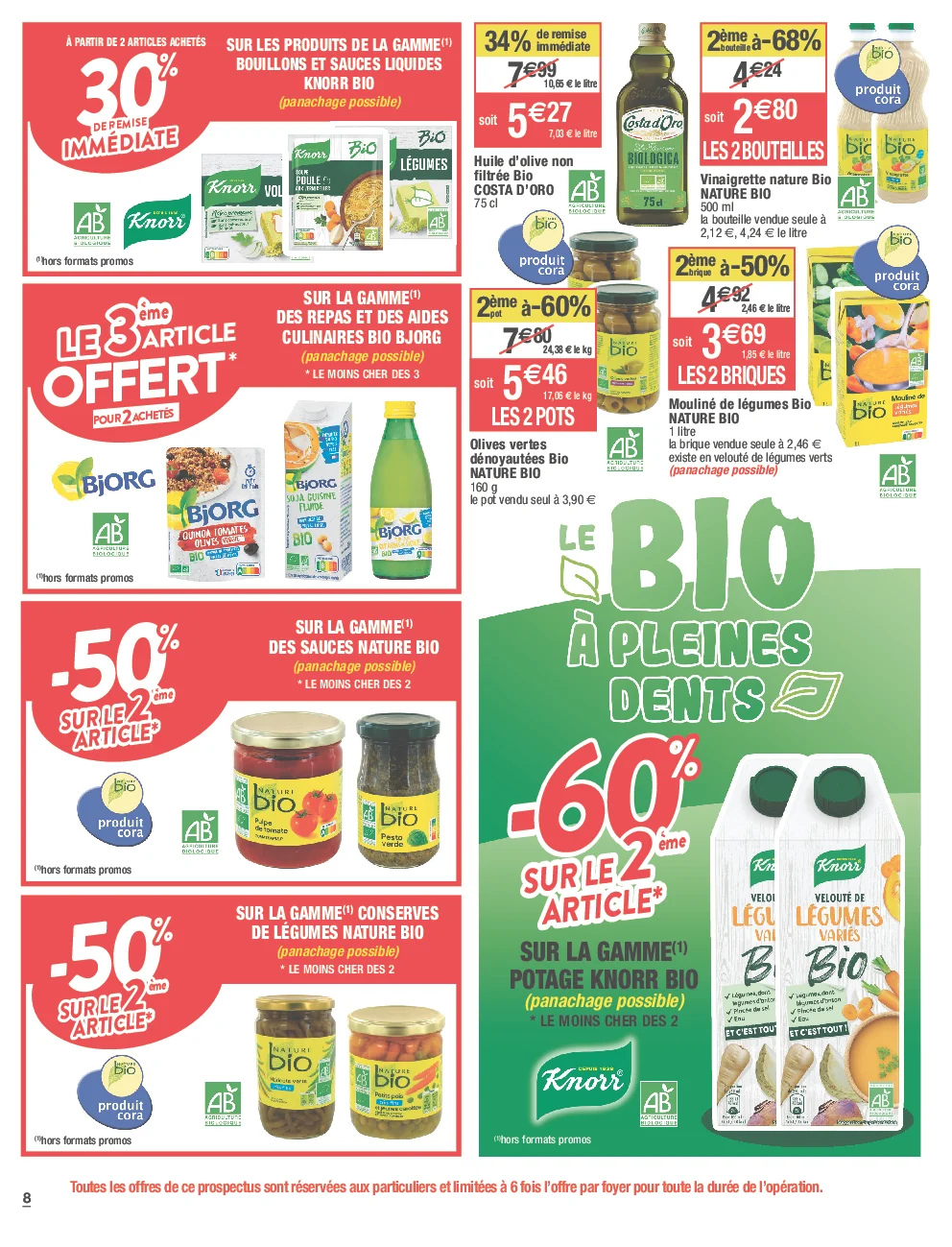
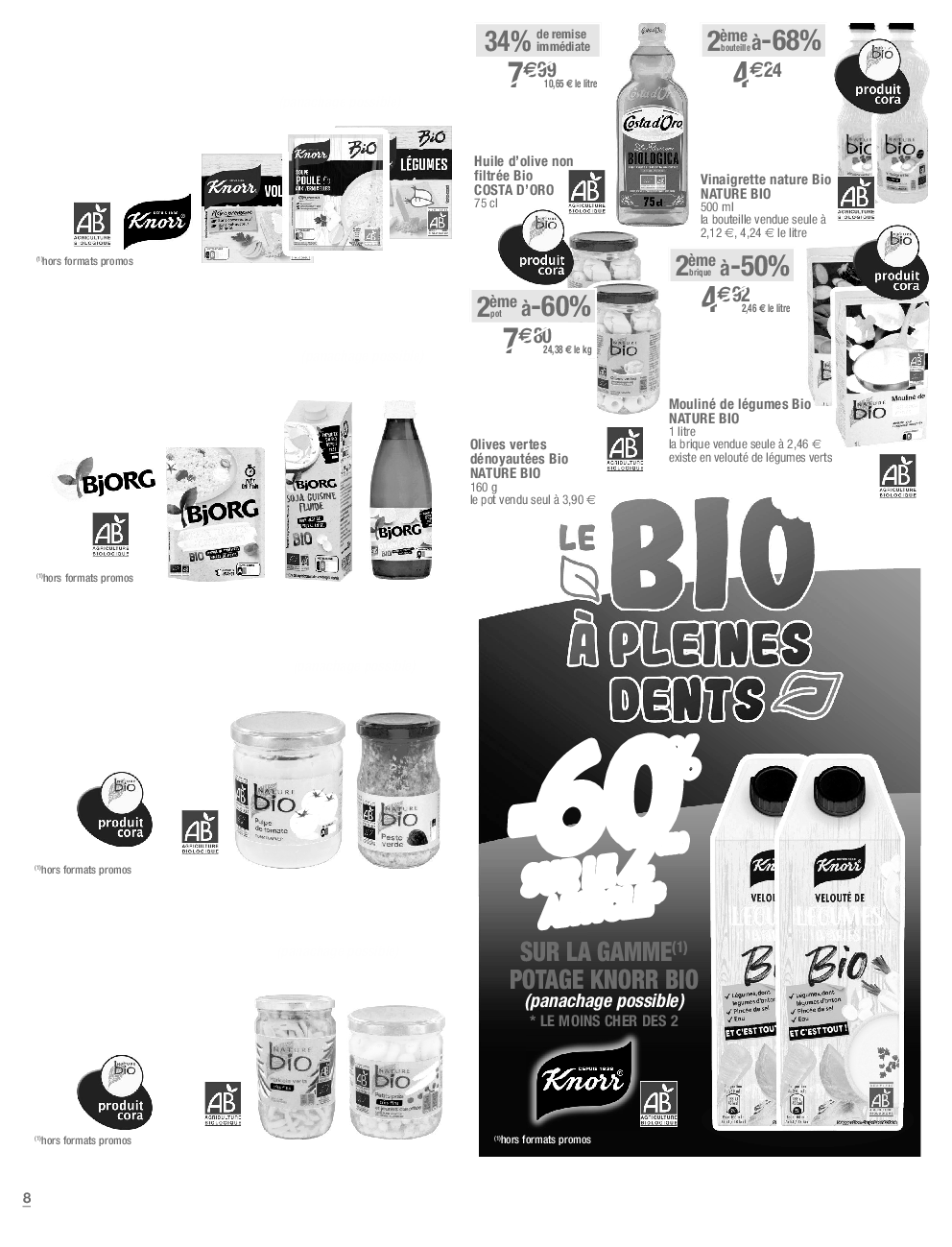
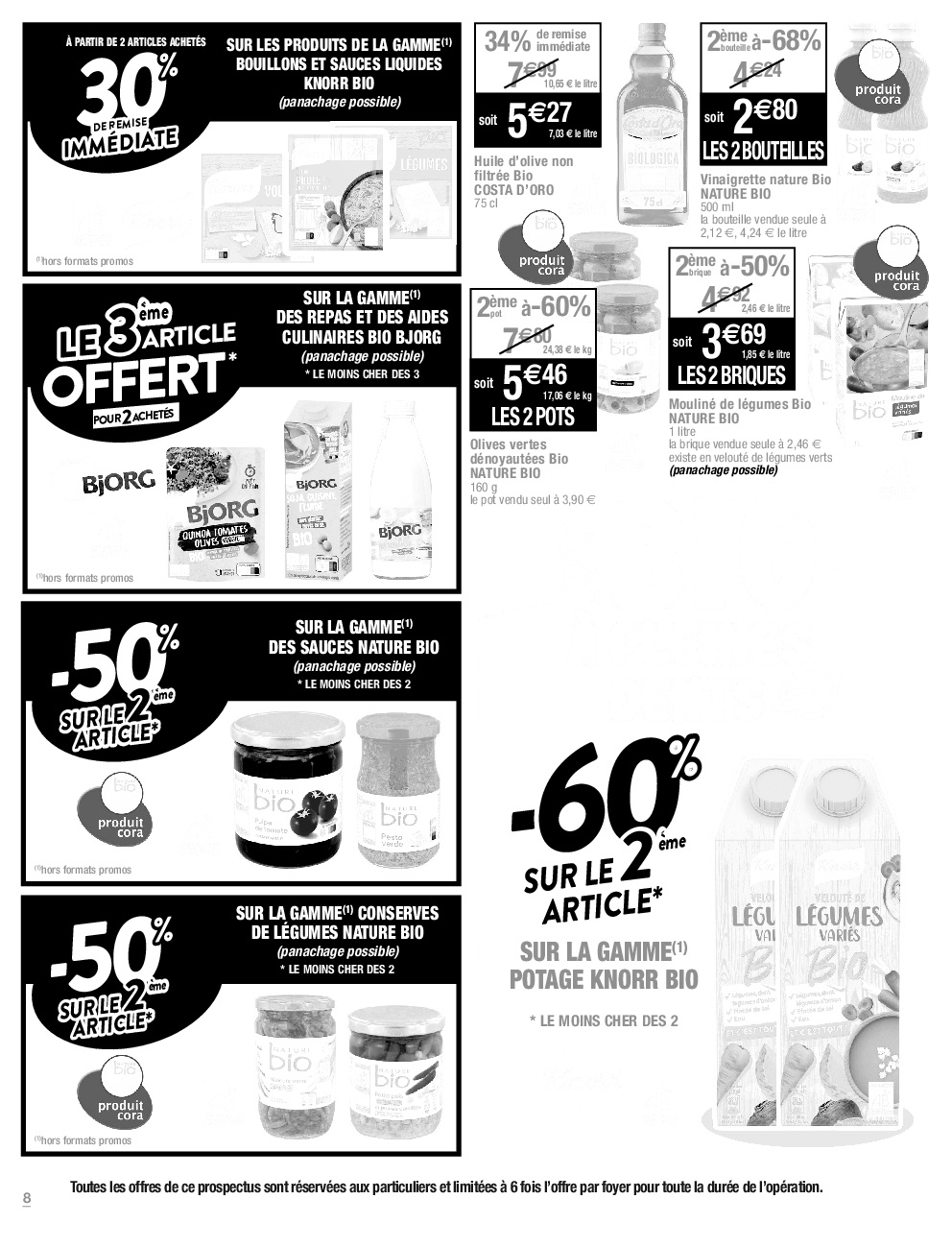
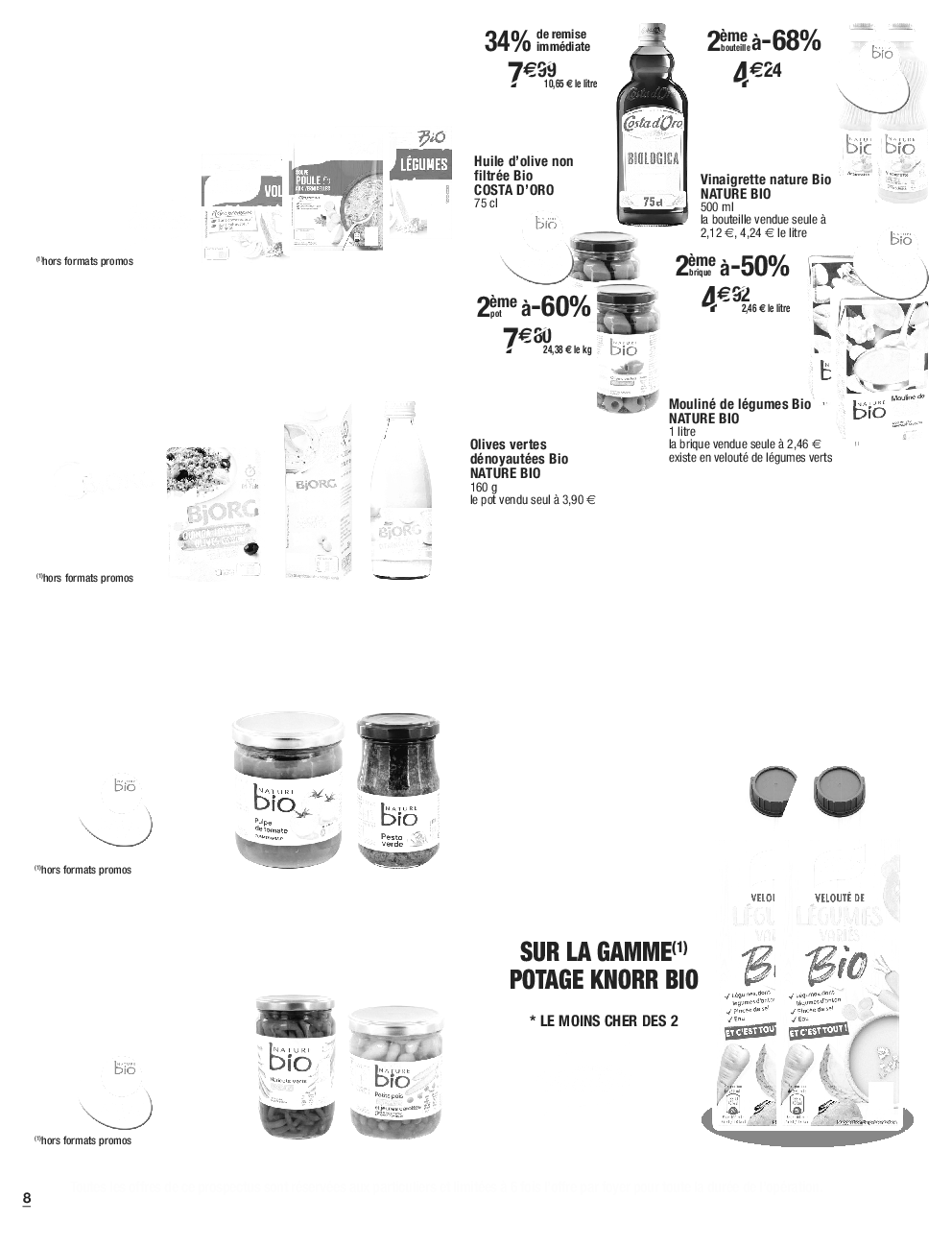
No ink selected.
Extract from the Cora catalog · 2022 · page 8
Screen preview · Simulated media transparency.
From the editorial file to the proof request
The Rey’actif proofing service made it possible to launch a release from the platform. The request included the pages of the file, the desired separations, the support and the printer. The manufacturing parameters thus joined the production engine.
This organization was involved in the management of publishing and preparation for printing of productions with several million copies. Control of versions and output parameters accompanies this scale of distribution.
Select layers to print
The choice included all layers, CMYK process, CMY layers, black only and specific colors or spot colors. These selections correspond to distinct control needs. They had to be transmitted correctly from the interface until the preparation of the tests.
Processing spot colors also required identifying the separations actually present in the PDF. The name of a color, its representation in the file and the generated separation image are part of the string to check.
Print on paper or tracing paper
The support selected in Rey’actif determined the format and the printing tray: A3, A4, 12 × 18 or layer depending on the configuration. The service therefore managed user choices up to the physical destination of the test.
An example of production brings together a CMYK A3 test and a direct tone separation on layer A3 for the same page. Both outputs come from the same folder but respond to separate requests for layer and support.
Interfaces of the Reymann editorial channel, in their period version. These archives illustrate the journey of Patrice Salib, founder of Dtouch, within the agency.
 Enlarge
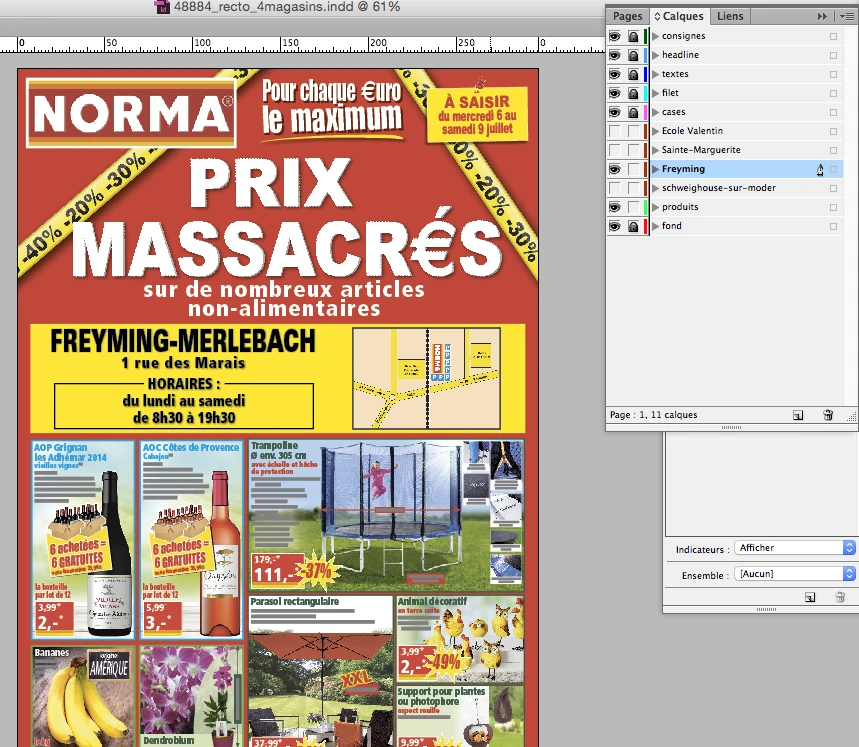
 The InDesign document keeps common elements and store variations in separate layers.
Archive Reymann · interface extract · 06/21/2016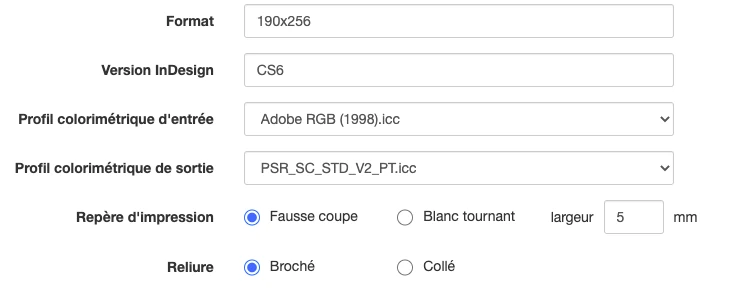 Enlarge
 The format, InDesign version, input and output profiles, print marks and binding are defined at the media level.
Archive Reymann · interface extract · 06/16/2021Compare channels and preserve the useful source
The visual monitoring tool included views per channel. The display of a separation in gray levels allowed operators to compare the material between two versions, independently of its presentation shade.
The preparation also had to distinguish the original document and the version converted for the printer: a PDF already converted to full color does not necessarily retain the same possibilities for controlling spot colors. Identifying the correct version and its color space was therefore part of the design questions.
Distinguish between document layers and color layers
The structure of the layout document remains essential: four-color layer, black transplant elements, cutting shapes or folds must be organized and named. Offshore returns must maintain this structure.
The color layers selected during proofing correspond to the output separations. The tracing support is yet a third choice: the material on which the proof is printed. These parameters complement each other in the manufacturing preparation.
Linking profiles, geometry and printing
Proof processing must take into account file profile, page dimensions, placement and output format. Controlling TWIST from the platform included file parameters and progress and status feedback.
The indication of the ICC profile on the test gave the teams an additional point of control. This continuity between configuration and control document avoids separating the color choice from what is actually produced.
Check result to file and output
Tracking does not stop when an order is placed. The requested separation must be generated, its file exist and the result must reach the correct printing circuit. Production logs make it possible to follow each step and locate a break.
This experience combines knowledge of manufacturing and IT integration: the choices expressed in an interface must remain identifiable in the processing, in the files and in the proof made available to the team.
Control transparencies and conversion effects
Manufacturing interventions also included the analysis of artifacts related to the flattening of transparencies and the adaptation of TWIST settings for the affected pages. The tests were to verify that the correction retained the expected rendering of the other pages.
The experience thus covers separations and proof support, but also the quality of the PDF actually produced: ICC corrections, conversion parameters, files intended for printing and non-regression checks.
Variants, inks and support each have their role.
Layers organize the document. The separations isolate the inks. The paper or tracing paper are the physical supports of the test.
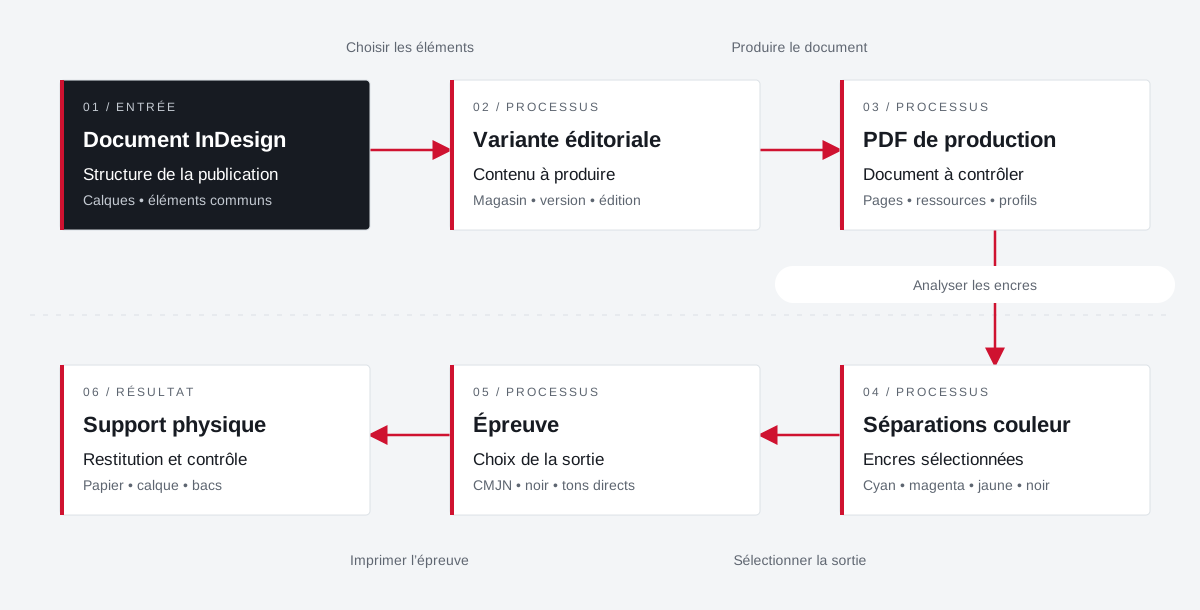 Enlarge the diagram
 - 01Choose items ↓
InDesign document
Publication structure
Layers • common elements - 02Produce document ▼
Editorial variant
Content to produce
Store • version • edition - 03Analyze inks ↓
Production PDF
Document to check
Pages • resources • profiles - 04Select output ▼
Colour separations
Selected inks
Cyan • magenta • yellow • black - 05Print the proof ↓
Test
Choice of exit
CMYK • black • spot colors - 06
Physical support
Return and control
Paper • tracing • trays
Enlarge the diagram Document
Check the variant and the layer elements.
Inks
Control expected separations and spot colors.
Test
Adapt the selection, format and output media.
ICC profiles join
output parameters.
A practice of productions in heliogravure and rotary offset, with settings related to the backrest, support and printer.
Explore colorimetry and ICC profilesProjects and concrete situations.
Cora: structuring a common photo library
Founder's Experience · Reymann
Define images that can circulate between several agencies and several uses: formats, color profiles, product references, clipping and nomenclature.
Explore the caseReymann : from schedule to studio InDesign files
Founder's Experience · Reymann
Rey-Active Planning brought together assignments, folders and access to studio files. A business application related to production, with weekly view, task statements and commands for recovery and availability of InDesign documents.
Explore the caseFrom offshore clipping to image ready for publication
Founder's Experience · Reymann
Follow an image from his assignment to the claimant to high definition and the insights available on the platform.
Explore the caseYour job deserves
the right tools.
A specific need, a software to evolve, a project to frame.