
Typographies, UTS & InDesign Server
An automated layout depends on the typographies actually loaded by the engine. The journey Reymann includes back-engineering around the UTS to power InDesign Server.
The tools of the
editorial production.
The editorial interface shows the work on the pages and their output, upstream and downstream of composition processing. Rey’actif demonstration archives, 2018.
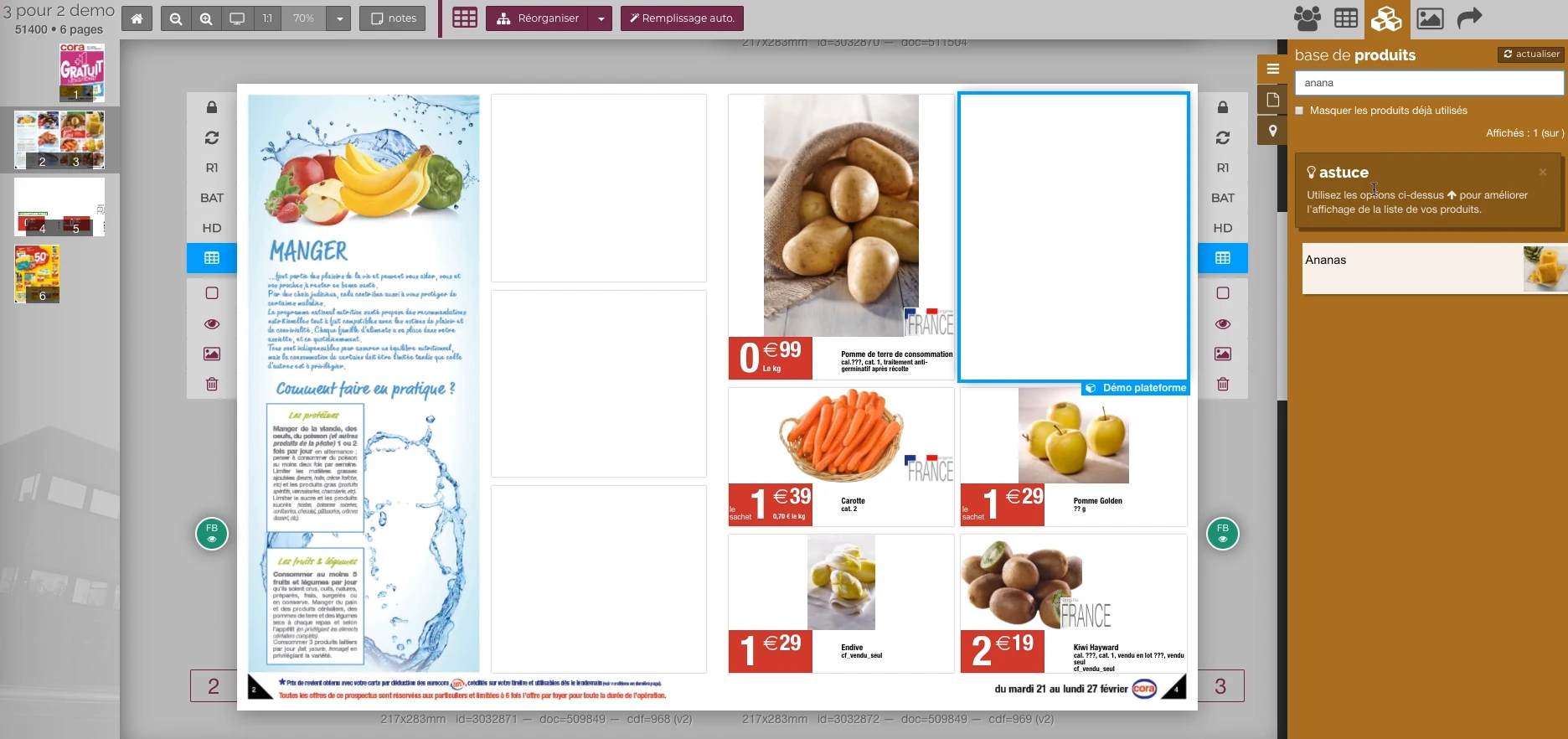 Enlarge screen
 From the product to its location on the page
The double page, the thumbnail and the product base allow you to work in the context of the publication.
Real Rey’actif interface · demo archive from 2018.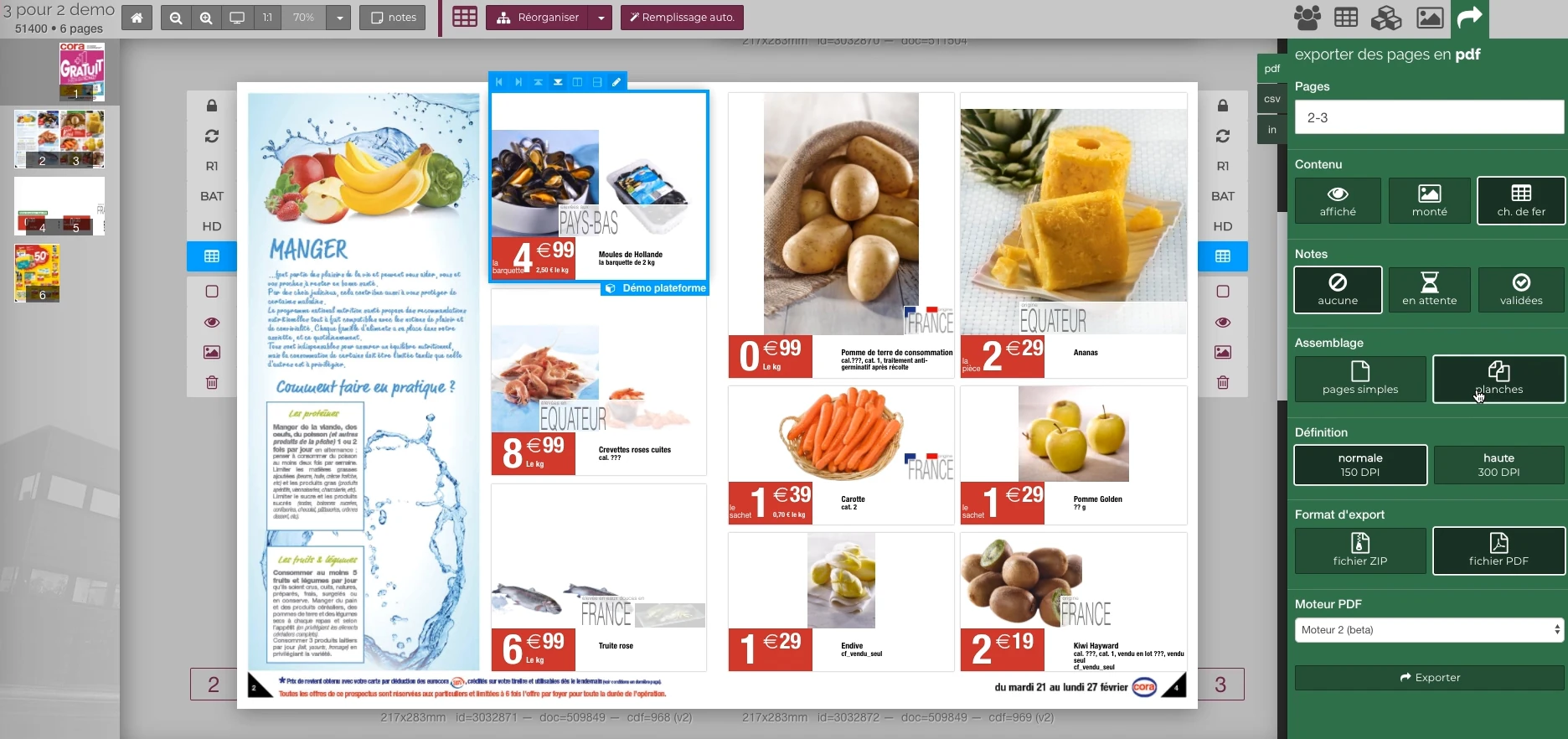 Enlarge screen
 Preparing the output of the document
The document remains visible next to the PDF output panel and the parameters offered in the platform.
Real Rey’actif interface · demo archive from 2018.Connect the font server to the publishing engine
Universal Type Server, the font server of the Extensis, and InDesign Server play different roles. One organises the typo library; the other must have the necessary facts when opening and producing a document.
Patrice worked with the Reymann tech team to reverse engineer UTS to make typographies available in the InDesign Server channel. The objective was to ensure continuity between the documents prepared on the workstations and their automated processing.
Understand the behavior of tools to connect them
This work is part of a practice of understanding the existing system: studying the functioning of a specialized system, identifying processing needs and preparing the connection with the other services of the platform.
The reference concerns the integration carried out in the Reymann context. The connection made the type library, documents and publishing services work together.
Treating fonts as a production dependency
A missing or different cast can change the return to the line, prices and balance of a page. The availability of families and styles must be verified at the time of generation and then in the PDF obtained.
Production monitoring combined missing font alerts, correction of variants and control of font replacement in documents intended for the server.
Organize a shared typographic library
The typothek also brought together clients’ own charters. For Hartmann, for example, the evolution of the visual identity also involved the addition and classification of typographies in UTS.
Naming, grouping and finding the right versions completes the development of the connection. Teams must be able to understand what they are using and report discrepancies before production release.
Matching typographical resources to InDesign Server.
The UTS experience combines analysis of exchanges, adaptation and control of output. The diagram situates typography in the composition process.
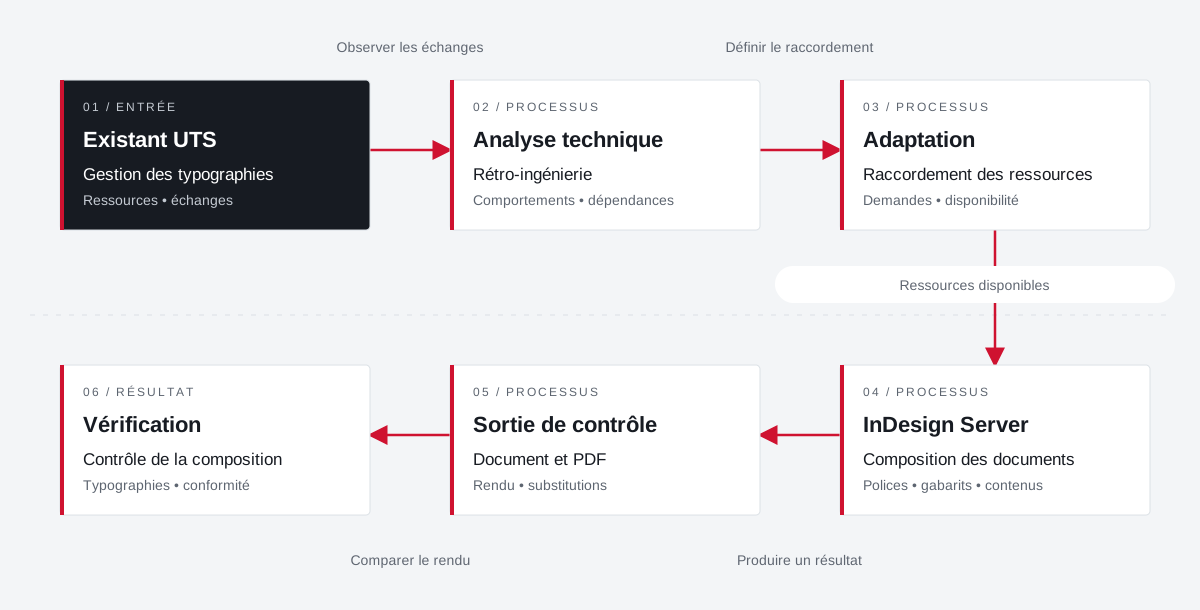 Enlarge the diagram
 - 01Observe the exchanges ↓
Existing UTS
Typography management
Resources • exchanges - 02Define connection ↓
Technical analysis
Retro-engineering
Behaviors • dependencies - 03Resources available ▼
Adaptation
Linking resources
Requests • availability - 04Produce a result ▼
InDesign Server
Composition of documents
Fonts • templates • content - 05Compare rendering ↓
Check output
Document and PDF
• Substitutions - 06
Verification
Composition control
Typographies • compliance
Enlarge the diagram Understand
Reconstitute the useful operation at the connection.
Integrate
Linking typographical resources to composition requests.
Check
Check the rendering of documents and possible substitutions.
Your job deserves
the right tools.
A specific need, a software to evolve, a project to frame.