
Reymann : from schedule to studio InDesign files
Rey-Active Planning brought together assignments, folders and access to studio files. A business application related to production, with weekly view, task statements and commands for recovery and availability of InDesign documents.
Connect the team load to tasks, InDesign files and production steps, in a common tool.
Technical coordination and support for developments with teams and developers
An application with a weekly view, followed by status and access to studio files; rules of tags and milestones to accompany production.
Rey-active Planning.
The file joins the studio.
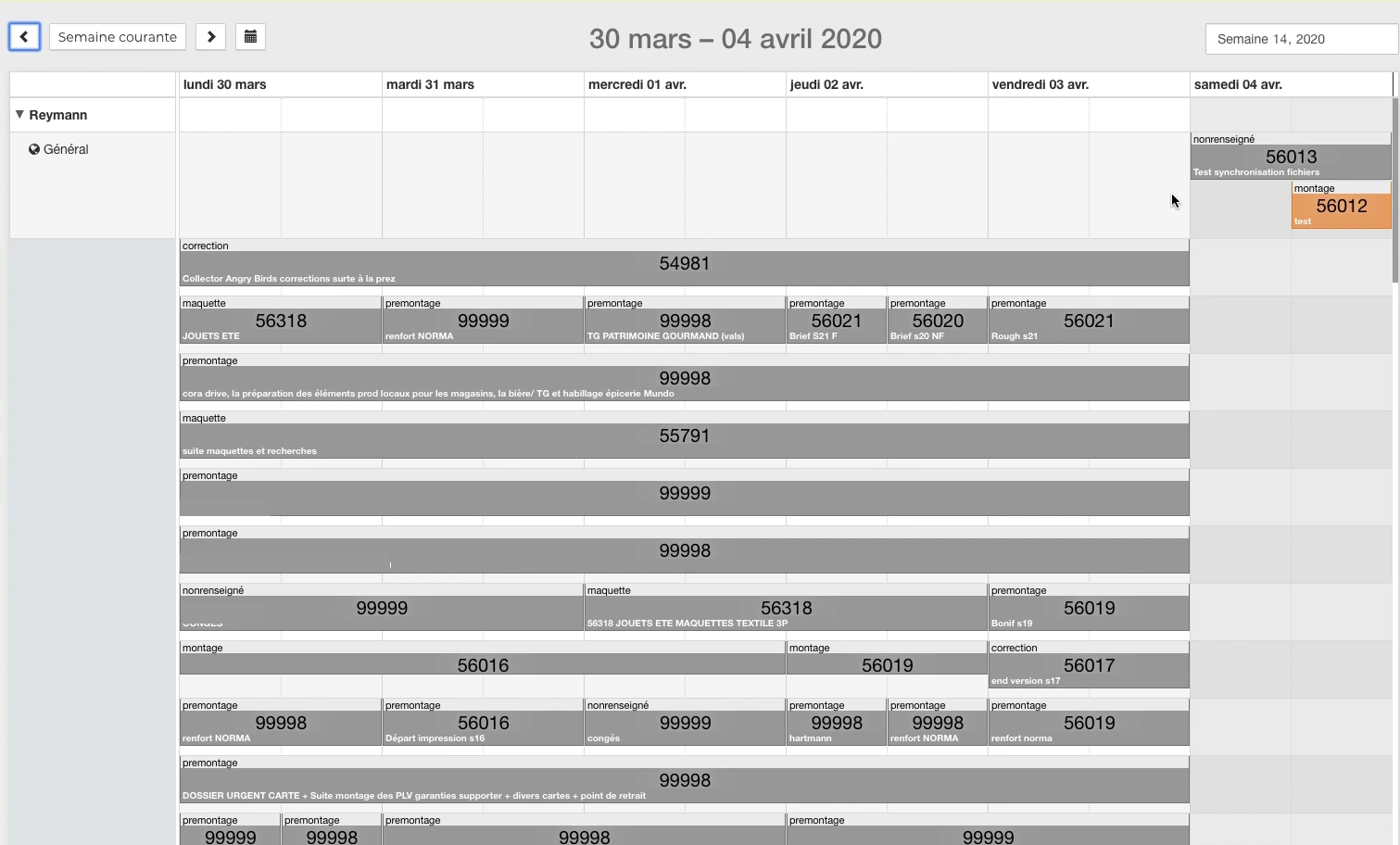
An application used to distribute work and access production files. These catches come from a 2020 demonstration of the Patrice Salib at Reymann.
 Enlarge
 - Assign work
Collaborator, slot, folder and operation type in the week view.
- Open task
Find support, folder information and Studio panel.
- Working Pages
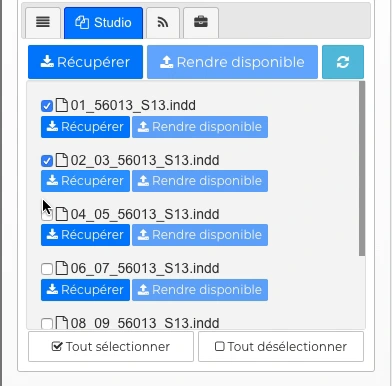
Recover InDesign files and their resources on the studio station.
- Preparing for the next round
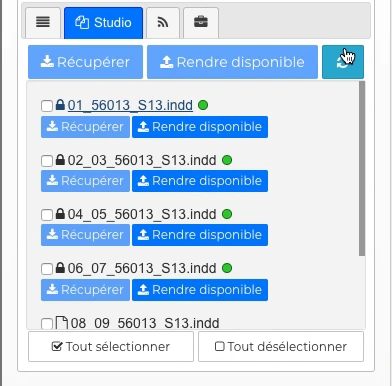
Return to availability commands and track file status.
 Enlarge
  Enlarge
 Files in the same location as the task.
The snippet shows the list of InDesign documents, their selection, and their status indicators. Orders Recover and Make available are directly accessible in the Studio panel.
In the full demonstration, work continues in the studio folder then in InDesign, on a Norma page, before returning to the schedule.
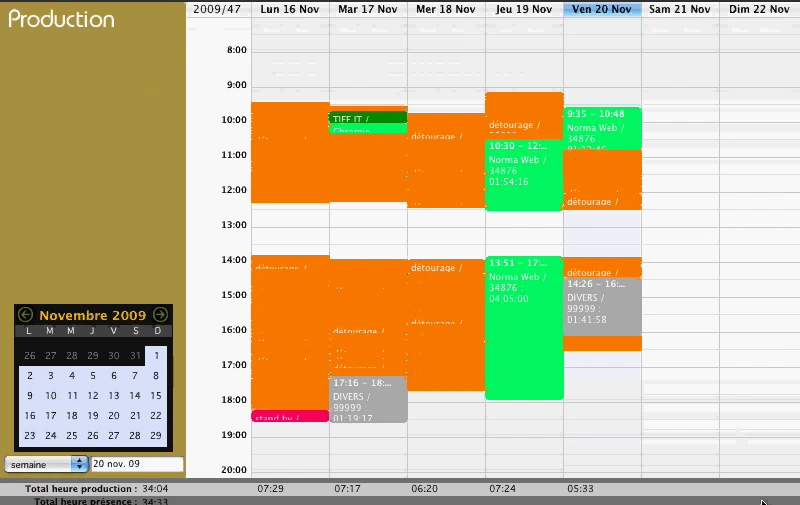
Back to 2009 4D production tool
Patrice Salib's career at Reymann also includes previous production and presence monitoring tools. The November 2009 demo features separate Planning, Production, Attendance, and Basic Time views.
 Enlarge
 Business software to organize work
Rey-Active Planning presents the tasks over a week and by collaborator. The modeling, pre-assembly, assembly and correction operations are included in the calendar. Search and list by state allow to move from the overview to the specific folder.
The task sheet reconciles support, date, format and referents. Patrice Salib's role combined technical coordination, discussions with developers and support for uses, with the Reymann teams.
The Studio panel: from niche to documents
Opening the Studio panel provides access to InDesign documents associated with a task. Each file offers the Get and Make Available commands; the selection boxes allow you to work on several resources. An indicator warns when the file differs from that of the Studio, while the feedback displays its progress.
The 2020 demonstration moves from planning to the studio file then to InDesign, on a Norma page. Documents, images and fonts join the layout work; returning to the schedule allows you to find the list and availability status of the files.
The situation: a load distributed between several teams
Production requests arrived with different files, deadlines and constraints. Work could be split between in-house graphic designers and offshore teams, with feedback to be incorporated into a manufacturing schedule.
The challenge was to make the load understandable and prepare the shipments, to avoid concentrating all requests on the same days.
Interfaces of the Reymann editorial channel, in their period version. These archives illustrate the journey of Patrice Salib, founder of Dtouch, within the agency.
 Enlarge
 Tasks can combine color and text tags to make priorities and shipments more visible.
Archive Reymann · interface extract · 09/11/2020Tags to give context to tasks
The schedule has been enriched with tags combining text and color. Several tags could be placed on the same task, to distinguish the context, the available margin and the degree of urgency.
The studio used these benchmarks to classify offshore shipments. The information supplemented the deadline: a task outside of the schedule, an emergency and a file with a deadline remaining did not require the same arbitration.
A process shared with business teams
The production process included requests directly in the schedule and a regular point to coordinate assignments. Duplicates or changes in deadlines had to be discussed with the relevant stakeholders.
The work also focused on the distribution of pages: some could be entrusted offshore to allow parallel production and preserve time on pages requiring more internal intervention.
Linking milestones to page statements
Automatic actions depended on the end dates of assembly, improvement or BAT correction. In particular, they could unlock pages on the platform.
A diagnosis was made to reconcile the unlocks observed by the teams with the milestone that triggered them. This articulation shows why a planning date is also a function of the system.
Support usage and load changes
Alerts, feedback on recurring errors and exchanges between production and customer teams completed the system. When a file was delayed by the submission of texts, it was necessary to review the planned tasks and prepare a new deadline.
Patrice's contribution was part of this technical and collective management: linking planning developments, platform rules and production uses, with business managers and developers.
This case study presents the experience of Patrice Salib, founder of Dtouch, acquired at Reymann with the agency's teams and its development and production partners.
The files are circulating. The file retains their context.
Visuals and InDesign documents join partners with their instructions. Returns are reinstated and controlled in the production chain.
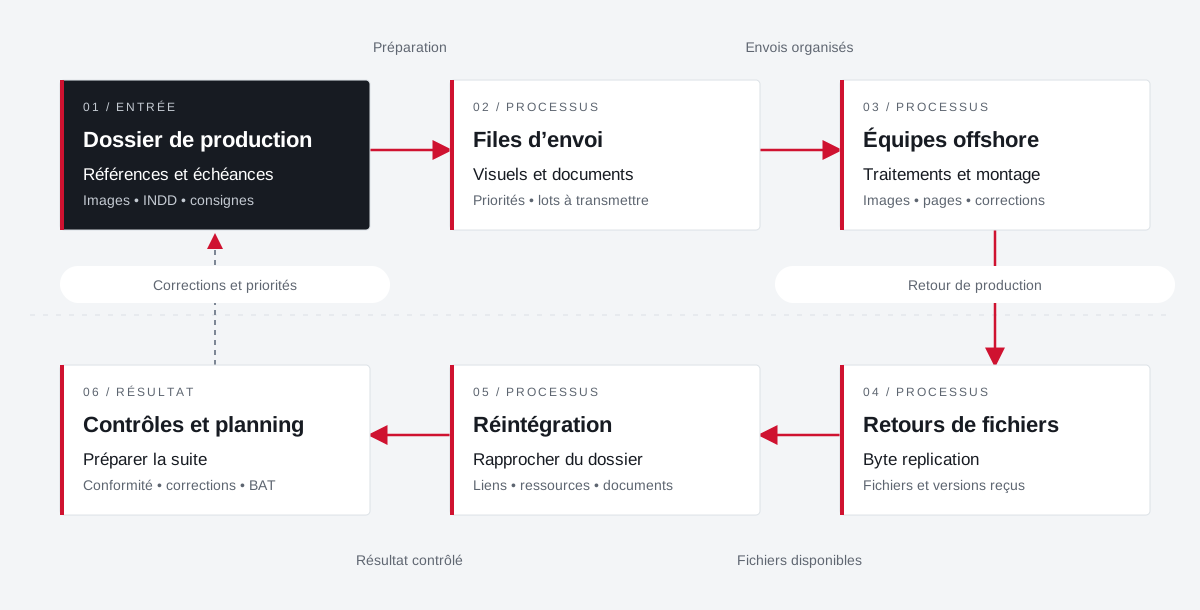 Enlarge the diagram
 - 01Preparation ▼
Production file
References and deadlines
Images • INDD • instructions - 02Organized shipments ↓
Sending queues
Visuals and documents
Priorities • batches to be transmitted - 03Return to production ▼
Offshore teams
Treatments and assembly
Images • pages • corrections - 04Available files ↓
File returns
Byte replication
Files and versions received - 05Controlled result ▼
Reintegration
Bringing the folder closer
Links • resources • documents - 06
Controls and planning
Preparing for the next round
Compliance • corrections • BAT
Enlarge the diagram Prepare
Associate the files, folder and work instructions.
Distribute
Distinguish between visual submissions and layout documents.
Reintegrate
Control returns and their use in documents.
Your job deserves
the right tools.
A specific need, a software to evolve, a project to frame.