
Cora: structuring a common photo library
Define images that can circulate between several agencies and several uses: formats, color profiles, product references, clipping and nomenclature.
Photos produced by several participants, to be linked to the same references and for several uses.
Technical coordination of the preparation and sharing of visuals with the brand and agencies
Shared specifications for formats, profiles, variants and file names.
See the tools
and their functions.
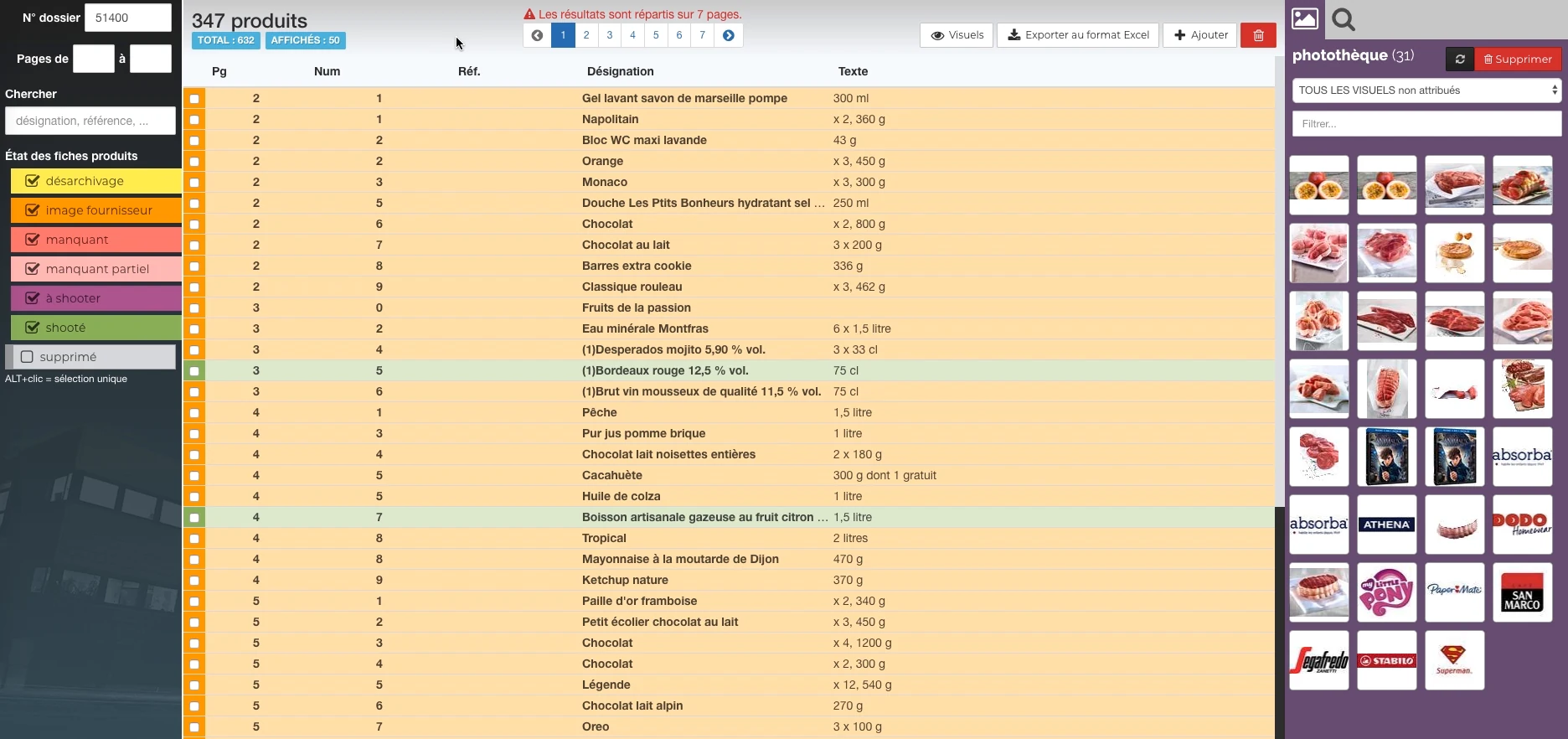
Visual highlights of the editorial environment Reymann, where Patrice Salib, founder of Dtouch, exercised. These 2018 Rey-Active demo views illustrate the platform's common functions, in a context distinct from the client folder presented.
 Enlarge screen
 Products and their state of preparation
A filterable list per state, folder references and the picture can be accessed in the same view.
Real Rey’actif interface · demo archive from 2018.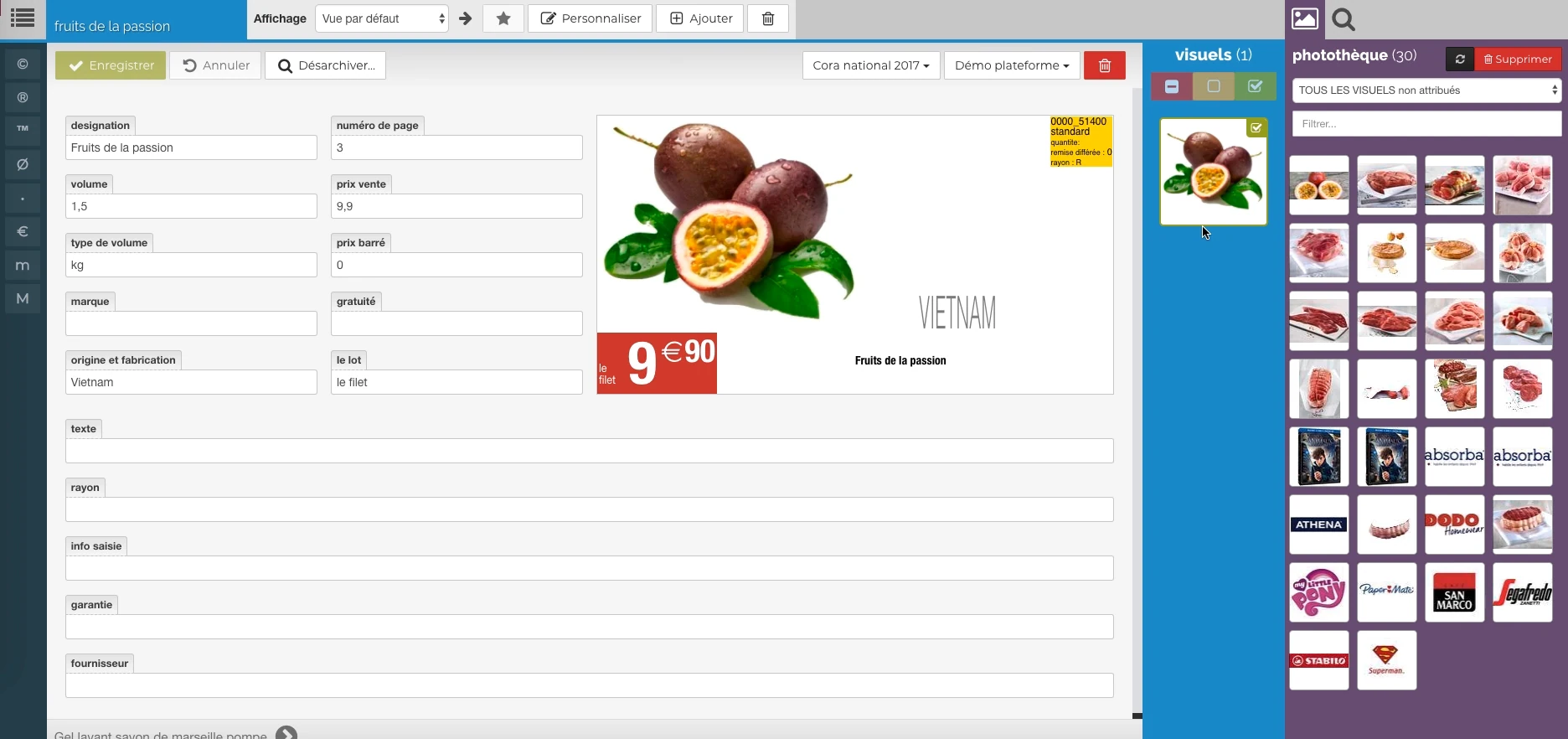 Enlarge screen
 The data meets the visual
Description, price, origin and packaging provide a preview, with image resources alongside.
Real Rey’actif interface · demo archive from 2018.The situation: sharing coherent product material
The centralization of Cora visuals brought together several agencies and the brand's marketing department. To be reusable, a photo had to correspond to the right product and respect common preparation rules.
The coordination work focused as much on the information provided during the shoot as on the file delivered: product reference, designation, image and additional resources.
Developing a shared production format
The preparation specifications evolved between 2014 and 2015. The 2015 work notably defined a high-quality JPEG in RGB, an embedded ICC profile, a format of 3000 × 3000 pixels and a clipping path.
The objective was to have a source suitable for several destinations. Images requiring transparency or specific preparations retained their own constraints.
Add the nomenclature to the product benchmark
The naming combined department, SKU and image index. Ambient photographs had an explicit distinction, to differentiate them from packshots.
This organization linked the file to the business repository. It also made it possible to specify the information to be provided before a shooting and to prepare the classification of images in the common space.
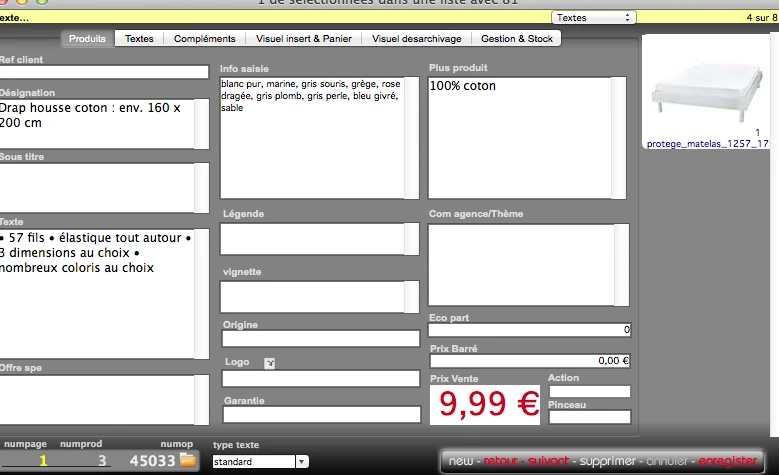
Interfaces of the Reymann editorial channel, in their period version. These archives illustrate the journey of Patrice Salib, founder of Dtouch, within the agency.
 Enlarge
 The product data, price and visual are reconciled before being included in the publication.
Archive Reymann · interface extract · 02/07/2014Taking into account specialized variations
The procedure included variations, particularly for the bottle visuals: cut-out preparation, transparency, reflection and version intended for other uses. Additional information and files could accompany the product.
Centralization was to preserve these distinctions. A preview for the web is not a substitute for a production original, and two variations of a product may meet different needs.
Preparing the process of exchange between agencies
The deposit modalities and the automation of transfers were part of the framework between the brand and the agencies. The choice of a common format preceded certain tooling and mass transfer decisions.
This experience focuses on the construction of specifications and shared practices: naming, preparing and transmitting resources understandable by other stakeholders in the chain.
This case study presents the experience of Patrice Salib, founder of Dtouch, acquired at Reymann with the agency's teams and its development and production partners.
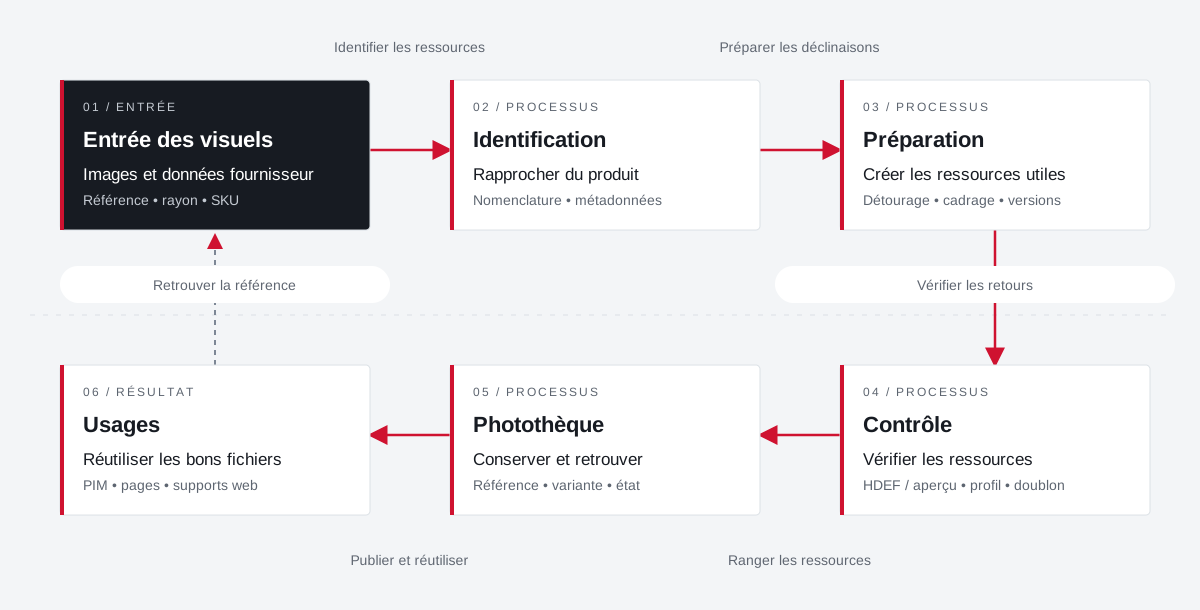
An image returns its product, versions and uses.
The organization of the photo library combines identifiers, metadata, preparation of visuals and reuse in publications.
 Enlarge the diagram
 - 01Identify resources ↓
Entry of visuals
Images and supplier data
Reference • radius • SKU - 02Preparing for Decline ▼
Identification
Bringing the product closer
Nomenclature • metadata - 03Check returns ▼
Preparation
Create useful resources
Clipping • framing • versions - 04Sorting resources ▼
Control
Check resources
HDEF / overview • profile • duplicate - 05Publish and reuse ▼
Photo library
Preserve and find
Reference • variant • condition - 06
Uses
Reuse the right files
PIM • pages • web supports
Enlarge the diagram Closer
Distinguish between the product, the original file and its variations.
Control
Identify duplicates and gaps between previews and high definition.
Reuse
Find the appropriate visual for the document and its destination.
Your job deserves
the right tools.
A specific need, a software to evolve, a project to frame.