
Migros France: connecting teams to catalogs
A production path shared between Migros, the agency and Rey-Active designers: InDesign pages, typographies, links, cloud files and PDF validation.
Pages and resources to circulate between the brand, the agency and the platform.
Integration of the chain and support for graphic designers and client teams
A shared chain of assembly and generation; PDF Toys 2021 read and validated for the start in print.
See the tools
and their functions.
Visual highlights of the editorial environment Reymann, where Patrice Salib, founder of Dtouch, exercised. These 2018 Rey-Active demo views illustrate the platform's common functions, in a context distinct from the client folder presented.
 Enlarge screen
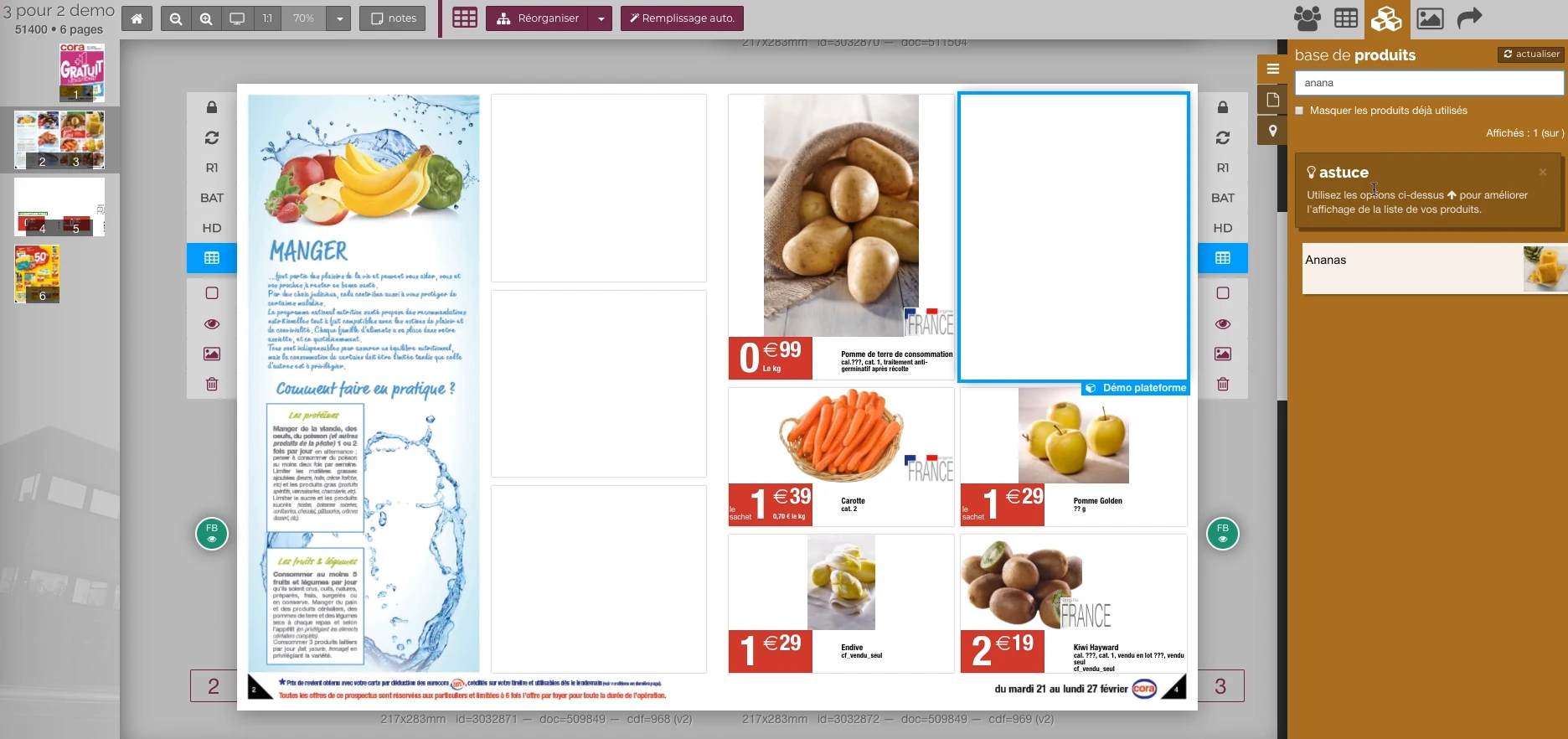
 From the product to its location on the page
The double page, the thumbnail and the product base allow you to work in the context of the publication.
Real Rey’actif interface · demo archive from 2018.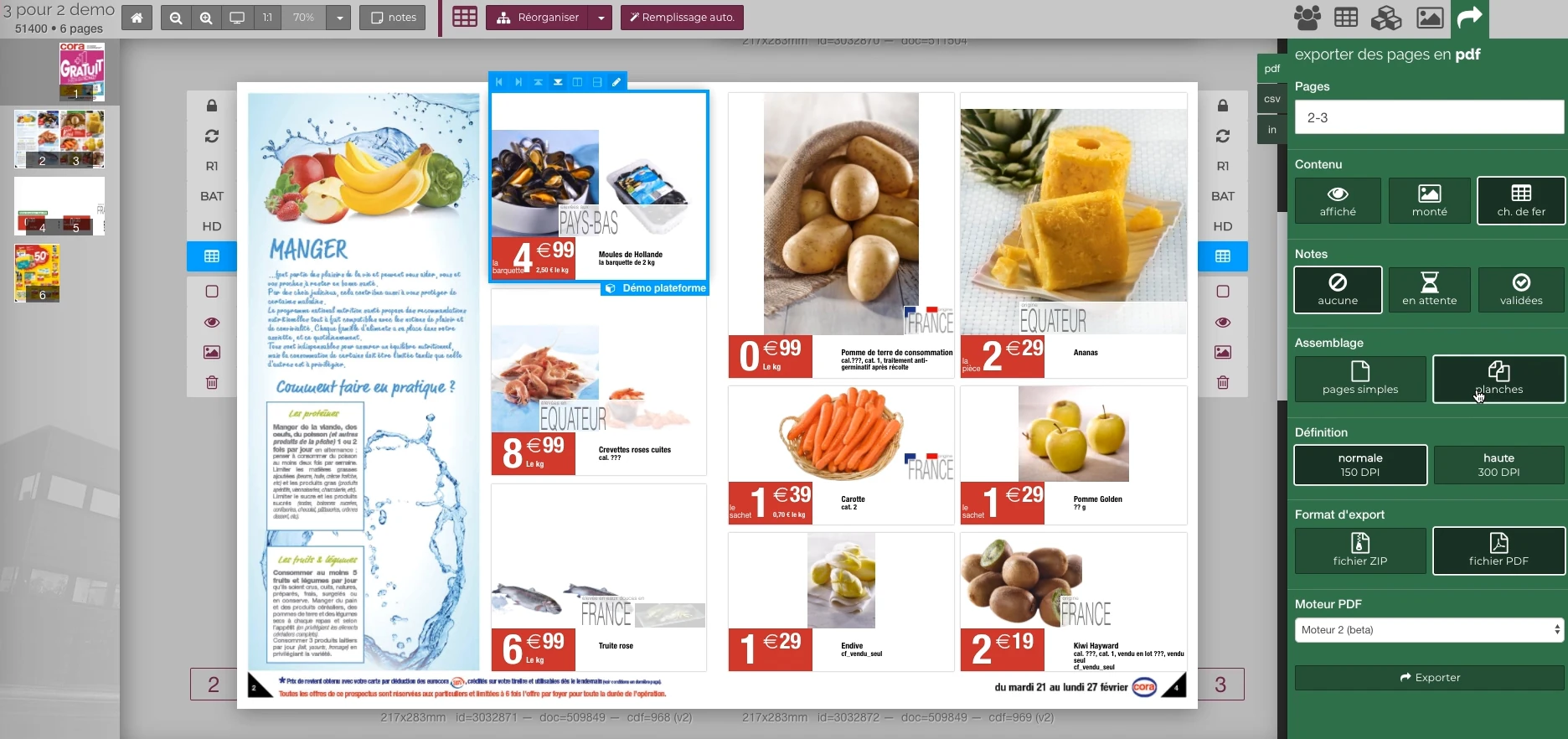 Enlarge screen
 Preparing the output of the document
The document remains visible next to the PDF output panel and the parameters offered in the platform.
Real Rey’actif interface · demo archive from 2018.The situation: resuming shared editorial material
The Migros teams used catalog resources and prepared their own versions. They needed the correct InDesign collections, PDFs, typographies and links corresponding to the edition to be resumed.
Technical monitoring had to link these resources to the documents and the printing schedule. A page available without its final images or fonts did not constitute a production-ready set.
Make the platform and resources available
The discussions included the creation of a working environment on the platform and tests on a real file. The search for visuals could start from a list of products with EAN and designations.
The data needs accompanied the layout files: identify the references, find the descriptions and prepare the useful elements for assembly, with the agency and brand teams.
Articulate Nextcloud, InDesign and Rey’actif
For the Toys catalog, the graphic designers uploaded and synchronized their pages to the cloud space. Generation requests in Rey’actif made it possible to prepare PDFs as progress was made.
Patrice followed this articulation with the graphic designers: shared folder, availability of pages, added fonts and linked resources. Questions about an image or cover were compared to the source file in question.
Prepare validation to start in print
Work continued on PDF feedback, page corrections and final resources. For the Toys 2021 edition, the files were proofread and approved for printing by the Migros team.
This validation concerned the produced version, with its latest corrections. It provided a common point of contact between the technical preparation and the people responsible for the catalog.
Forwarding the process to new stakeholders
The device was reused on several editions. The arrival of a new graphic designer meant explaining the assembly and provision of PDFs, so that work could resume in the same environment.
Patrice's role combined integration and support: making the exchanges between the tools work, then giving people the necessary benchmarks to produce and control their pages.
This case study presents the experience of Patrice Salib, founder of Dtouch, acquired at Reymann with the agency's teams and its development and production partners.
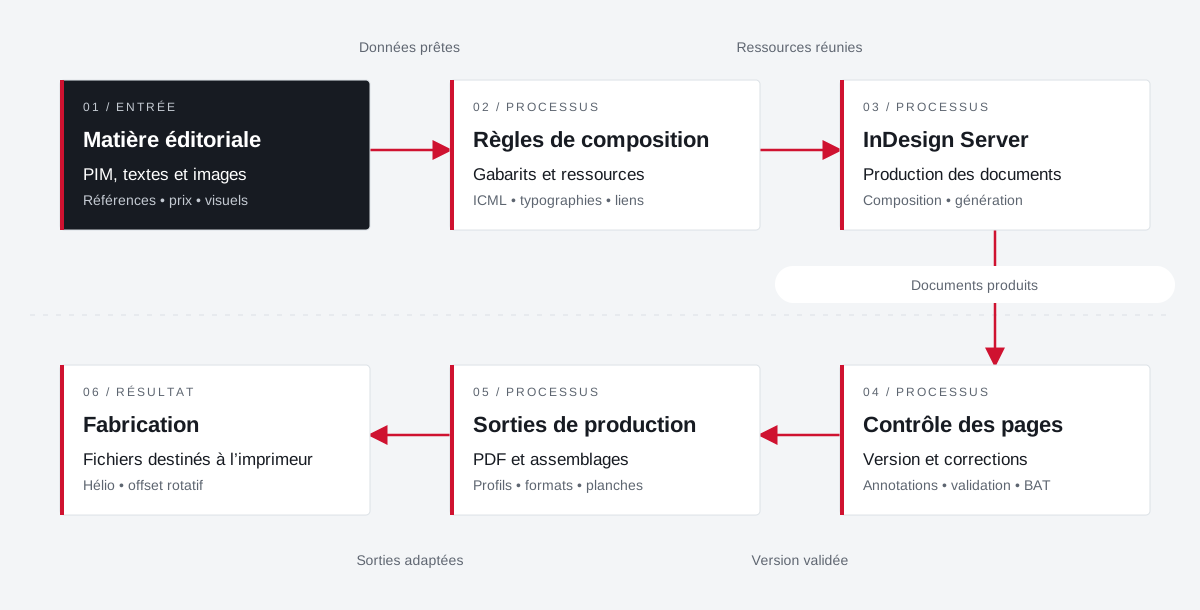
From the product repository to the manufacturing file.
Products, visuals, templates, typographies and output parameters join a production followed by document and version.
 Enlarge the diagram
 - 01Data ready ↓
Editorial material
PIM, texts and images
References • price • visuals - 02Resources combined
Composition rules
Templates and resources
ICML • typographies • links - 03Documents produced ↓
InDesign Server
Production of documents
Composition • generation - 04Validated version
Page control
Version and corrections
Annotations • validation • proof - 05Adapted outputs ▼
Production outputs
PDFs and assemblies
Profiles • formats • boards - 06
Manufacturing
Files for the printer
Helio • rotary offset
Enlarge the diagram Compose
Bring data and resources closer to the template.
Validate
Follow the pages and corrections in their version.
Make
Apply media and printer specifications.
Your job deserves
the right tools.
A specific need, a software to evolve, a project to frame.