
Norma: a platform to the rhythm of the weeks
Capture, corrections, generation of PDFs, visuals and web deliverables: keeping an editorial channel in the calendar of a recurring production.
See the tools
and their functions.
Visual highlights of the editorial environment Reymann, where Patrice Salib, founder of Dtouch, exercised. These 2018 Rey-Active demo views illustrate the platform's common functions, in a context distinct from the client folder presented.
 Enlarge screen
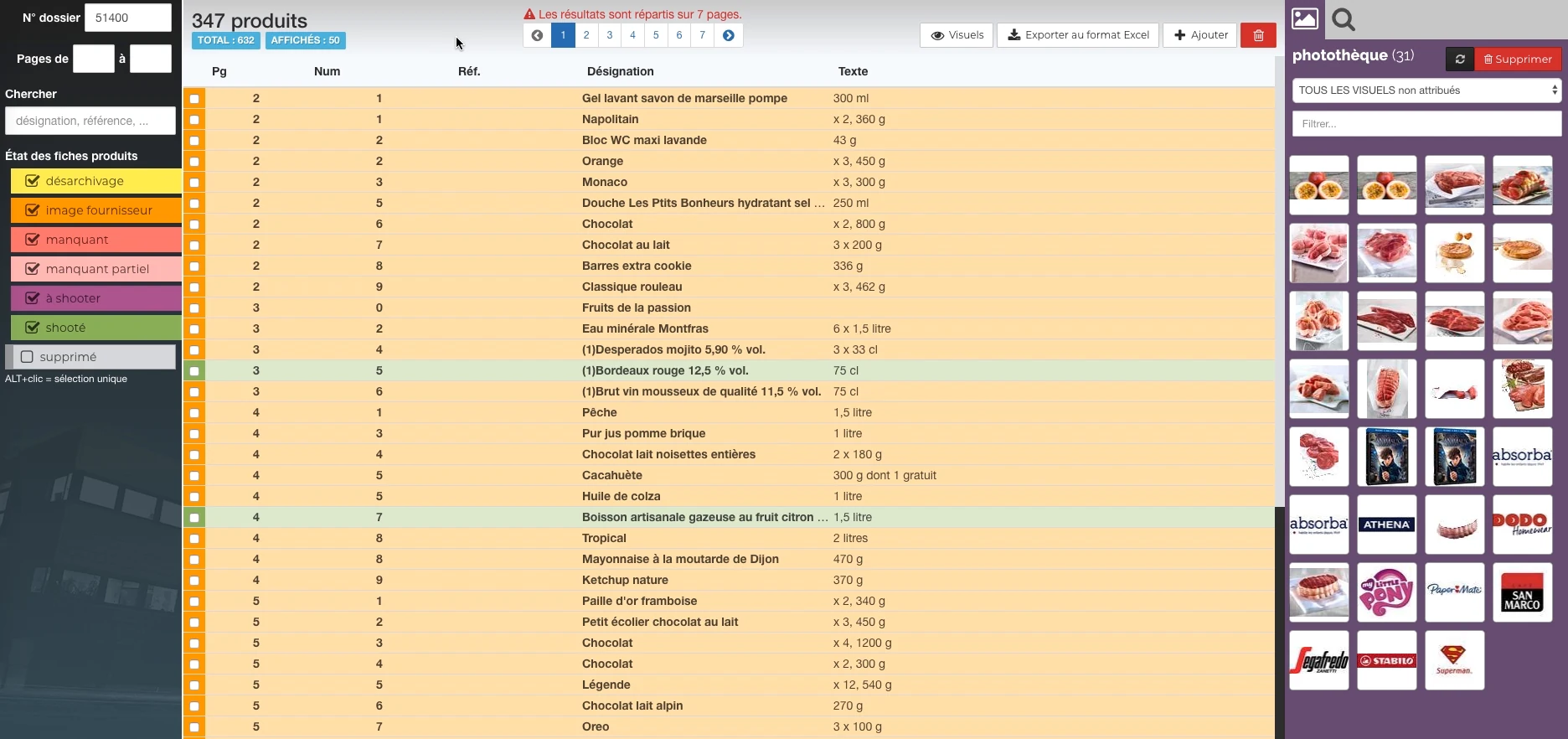
 Products and their state of preparation
A filterable list per state, folder references and the picture can be accessed in the same view.
Real Rey’actif interface · demo archive from 2018.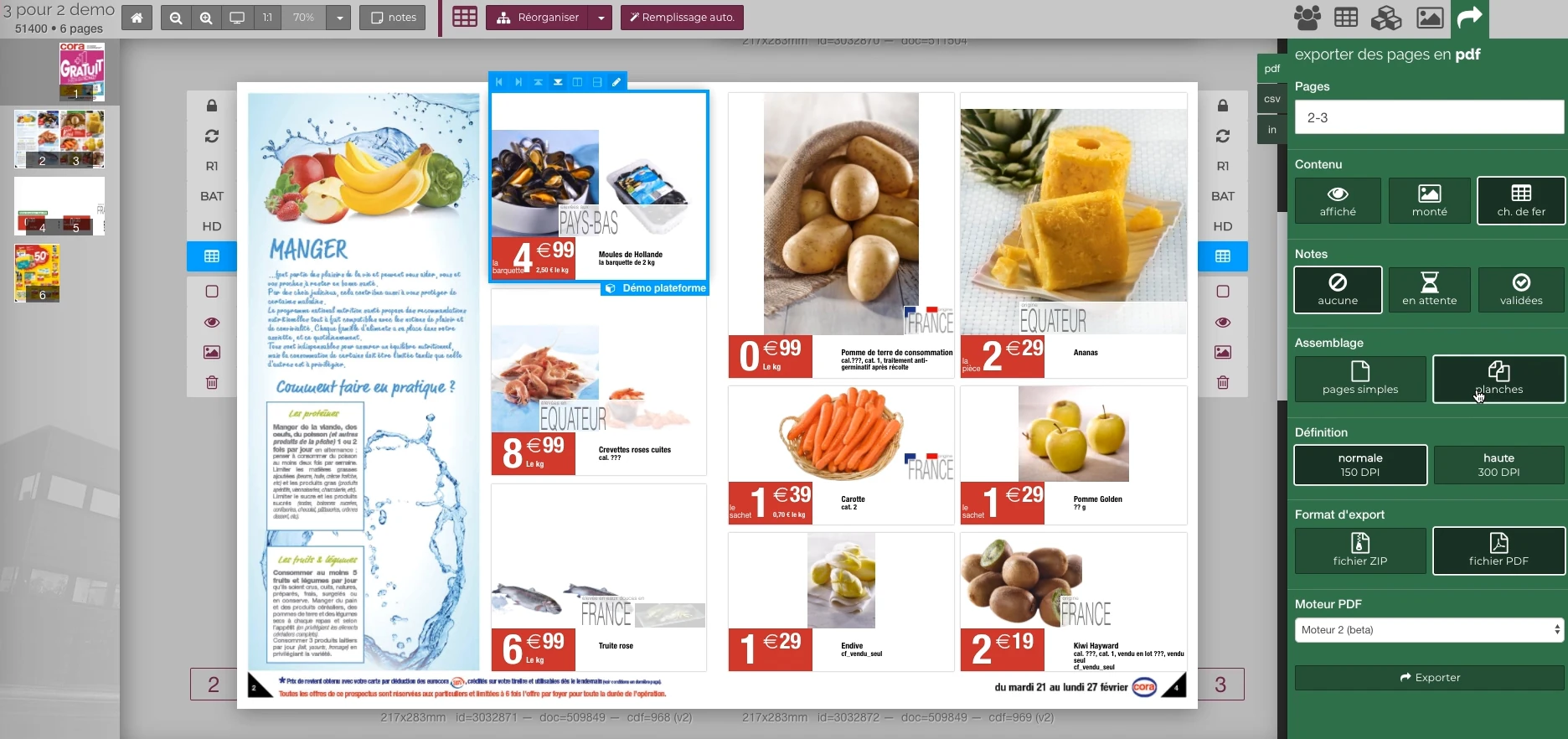 Enlarge screen
 Preparing the output of the document
The document remains visible next to the PDF output panel and the parameters offered in the platform.
Real Rey’actif interface · demo archive from 2018.Weeks and versions to prepare
The Norma files were organized by week, with regional versions and resources to be used from one document to another. The offshore instructions combined formats, placements, roughs, deadlines and return conditions.
Images, logos and elements already produced had to be available in the correct version. The platform was only useful if it followed the concrete rhythm of these productions.
Seizing and correcting in a shared environment
The platform provided access to texts, images, documents and notes. The support dealt in particular with online corrections and interactions between entry, unarchiving of a visual and creation of its file.
The consistency between the imported file, its file and its preview required precise checks. Notes and their classification were also part of the uses to be linked to the work of the team.
Test PDFs on representative productions
The tests checked page generation, fonts, previews, and consistency. A customer test phase in 2016 confirms PDF generation and online corrections over a week of testing, with other points still to be addressed.
The monitoring distinguished the validated functions and the anomalies to be reworked. Patrice also intervened in the technical exchanges on the connection between Reymann and Norma.
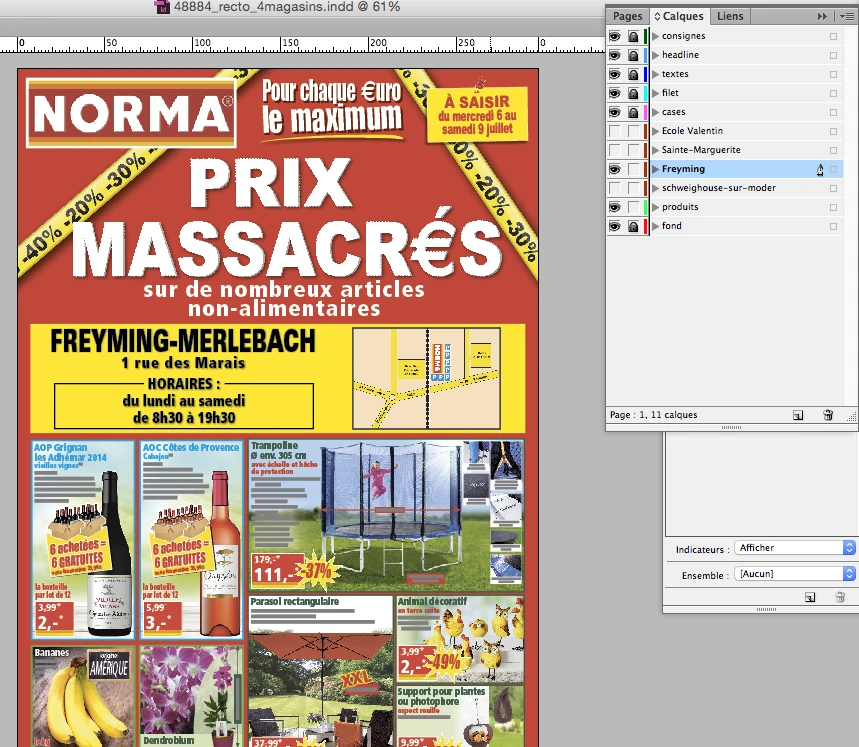
Two InDesign views of the Norma production in June 2016.
 Enlarge
 The InDesign document keeps common elements and store variations in separate layers.
Archive Reymann · interface extract · 06/21/2016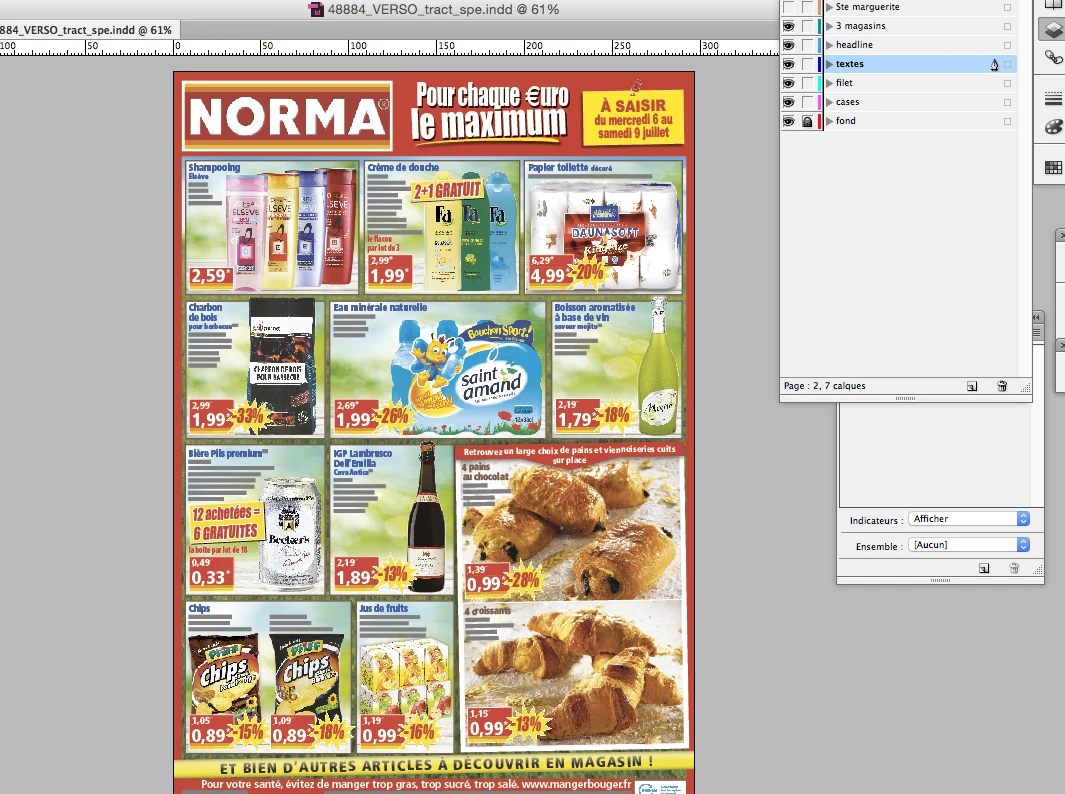 Enlarge
 The back of the production document remains visible with the layers panel and common layout elements.
Archive Reymann · interface extract · 06/21/2016Deliver material for other channels
Deliverables included visuals and JPEGs for web and flipbooks. The format, size and completeness of the files mattered as much as their simple creation.
Returns on store CDs and digital elements fueled checks: missing images, wrong dimensions, insert formats and resources that were difficult to use. The editorial chain thus extended into digital distribution.
Linking editorial to prepress
File parameters, POS and exchanges with printers completed the system. Rotogravure productions required dialogue about output specifications and scheduling.
This practice nourishes a way of developing: starting from real production, testing its different stages and making visible the points that prevent delivery.
This case study presents the experience of Patrice Salib, founder of Dtouch, acquired at Reymann with the agency's teams and its development and production partners.
The material produced
in preparation.
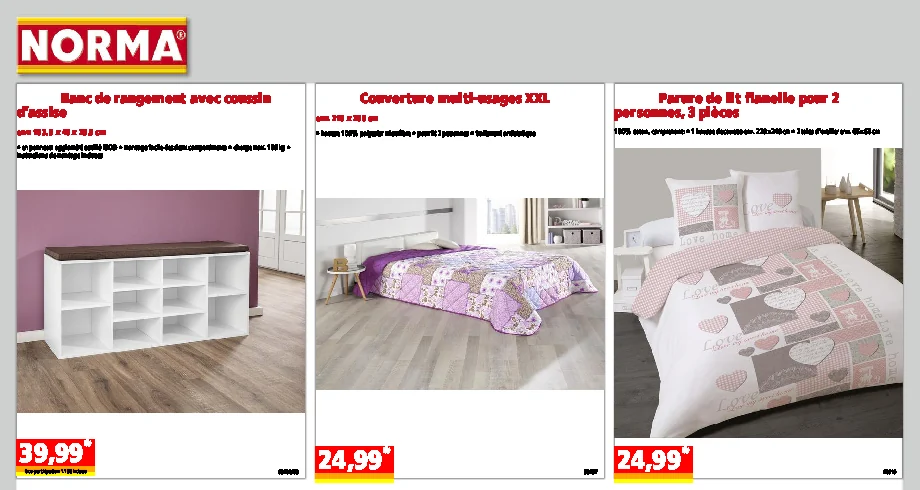
A view of the preparation document Norma allows to situate the place of the images and information produced before their integration into the catalogue.
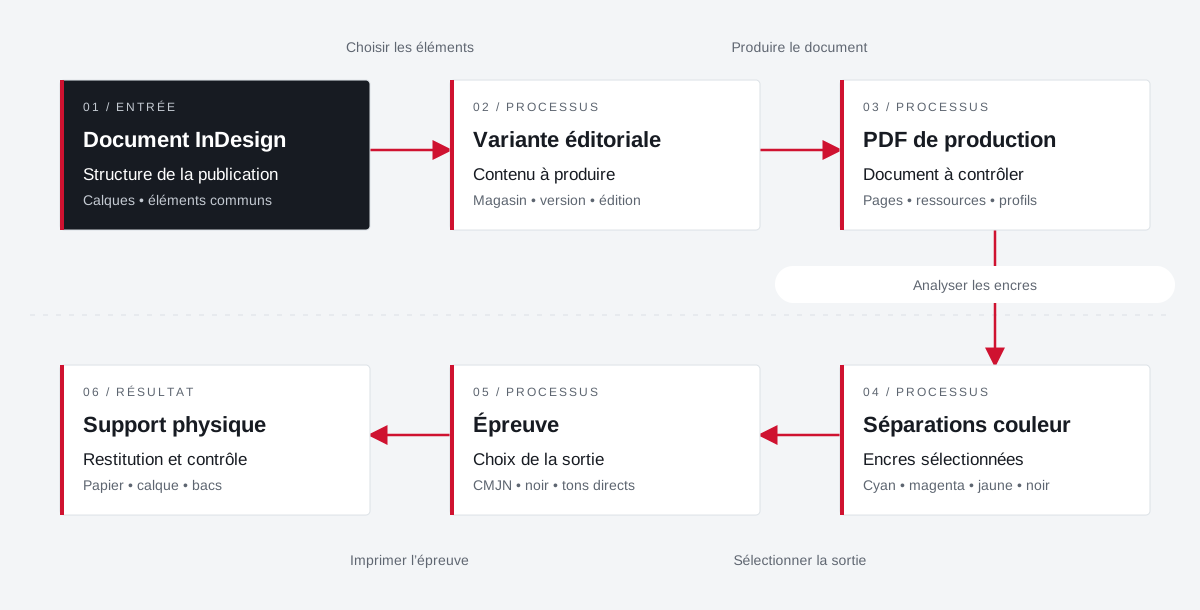
Variants, inks and support each have their role.
Layers organize the document. The separations isolate the inks. The paper or tracing paper are the physical supports of the test.
 Enlarge the diagram
 - 01Choose items ↓
InDesign document
Publication structure
Layers • common elements - 02Produce document ▼
Editorial variant
Content to produce
Store • version • edition - 03Analyze inks ↓
Production PDF
Document to check
Pages • resources • profiles - 04Select output ▼
Colour separations
Selected inks
Cyan • magenta • yellow • black - 05Print the proof ↓
Test
Choice of exit
CMYK • black • spot colors - 06
Physical support
Return and control
Paper • tracing • trays
Enlarge the diagram Document
Check the variant and the layer elements.
Inks
Control expected separations and spot colors.
Test
Adapt the selection, format and output media.
Your job deserves
the right tools.
A specific need, a software to evolve, a project to frame.