
Editorial Variations & Conditional Content
An edition changes country, price or sign; the chain must maintain the links between the product, its text, its images and its layout.
The tools of the
editorial production.
These Rey’actif views situate the functions in the editorial chain: products, images, pages and validation. They come from a demonstration of the platform in 2018.
 Enlarge screen
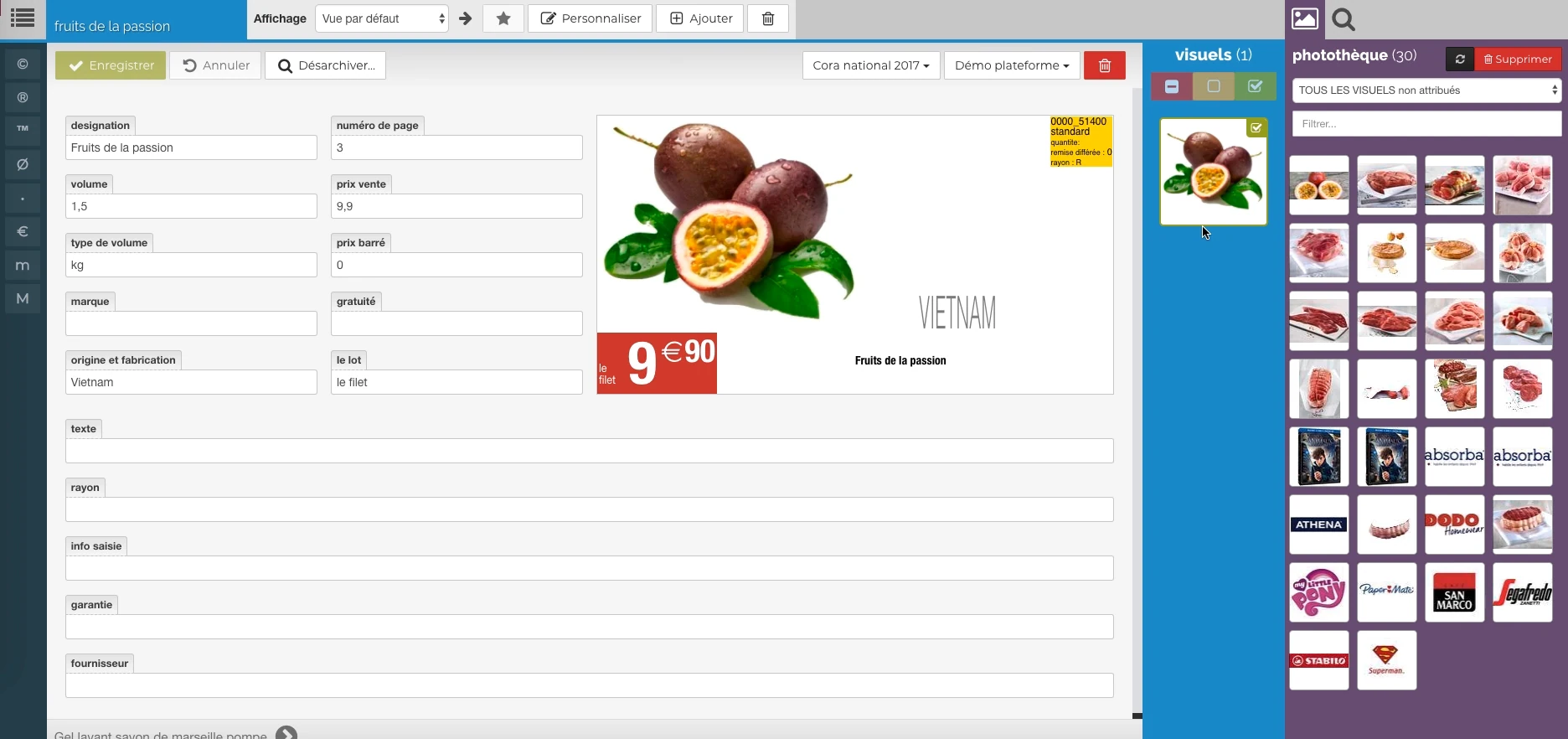
 The data meets the visual
Description, price, origin and packaging provide a preview, with image resources alongside.
Real Rey’actif interface · demo archive from 2018.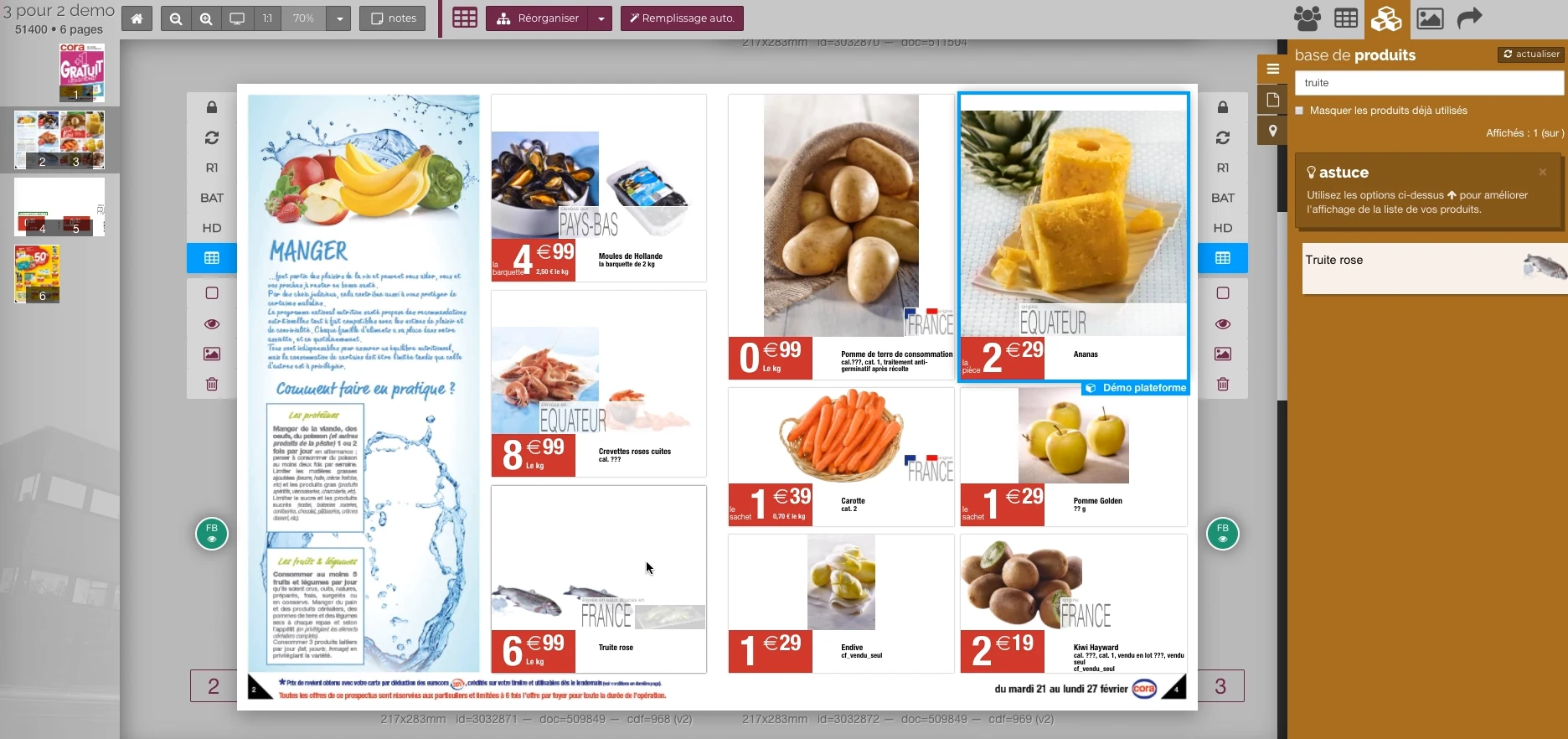 Enlarge screen
 Adjust a page while keeping context
Selecting a block in the publication keeps other offers, pages and the product base at your fingertips.
Real Rey’actif interface · demo archive from 2018.Bringing the common and the specific together
A multiversion catalogue brings together shared content and local differences: price, currency, reference, text, focus or visual choice. The Ludendo / The Great Recre and Starjouet experience gives a concrete example of these interactions.
The challenge is to identify what is linked, what can vary and what must be dissociated before a modification. An intervention on a block may affect another edition still in production.
Preserving tags and assignments
XML and ICML formats, conditional texts, and InDesign assignments carry a structure that goes beyond the visible text. Emptying a field, modifying a condition or re-archiving a block can change this structure.
The practice covers the diagnosis of these behaviors, the coordination of corrections to the text module and the preparation of rules of use for the editing teams.
Also decline outings
The variation also concerns the deliverables: JPEG pages, square visuals, PDF with or without price, high definition files page by page. Naming, version and timing must remain consistent with the source material.
The controls relate to the exported scope, the presence of resources and the correspondence between the validated content and its output.
Interfaces of the Reymann editorial channel, in their period version. These archives illustrate the journey of Patrice Salib, founder of Dtouch, within the agency.
 Enlarge
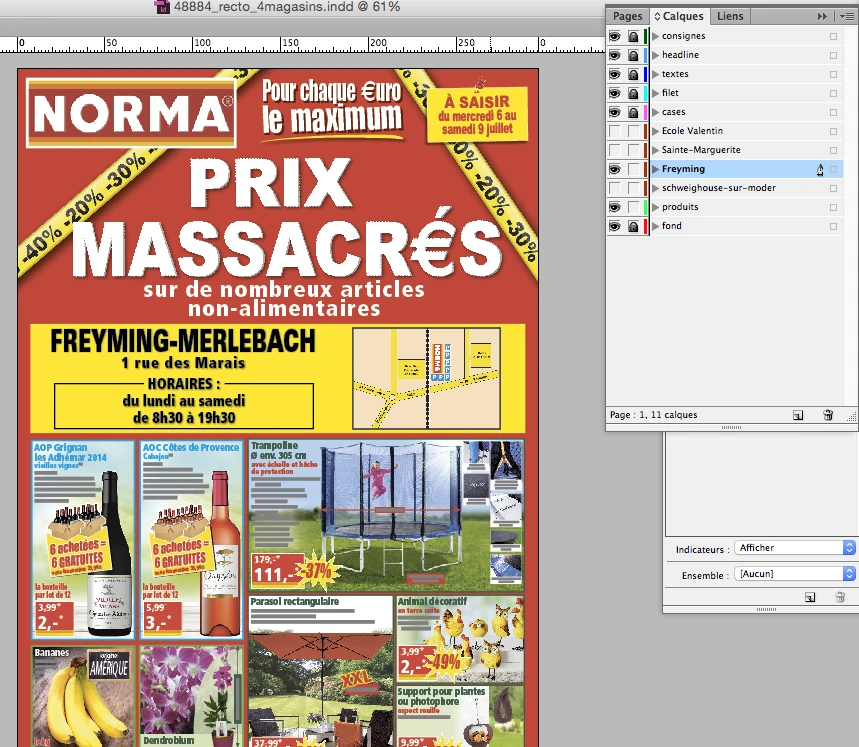
 The InDesign document keeps common elements and store variations in separate layers.
Archive Reymann · interface extract · 06/21/2016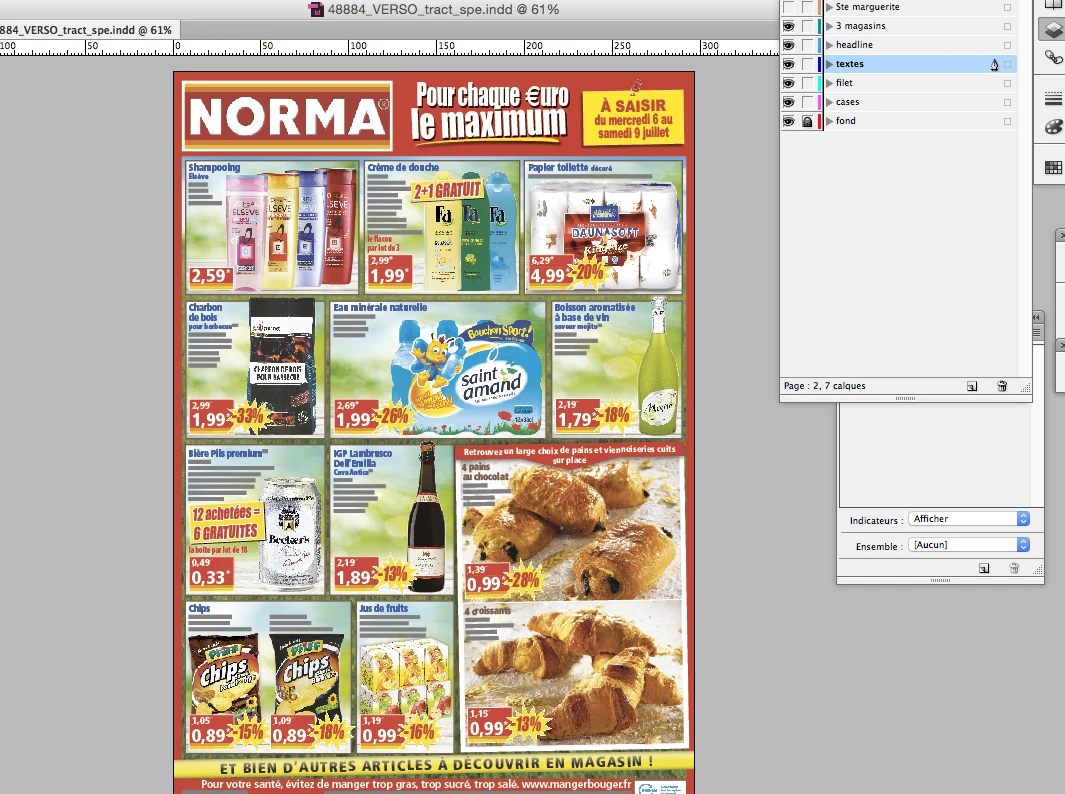 Enlarge
 The back of the production document remains visible with the layers panel and common layout elements.
Archive Reymann · interface extract · 06/21/2016Put stakeholders on the same level of understanding
Templates, charter rules and manual rework limits must be shared with the DTP, offshore partners and freelancers. Technical meetings and explanatory materials accompany the operation of the tool.
This approach links development, integration and use: an automation system becomes usable when it is understood and verified in real production.
Variants, inks and support each have their role.
Layers organize the document. The separations isolate the inks. The paper or tracing paper are the physical supports of the test.
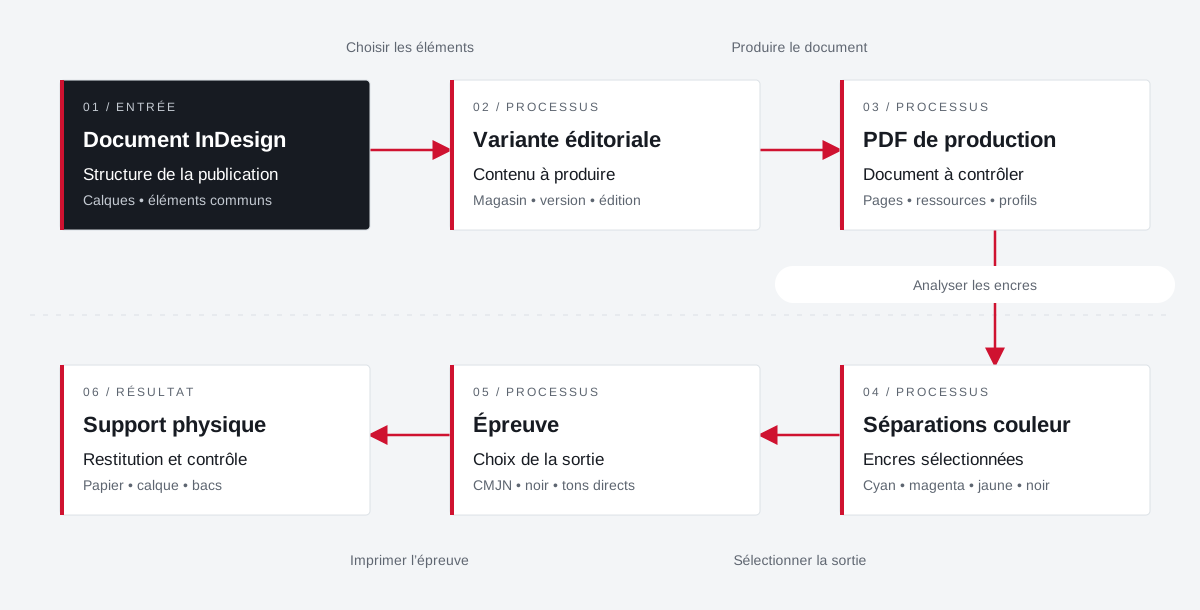 Enlarge the diagram
 - 01Choose items ↓
InDesign document
Publication structure
Layers • common elements - 02Produce document ▼
Editorial variant
Content to produce
Store • version • edition - 03Analyze inks ↓
Production PDF
Document to check
Pages • resources • profiles - 04Select output ▼
Colour separations
Selected inks
Cyan • magenta • yellow • black - 05Print the proof ↓
Test
Choice of exit
CMYK • black • spot colors - 06
Physical support
Return and control
Paper • tracing • trays
Enlarge the diagram Document
Check the variant and the layer elements.
Inks
Control expected separations and spot colors.
Test
Adapt the selection, format and output media.
Projects and concrete situations.
Your job deserves
the right tools.
A specific need, a software to evolve, a project to frame.