
Dalim TWIST: unify flows and their parameters
Moving from around twenty production flows to generic flows linked to file data: integration between 4D, Rey’actif, Dalim TWIST and ICC profiles.
Numerous flows to maintain and color settings to match the folders.
Management of integration with production and the development partner
Generic flows replacing around twenty flows, with REST settings and ICC profile indicated on the test.
See the tools
and their functions.
Visual highlights of the editorial environment Reymann, where Patrice Salib, founder of Dtouch, exercised. These 2018 Rey-Active demo views illustrate the platform's common functions, in a context distinct from the client folder presented.
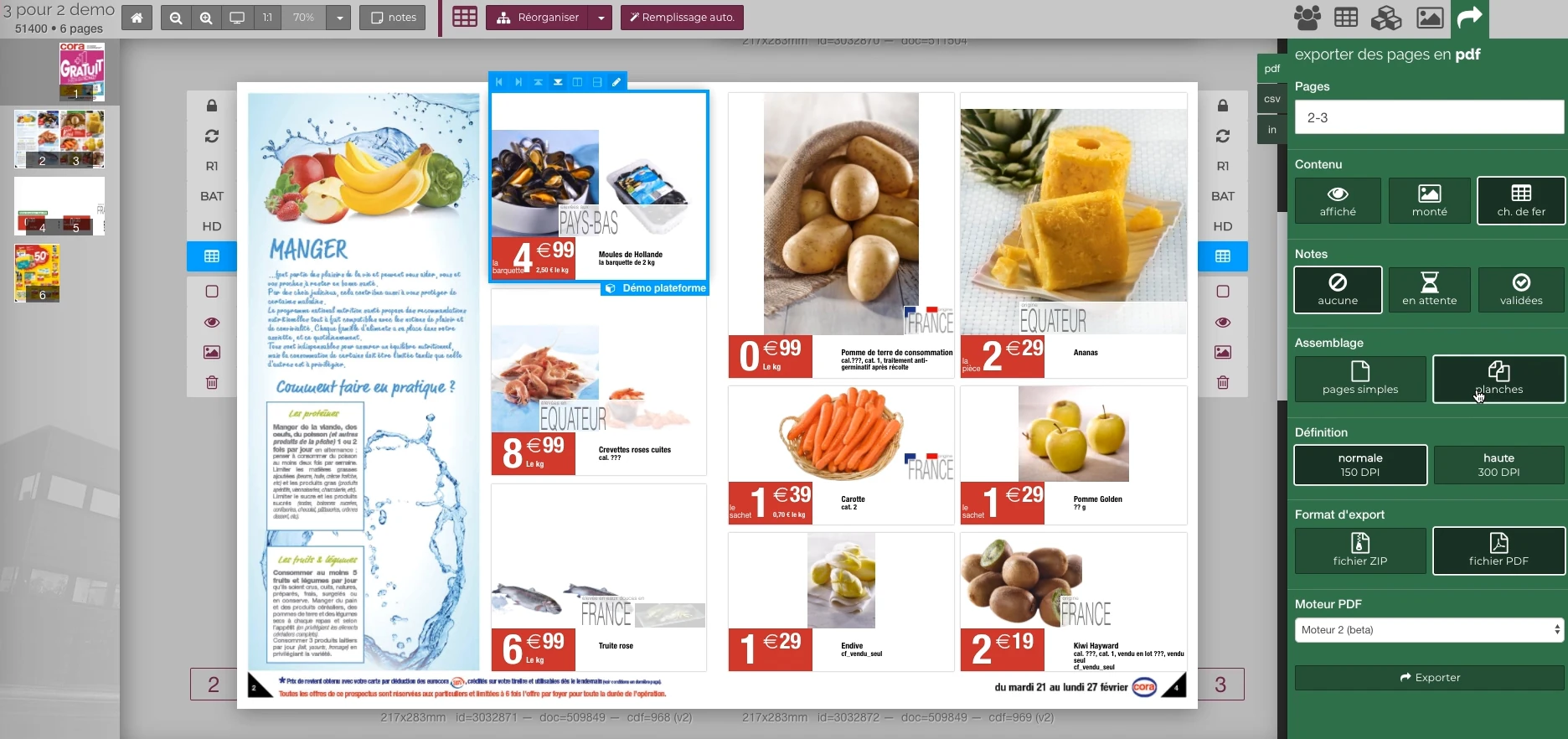 Enlarge screen
 Preparing the output of the document
The document remains visible next to the PDF output panel and the parameters offered in the platform.
Real Rey’actif interface · demo archive from 2018.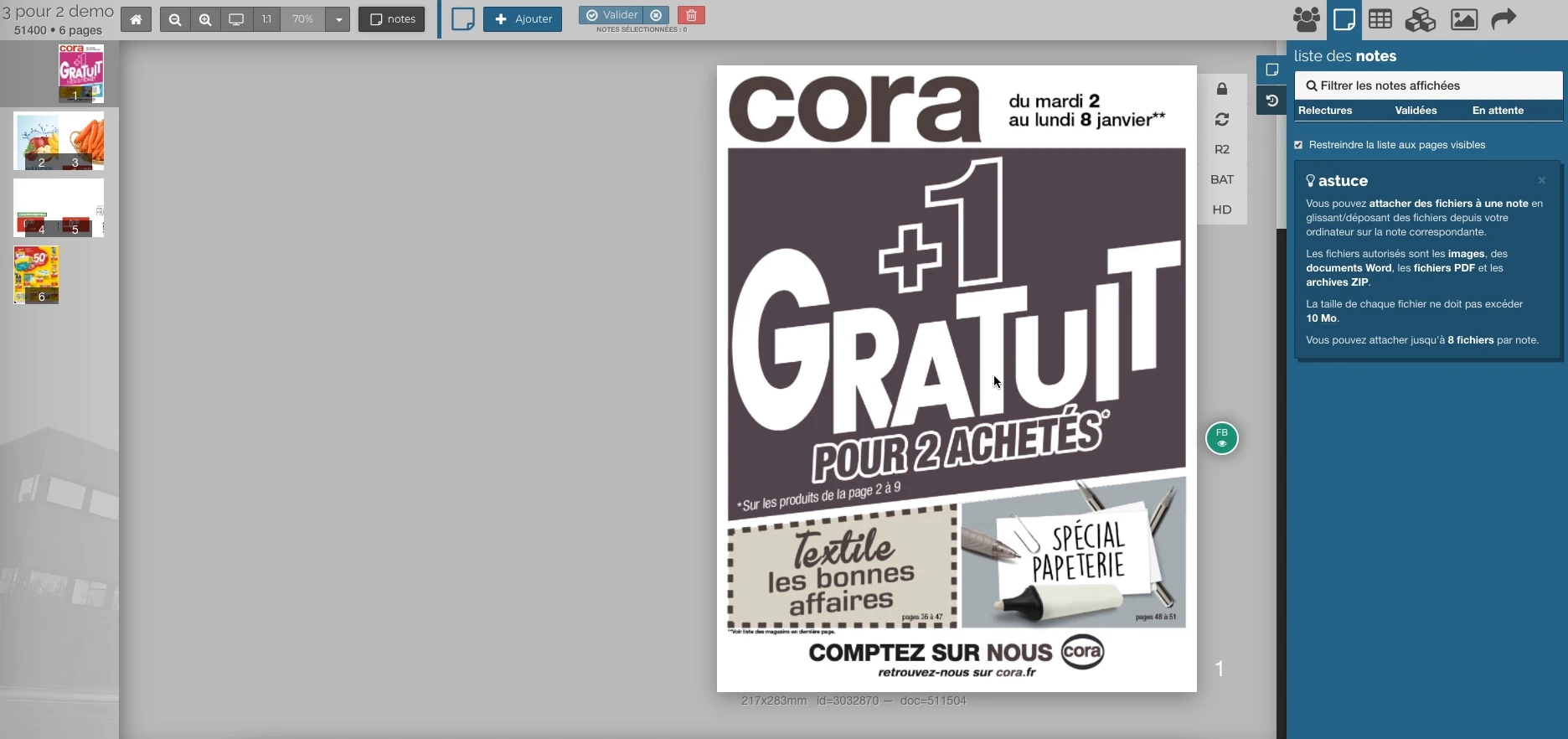 Enlarge screen
 Notes attached to the publication
The outline, the validation steps and the annotations give a common context to the rereading of the pages.
Real Rey’actif interface · demo archive from 2018.The situation: settings multiply with flows
Production processing was distributed across around twenty flows. Output profiles and settings had to remain consistent with the document's folder, media, and destination. An evolution could require repeating several configurations.
The work carried out with the development partner aimed to bring together this logic and link the settings to information already known in the production tools.
Unify treatments around generic flows
The Generic_4D-TWIST and Generic_ReyActif-TWIST streams have replaced the previously used streams. Entry points retained their role in receiving files; the processing logic could be followed in a common organization.
The transition combined technical preparation and transmission to the people responsible for the settings. Patrice coordinated these exchanges with production and developers, to develop the existing chain.
Configure the tools from Rey’actif
Scripts integrated into TWIST used REST requests to Rey’actif to configure the flow tools on the fly. The parameters could thus follow the technical definition of the file or support.
Identifying the right tool was essential: several components could use the same parameter name, and the same component could appear several times in a flow. The connection therefore had to maintain a precise designation of the target and its instance.
Interfaces of the Reymann editorial channel, in their period version. These archives illustrate the journey of Patrice Salib, founder of Dtouch, within the agency.
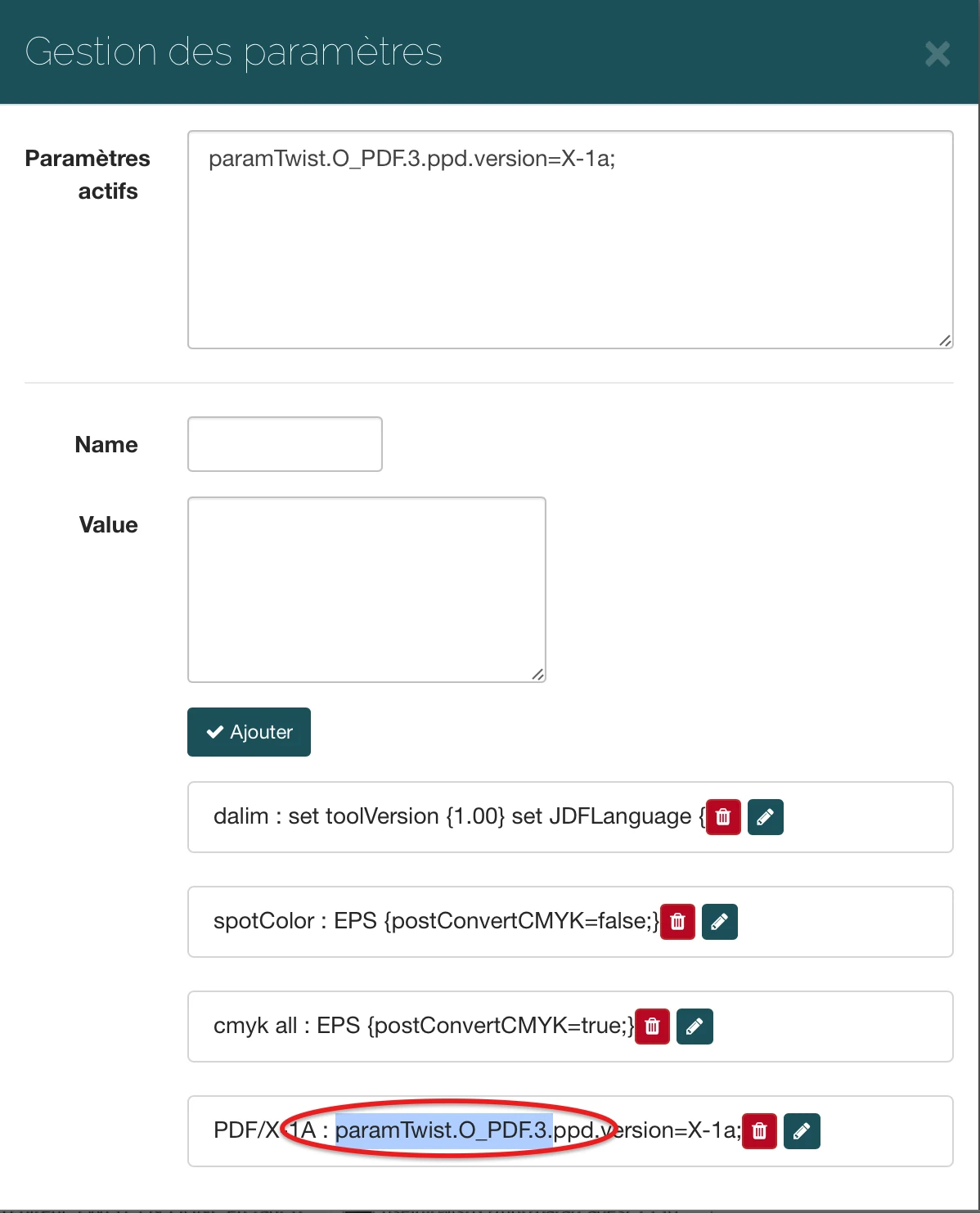 Enlarge
 The interface allows you to specify the parameters transmitted to the processing flow, here a PDF/X-1a output option.
Archive Reymann · interface extract · 03/22/2019Automate profiles and make the choice visible
The system included scripts to force the intended ICC profile for incoming files. The processing thus linked the document to the configuration of the file, with attention to the consistency of files from the same production.
The profile used was also added to the tests. This information gave the operator a directly visible marker to monitor output and report a deviation before manufacturing.
The contribution: a more coherent chain to evolve
The intervention brought together unification of flows, parameters from the platform, automatic management of profiles and colorimetric information on the tests. The adjustments and their results were brought together in the same production line.
This case illustrates an integration that concerns software, formats, color and operation, with the Reymann teams and the specialized partner Pi Solutions.
This case study presents the experience of Patrice Salib, founder of Dtouch, acquired at Reymann with the agency's teams and its development and production partners.
Profiles match media settings and outputs.
The input space, paper, and print destination are processed together. Cover and interior may require separate adjustments.
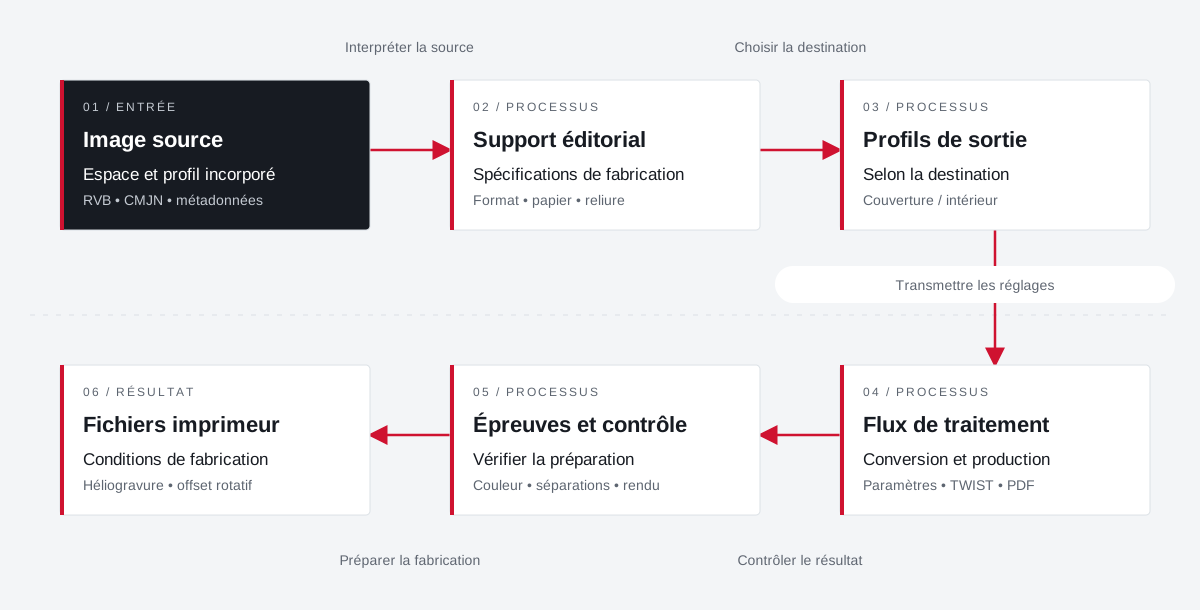 Enlarge the diagram
 - 01Interpret the source ↓
Source image
Space and embedded profile
RGB • CMYK • metadata - 02Choose destination ↓
Editorial material
Manufacturing specifications
Format • paper • binding - 03Transmit settings ▼
Output profiles
Depending on destination
Cover / interior - 04Check the result ↓
Processing flow
Conversion and production
Settings • TWIST • PDF - 05Preparing for manufacturing ▼
Tests and testing
Check preparation
Color • separations • rendering - 06
Printer files
Manufacturing conditions
Rotogravure • rotary offset
Enlarge the diagram Source
Identify the profile and space of the images to be processed.
Destination
Bring together the profiles of the paper and printer instructions.
Team
Share settings and explain their effects on outputs.
Your job deserves
the right tools.
A specific need, a software to evolve, a project to frame.