
XML & editorial data exchange
An editorial data must remain identifiable when it moves from a database to InDesign, then to an exchange file or publication.
The tools of the
editorial production.
These Rey’actif views situate the functions in the editorial chain: products, images, pages and validation. They come from a demonstration of the platform in 2018.
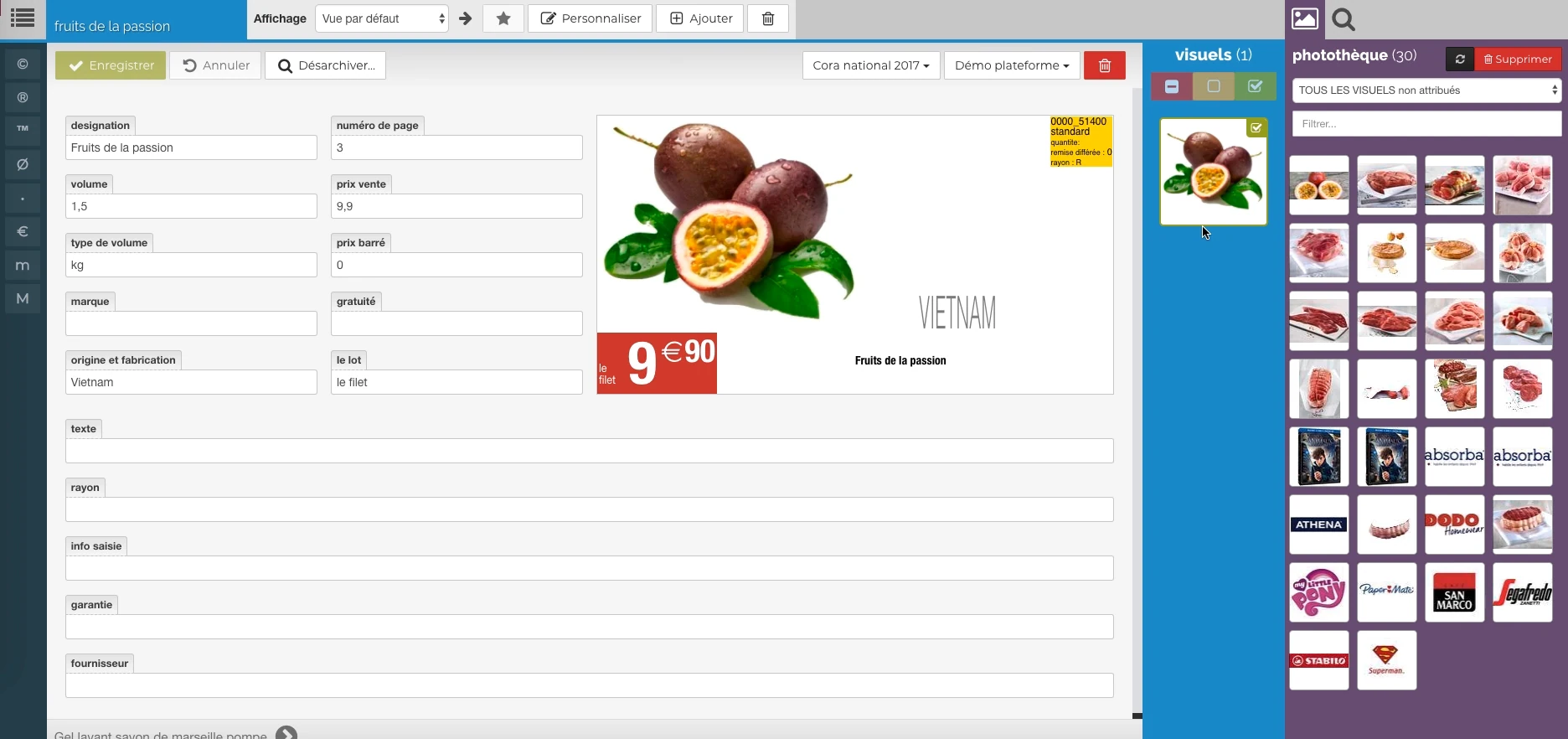 Enlarge screen
 The data meets the visual
Description, price, origin and packaging provide a preview, with image resources alongside.
Real Rey’actif interface · demo archive from 2018.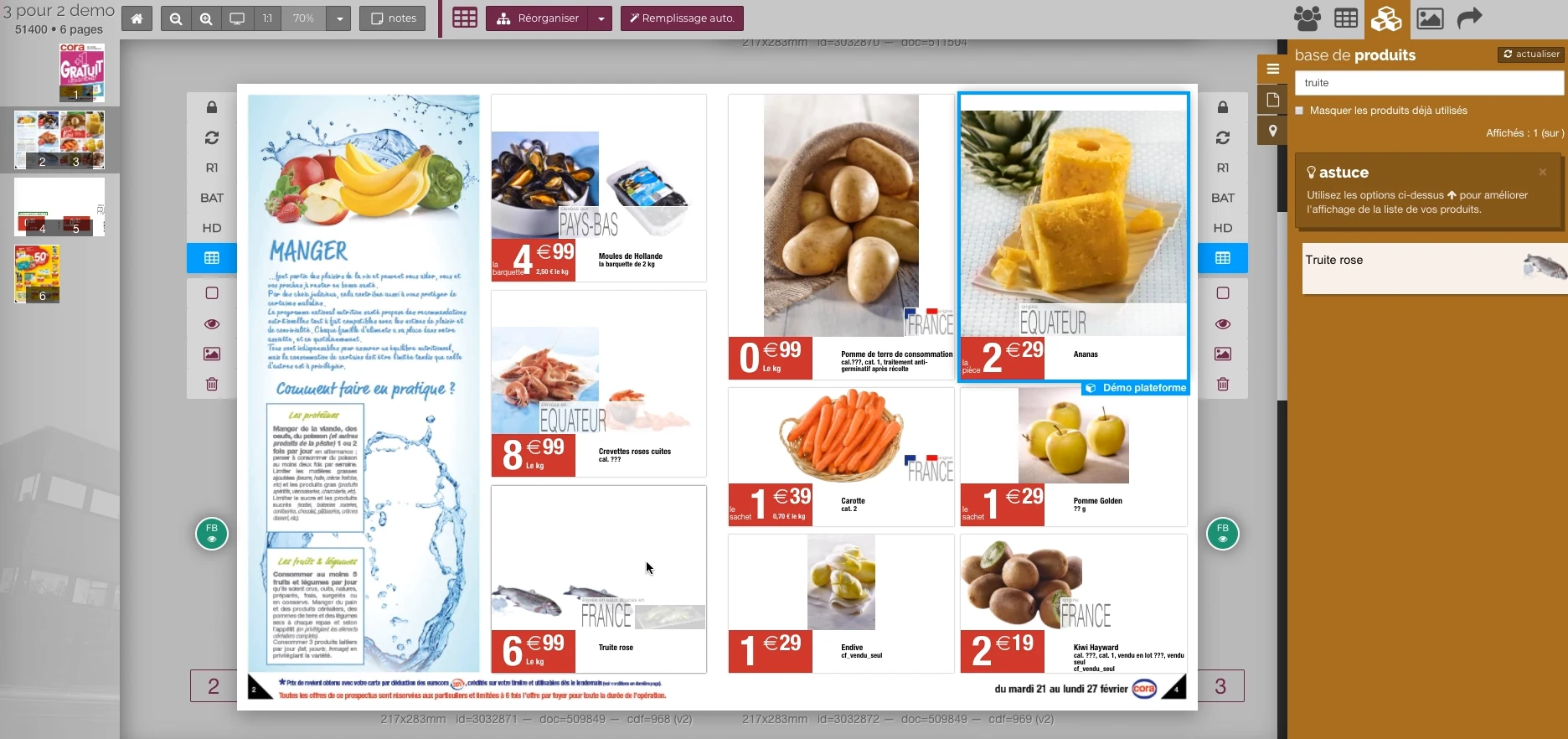 Enlarge screen
 Adjust a page while keeping context
Selecting a block in the publication keeps other offers, pages and the product base at your fingertips.
Real Rey’actif interface · demo archive from 2018.Define field mappings
A product designation, descriptive text and price information are not interchangeable. The work begins with reading the expected structure and rules that give meaning to each field.
The Supermarkets Match journey includes exports on a defined XML frame, with monitoring of data distribution and return of updated versions.
Follow the structure in the layout tools
The document contains fields, tags and links. Their behavior during manual corrections is part of the diagnosis, particularly when content is conditional or associated with assignments.
ICML and XML exchanges require checking the presence of useful structures when returning to the platform, even when a field does not temporarily contain any visible text.
Include images and archives in the feed
A valid reference can point to a displaced or archived resource. The example of Match images exports illustrates the need to track location changes and keep matches.
Export verification combines data and files: good version, good resource, result usable by the recipient.
Interfaces of the Reymann editorial channel, in their period version. These archives illustrate the journey of Patrice Salib, founder of Dtouch, within the agency.
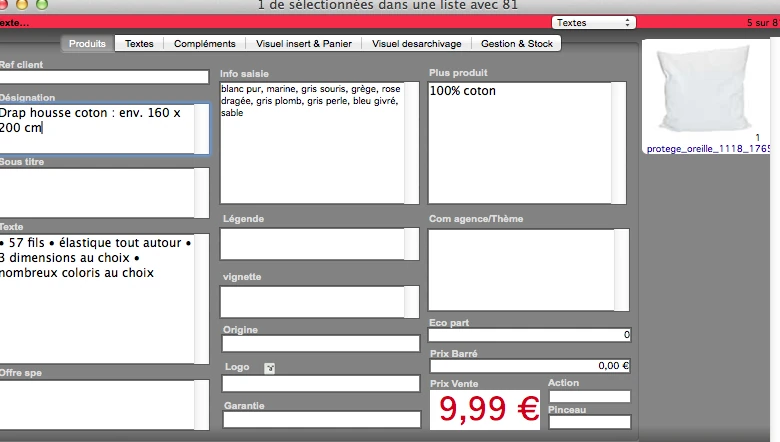 Enlarge
 A structured fact sheet contains designation, entry information, text, origin and commercial information.
Archive Reymann · interface extract · 02/07/2014Matching a format to real use
The value of an exchange is measured by its use: document recovery, platform update, delivery to the customer or preparation of a web broadcast. Checks and recovery options are part of the connection.
When the existing format is poorly documented, this approach is extended by the analysis of its objects, its encodings and its behavior in applications.
From the product repository to the manufacturing file.
Products, visuals, templates, typographies and output parameters join a production followed by document and version.
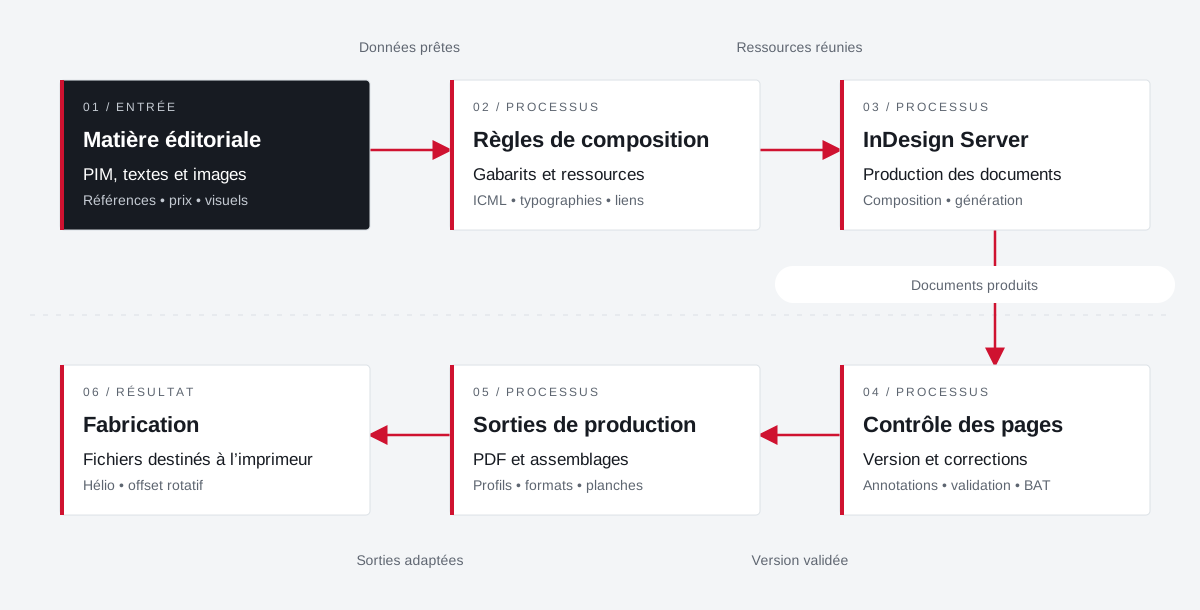 Enlarge the diagram
 - 01Data ready ↓
Editorial material
PIM, texts and images
References • price • visuals - 02Resources combined
Composition rules
Templates and resources
ICML • typographies • links - 03Documents produced ↓
InDesign Server
Production of documents
Composition • generation - 04Validated version
Page control
Version and corrections
Annotations • validation • proof - 05Adapted outputs ▼
Production outputs
PDFs and assemblies
Profiles • formats • boards - 06
Manufacturing
Files for the printer
Helio • rotary offset
Enlarge the diagram Compose
Bring data and resources closer to the template.
Validate
Follow the pages and corrections in their version.
Make
Apply media and printer specifications.
Your job deserves
the right tools.
A specific need, a software to evolve, a project to frame.