
Digital publication, flipbooks & annotations
Editorial content has several destinations. The Reymann course combines flipbook generation, IN5 exports, in-browser annotations and deliverables suitable for web distribution.
The tools of the
editorial production.
These Rey’actif views situate the functions in the editorial chain: products, images, pages and validation. They come from a demonstration of the platform in 2018.
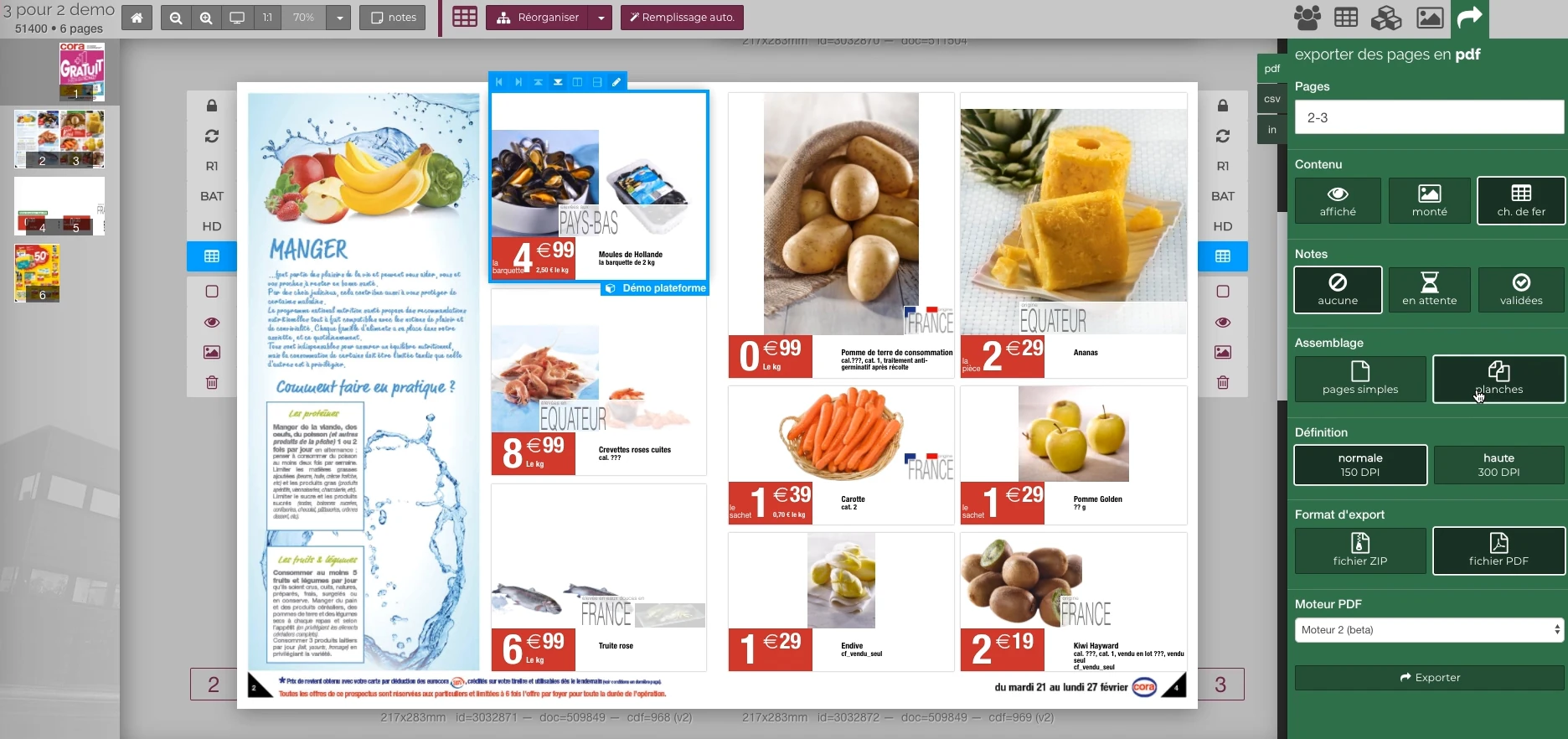 Enlarge screen
 Preparing the output of the document
The document remains visible next to the PDF output panel and the parameters offered in the platform.
Real Rey’actif interface · demo archive from 2018.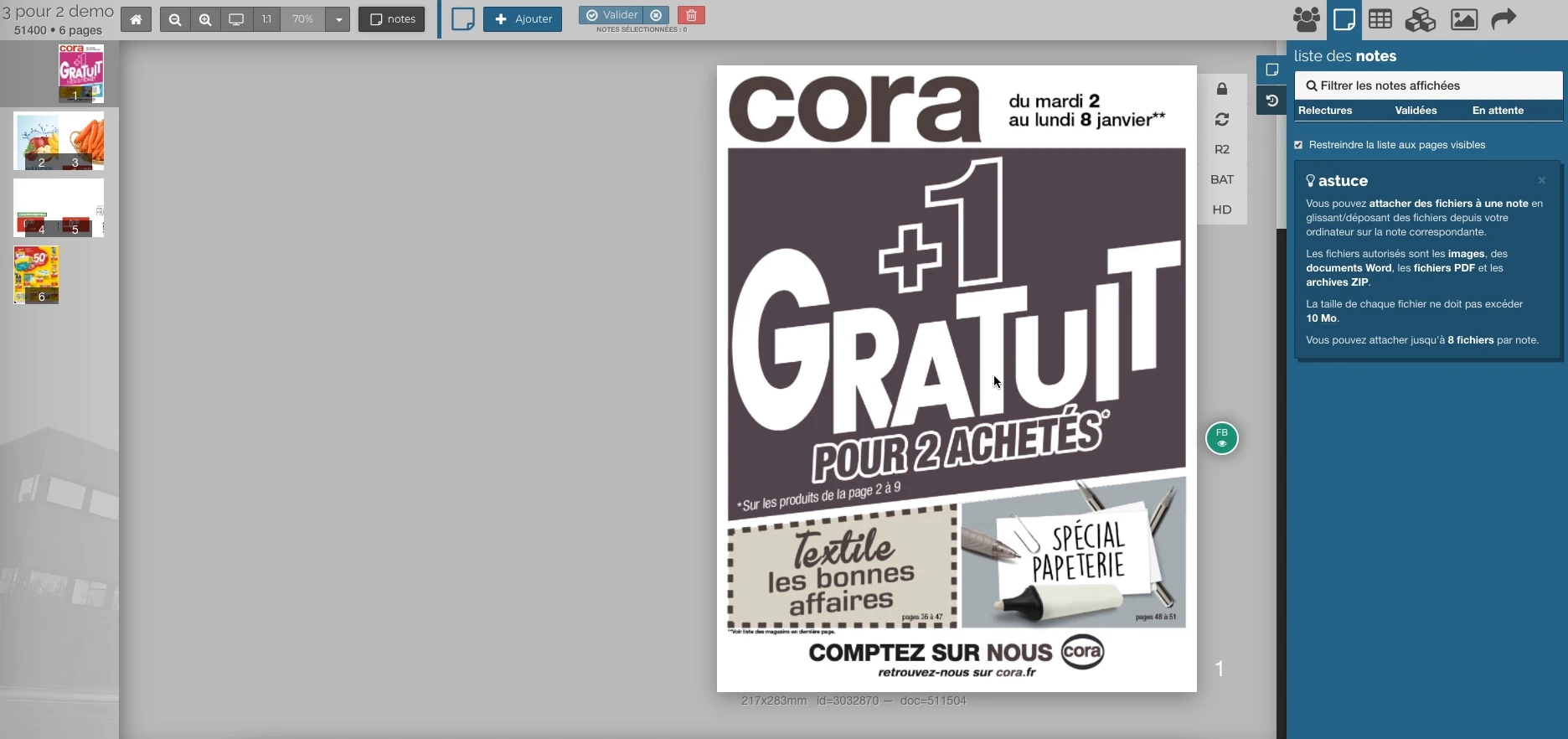 Enlarge screen
 Notes attached to the publication
The outline, the validation steps and the annotations give a common context to the rereading of the pages.
Real Rey’actif interface · demo archive from 2018.Extending print production on the web
A catalogue can be used in the form of pages, PDFs, product images or online publications. The preparation must specify what each channel expects: content, price, resolution and resource organization.
The Ludendo and Mr. Bricolage experiences illustrate this connection between documents, digital media and updates. The challenge is to maintain coherent material while adapting the deliverable to its destination.
Automate flipbook preparation
The automatic generation of flipbooks was part of Rey’actif services. She had to register in the production chain and find the pages corresponding to the requested publication.
Preparation includes the choice of version, the order of pages and the resources needed for consultation. Updates must make it possible to replace a corrected output without losing the link with its edition.
Link IN5 exports to annotations
An API was dedicated to a Chrome extension annotations on IN5 exports. This organization linked content consulted in the browser to correction exchanges.
The integration requires preserving the context of the remark: publication, page, version and element concerned. An annotation becomes usable when the production team can relate it to the document to be used.
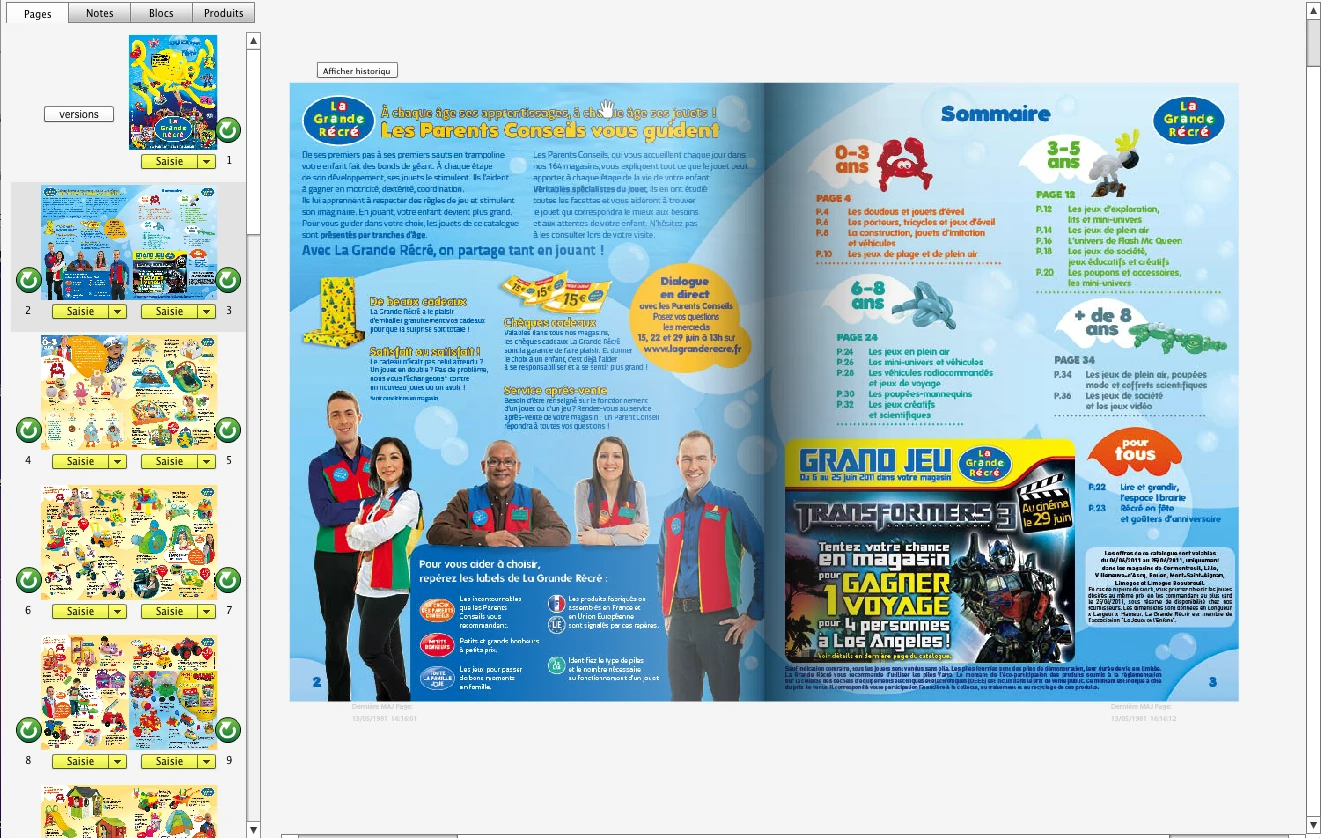
Interfaces of the Reymann editorial channel, in their period version. These archives illustrate the journey of Patrice Salib, founder of Dtouch, within the agency.
 Enlarge
 The railway, the page states and the double page La Grande Récré can be viewed on the platform.
Archive Reymann · interface extract · 2011Give a clear place to corrections
The course also includes the analysis of PDF annotations, their attachments and their encodings. It was necessary to circulate comments between tools while preserving information useful for processing.
The design of a validation process combines consultation, comment, correction and new version. Users need to understand what output they are working on and when a change is taken into account.
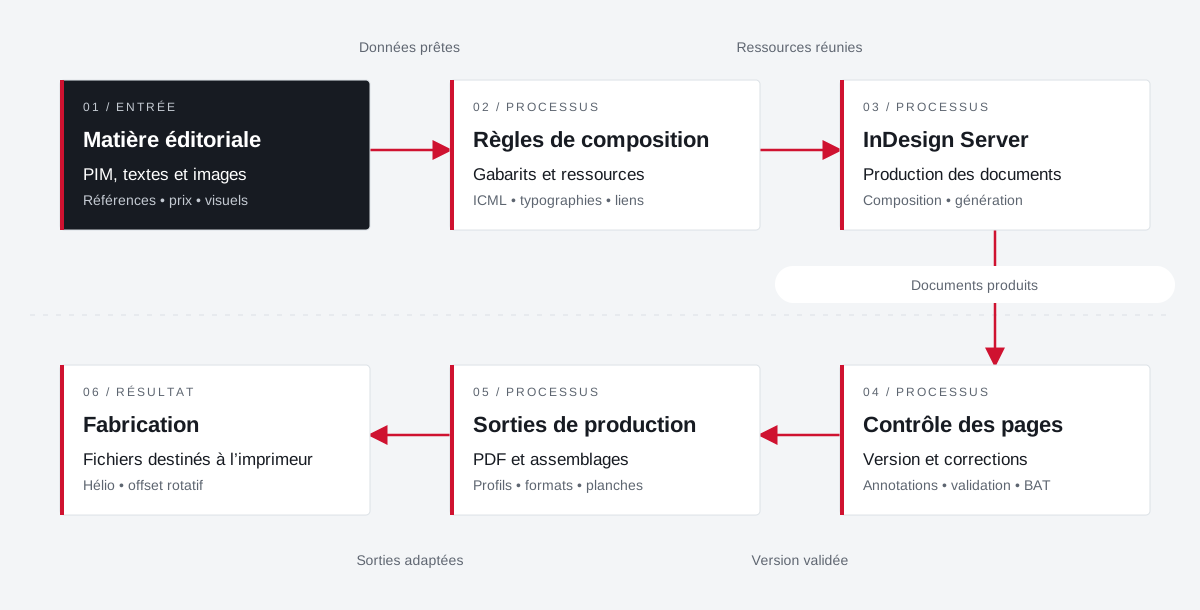
From the product repository to the manufacturing file.
Products, visuals, templates, typographies and output parameters join a production followed by document and version.
 Enlarge the diagram
 - 01Data ready ↓
Editorial material
PIM, texts and images
References • price • visuals - 02Resources combined
Composition rules
Templates and resources
ICML • typographies • links - 03Documents produced ↓
InDesign Server
Production of documents
Composition • generation - 04Validated version
Page control
Version and corrections
Annotations • validation • proof - 05Adapted outputs ▼
Production outputs
PDFs and assemblies
Profiles • formats • boards - 06
Manufacturing
Files for the printer
Helio • rotary offset
Enlarge the diagram Compose
Bring data and resources closer to the template.
Validate
Follow the pages and corrections in their version.
Make
Apply media and printer specifications.
Projects and concrete situations.
Your job deserves
the right tools.
A specific need, a software to evolve, a project to frame.