
Cora: making digital catalogs more reliable
The distribution of a digital catalog depends on its pages, images and versions. A concrete diagnostic case on Cora flipbooks, from generation to control in the browser.
A searchable publication with some images displayed in black.
Coordination of diagnosis, generation monitoring and correction of shared resources
New resources generated, their replacement finalized and good consultation confirmed by production.
See the tools
and their functions.
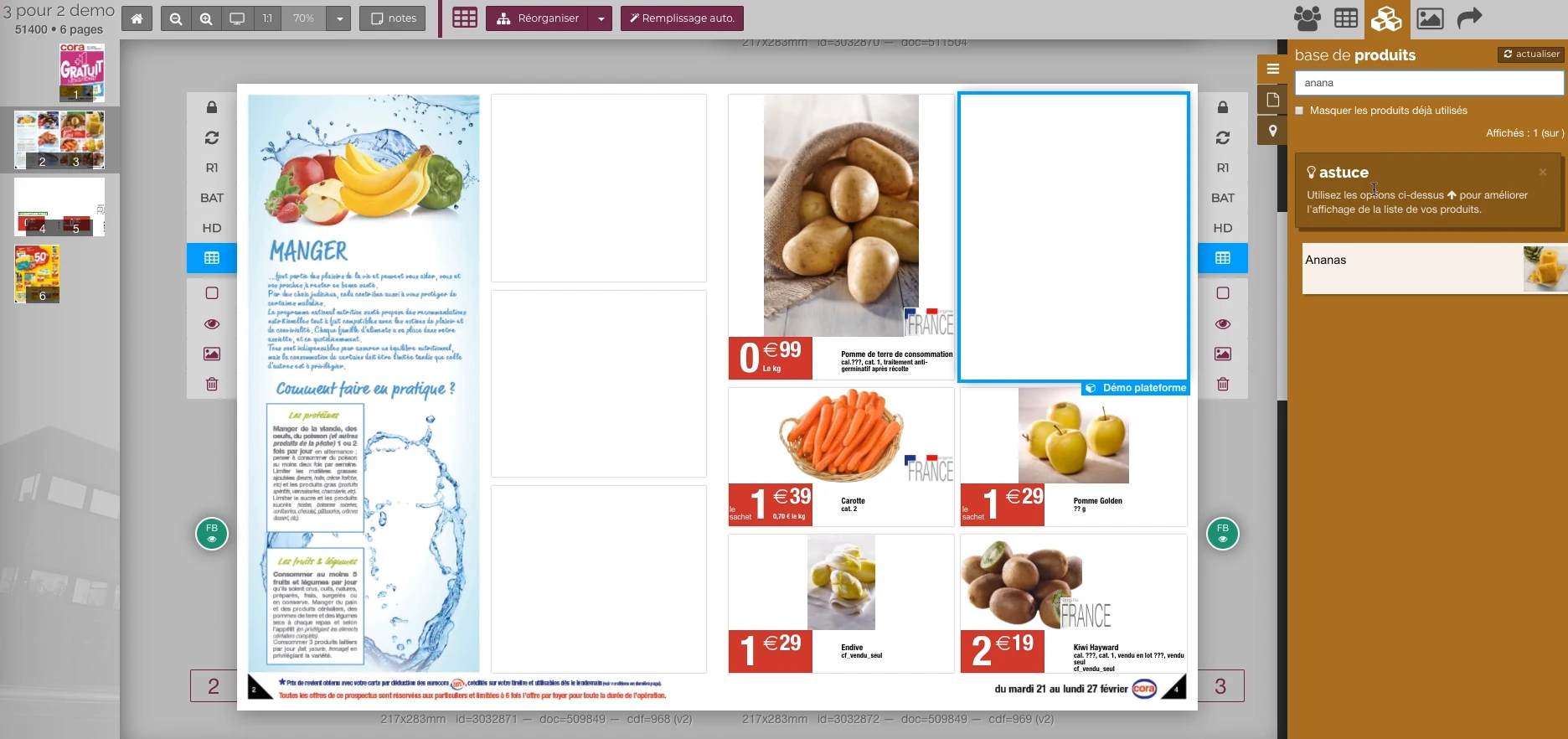
Visual highlights of the editorial environment Reymann, where Patrice Salib, founder of Dtouch, exercised. These 2018 Rey-Active demo views illustrate the platform's common functions, in a context distinct from the client folder presented.
 Enlarge screen
 From the product to its location on the page
The double page, the thumbnail and the product base allow you to work in the context of the publication.
Real Rey’actif interface · demo archive from 2018.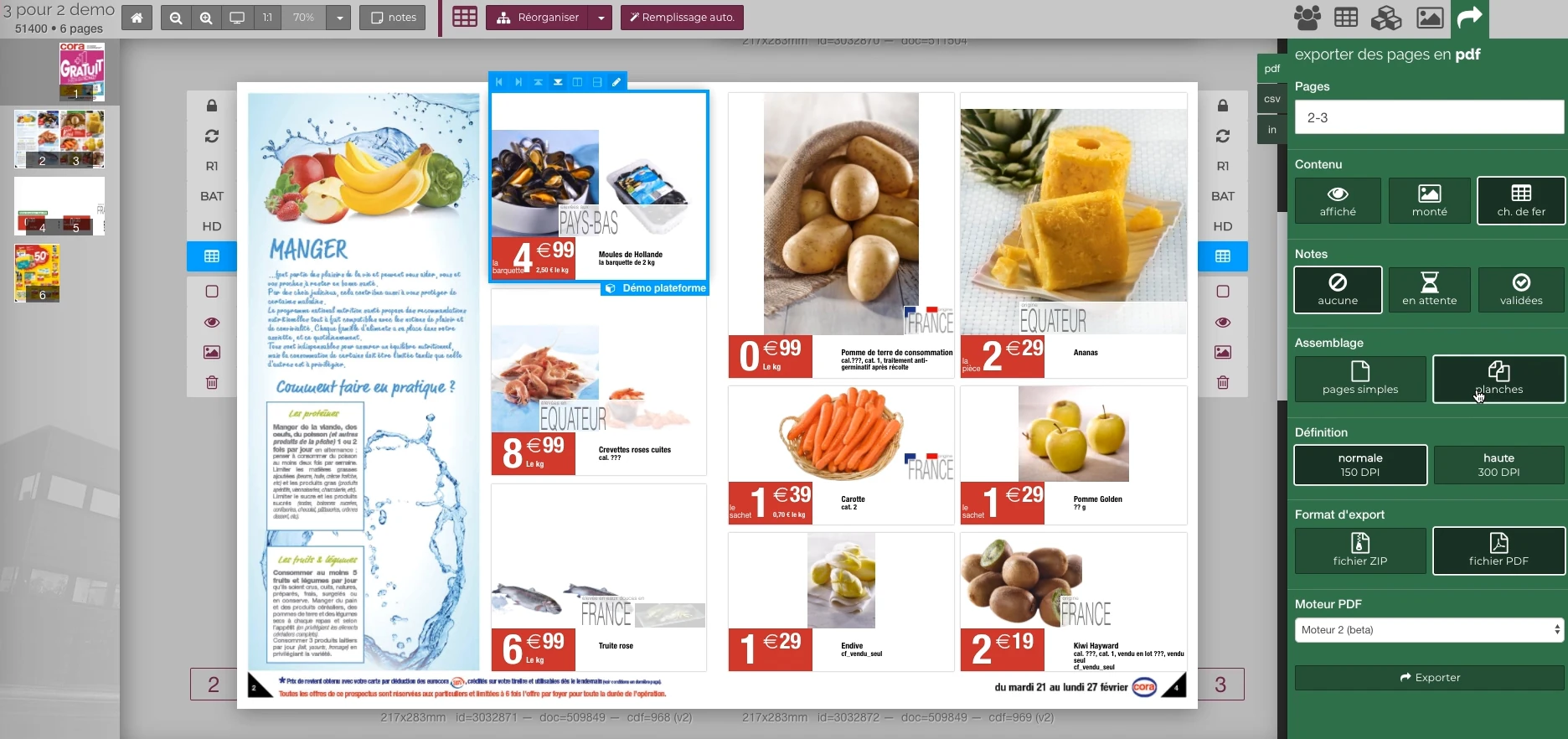 Enlarge screen
 Preparing the output of the document
The document remains visible next to the PDF output panel and the parameters offered in the platform.
Real Rey’actif interface · demo archive from 2018.The situation: dark images in the publication
A black image anomaly was reported in a flipbook in September 2018. The catalogue was visible on the consultation side, but some resources did not produce the expected result.
Patrice arranged to review the issue with the development partner and production people. It was necessary to distinguish the source document, the images generated and those actually used by the publication.
Correct resources and complete their replacement
A new generation of images was prepared in PNG format, while the old ones were in JPEG. Replacement also required processing of previous files in shared space.
The generation engine and file management therefore formed two different stages. Patrice intervened on this second point to complete the correction; the correct consultation was then confirmed by the team.
Compare the versions before concluding that there is a color defect
Another check, in October 2018, was on a difference in rendering. The examination distinguished a correct color conversion from a publication that did not correspond to the expected version.
The diagnosis compared the local result and that generated on the production environment. This method avoided modifying colorimetric parameters for a problem relating to another step.
Make the link between publication and exploitation
A digital publication brings together pages, images of different formats and shared files. The availability of a new file is not enough if the consultation still uses an old resource.
Technical monitoring links export, resource storage, versions and control in the browser. Exchanges with production make it possible to check the result on the publication actually consulted.
The contribution: follow the defect until its resolution
This case combines developer coordination, file review and intervention on the shared environment. The correction of the black images was followed until confirmation of the correct consultation.
It shows a practice of diagnosis beyond the screen: finding the step which produces the gap and verifying that the right resources join the broadcast.
This case study presents the experience of Patrice Salib, founder of Dtouch, acquired at Reymann with the agency's teams and its development and production partners.
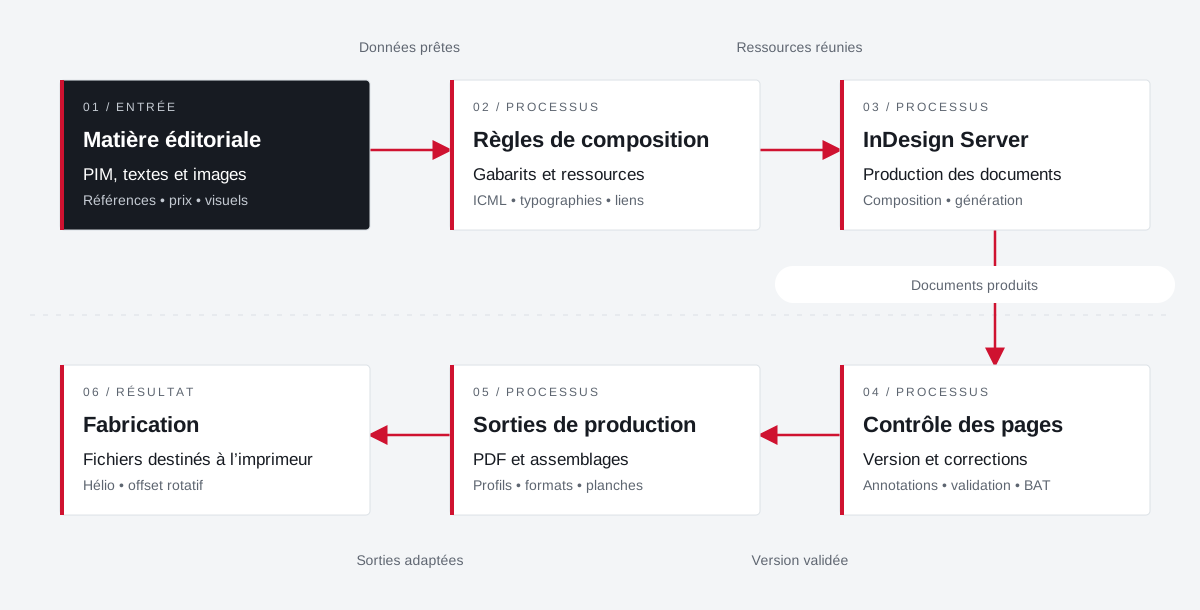
From the product repository to the manufacturing file.
Products, visuals, templates, typographies and output parameters join a production followed by document and version.
 Enlarge the diagram
 - 01Data ready ↓
Editorial material
PIM, texts and images
References • price • visuals - 02Resources combined
Composition rules
Templates and resources
ICML • typographies • links - 03Documents produced ↓
InDesign Server
Production of documents
Composition • generation - 04Validated version
Page control
Version and corrections
Annotations • validation • proof - 05Adapted outputs ▼
Production outputs
PDFs and assemblies
Profiles • formats • boards - 06
Manufacturing
Files for the printer
Helio • rotary offset
Enlarge the diagram Compose
Bring data and resources closer to the template.
Validate
Follow the pages and corrections in their version.
Make
Apply media and printer specifications.
Your job deserves
the right tools.
A specific need, a software to evolve, a project to frame.