
Mr. Bricolage: the guides, from the file to the consultation
Follow the pages of a guide, client corrections, file exchange and availability of good online editions.
See the tools
and their functions.
Visual highlights of the editorial environment Reymann, where Patrice Salib, founder of Dtouch, exercised. These 2018 Rey-Active demo views illustrate the platform's common functions, in a context distinct from the client folder presented.
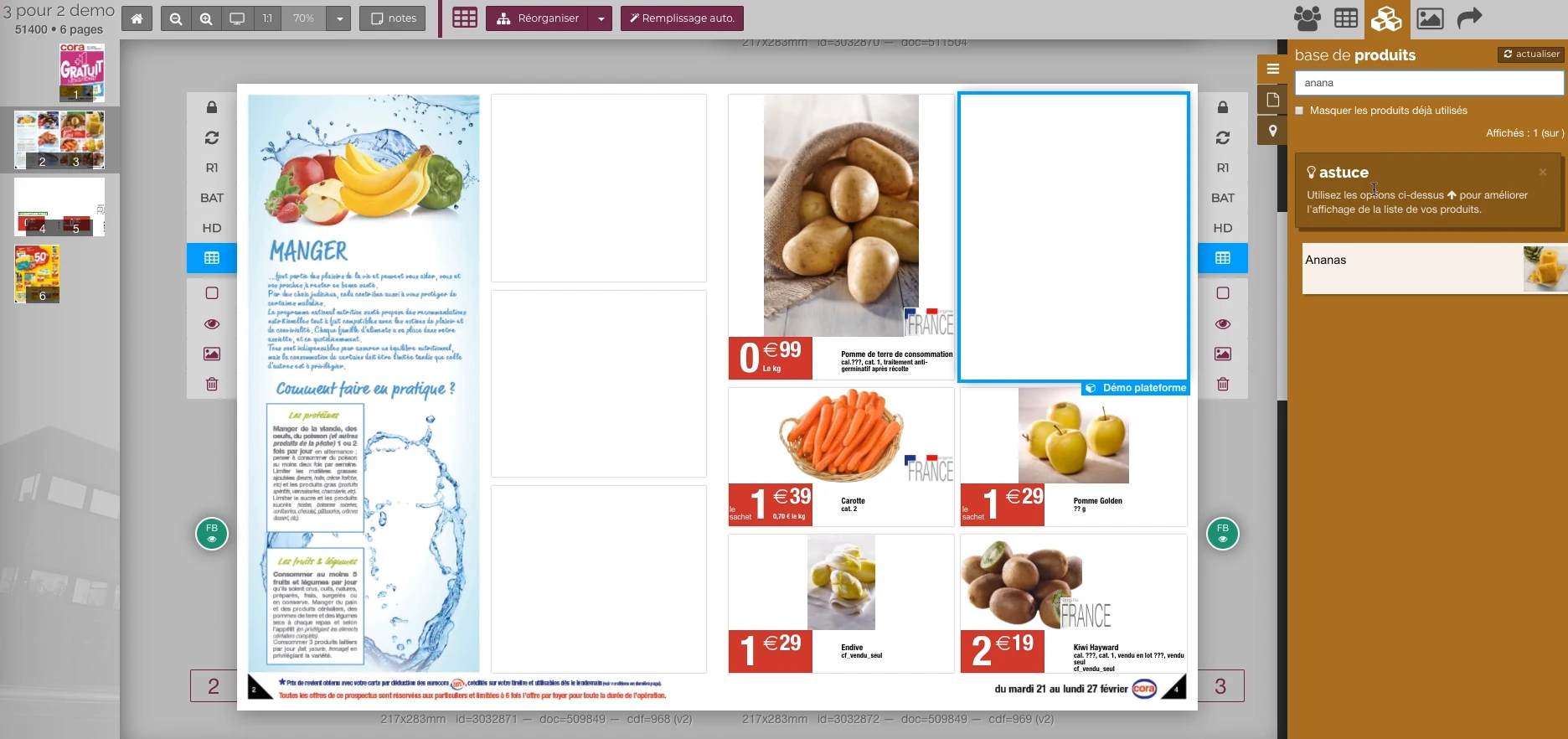 Enlarge screen
 From the product to its location on the page
The double page, the thumbnail and the product base allow you to work in the context of the publication.
Real Rey’actif interface · demo archive from 2018.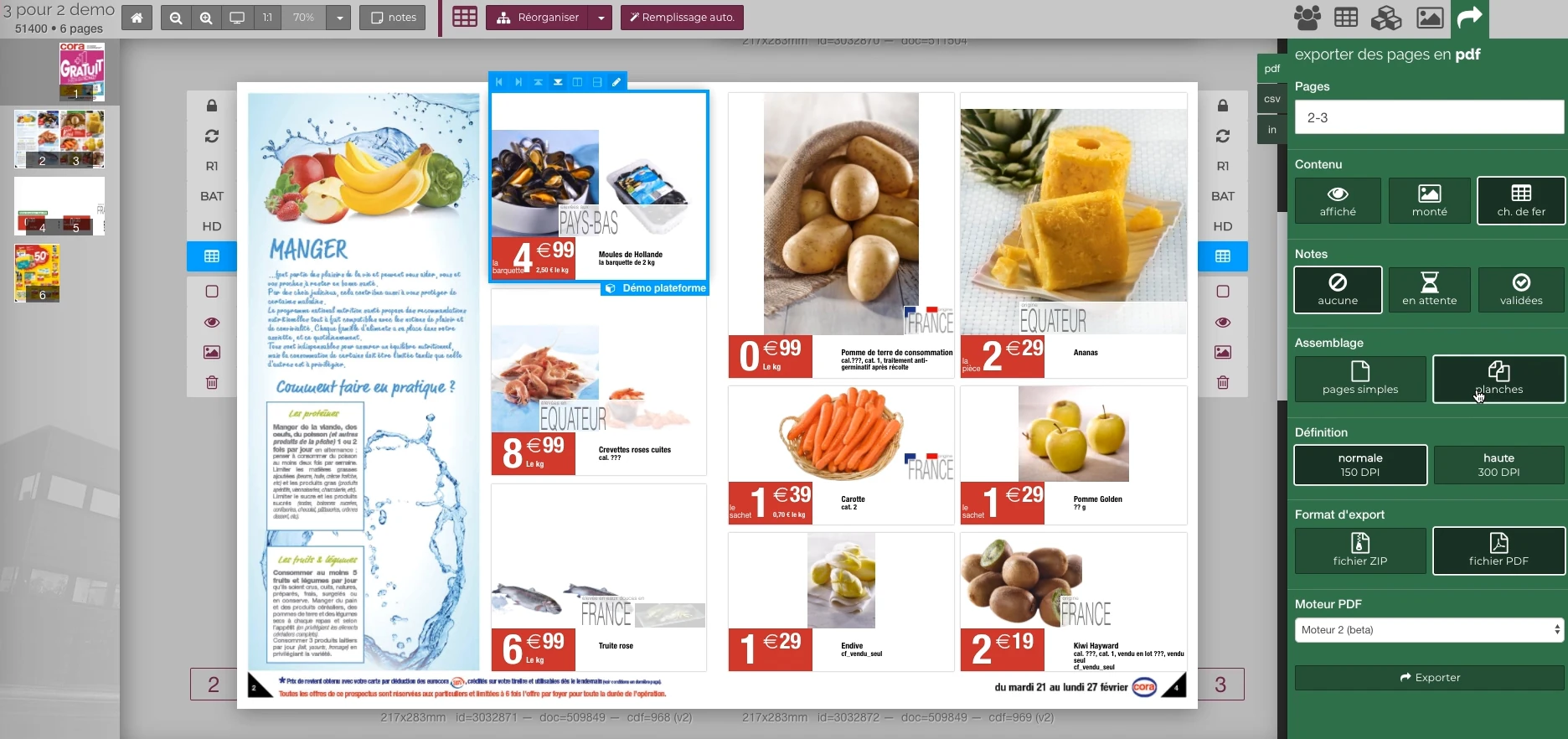 Enlarge screen
 Preparing the output of the document
The document remains visible next to the PDF output panel and the parameters offered in the platform.
Real Rey’actif interface · demo archive from 2018.A platform to follow the guides
The Mr. Bricolage files used the platform to consult and correct the pages. Feedback from the advertising teams led Patrice to intervene on the availability of files and the access necessary for customer contacts.
The collaborative dimension was central: a correction blocked as a deadline approaches requires understanding both how the platform works and the state of the page.
Support filings and alerts
Monitoring combined FTP deposit alerts and the creation of useful access for stakeholders. These operations ensure continuity between the delivered file and the person who must take charge of it.
Technical monitoring must take into account who submits, who consults, who corrects and the expected version, without reducing the exchange to a simple shared directory.
Maintain correct versions of online guides
A corrected guide should replace the previous page. Former editions should not be accessible through links that would expose outdated content.
Monitoring of the guides included the withdrawal of old editions and the updating of corrected pages, particularly for the Heating Guide. Managing the publication cycle is part of the experience, just like putting it online for the first time.
This case study presents the experience of Patrice Salib, founder of Dtouch, acquired at Reymann with the agency's teams and its development and production partners.
Data, images
and production combined.
An active Rey-Active demo archive to situate the technical context of this journey.
From the product repository to the manufacturing file.
Products, visuals, templates, typographies and output parameters join a production followed by document and version.
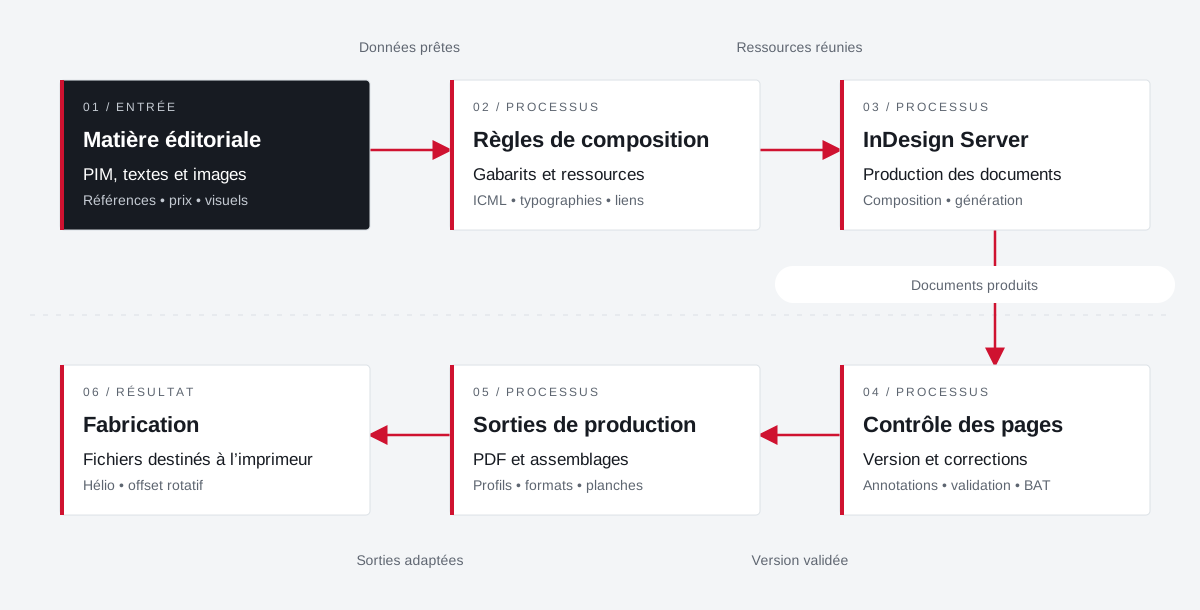 Enlarge the diagram
 - 01Data ready ↓
Editorial material
PIM, texts and images
References • price • visuals - 02Resources combined
Composition rules
Templates and resources
ICML • typographies • links - 03Documents produced ↓
InDesign Server
Production of documents
Composition • generation - 04Validated version
Page control
Version and corrections
Annotations • validation • proof - 05Adapted outputs ▼
Production outputs
PDFs and assemblies
Profiles • formats • boards - 06
Manufacturing
Files for the printer
Helio • rotary offset
Enlarge the diagram Compose
Bring data and resources closer to the template.
Validate
Follow the pages and corrections in their version.
Make
Apply media and printer specifications.
Your job deserves
the right tools.
A specific need, a software to evolve, a project to frame.